Need help?
Do you have a question about the Sper scientific 800100 and is the answer not in the manual?
Lists and identifies the key components of the IR Thermometer/LED Light Pen.
Details the steps for using the LED light and performing IR measurements.
Explains how to switch between Fahrenheit and Celsius temperature scales.
Clarifies the relationship between distance and the measured area for IR readings.
Defines emissivity and provides guidance for measuring reflective surfaces.
Instructions for replacing batteries for both the thermometer and the LED light.
Guidelines for cleaning and protecting the instrument from damage.
Lists key technical details including temperature range, resolution, and dimensions.
Details the product's warranty period, coverage, and service contact information.
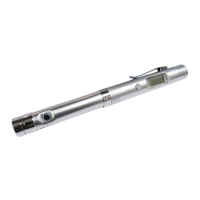
The SPER SCIENTIFIC 800100 IR Thermometer/LED Light Pen is a versatile and portable tool designed for quick field inspections in various applications such as HVAC and Industrial Hygiene. Its pen-sized form factor ensures convenience for carrying, making it readily available whenever needed.
This device uniquely combines an infrared thermometer with a bright white LED light. The infrared thermometer allows for non-contact temperature measurement, making it suitable for a wide range of surfaces and environments. The integrated LED light serves as a flashlight, enhancing visibility during inspections, especially in dimly lit areas. A key feature is that the flashlight operates on a separate battery, ensuring that the thermometer remains functional even if the flashlight battery is depleted. The IR lens is protected by a twist on/off cover, safeguarding it from damage and keeping it clean when not in use.
To operate the LED Light, simply press the LED Light button (6). Pressing it again will turn the light off. For infrared temperature measurement, first unscrew the protective cover from the IR Lens (1). Point the IR Lens (1) at the target object and press the IR button (3). The measured temperature will then be displayed on the LCD (2). The measurement updates continuously as long as the IR button (3) is held down. Once the IR button (3) is released, the last measured temperature remains on the LCD (2) for approximately 15 seconds, or until the IR button (3) is pressed again for a new measurement. When an IR measurement is displayed, the LCD backlight automatically activates and stays on for 10 seconds, improving readability in various lighting conditions. It's important to note that readings may fluctuate if the pen is moved during measurement, and this thermometer is not intended for medical evaluations.
The device offers flexibility in temperature scales. To switch between Fahrenheit (°F) and Celsius (°C), gently insert the end of a paperclip into the pick hole located on the back of the device, opposite the IR button (3). The LCD (2) will then display the newly selected scale.
The thermometer operates with a fixed emissivity value of 0.95, which covers approximately 90% of typical applications. For highly reflective surfaces, it is recommended to apply masking tape or a paint with a 0.95 emissivity to the surface before taking a measurement. If the target object is covered with frost, clear the frost to expose the surface for accurate readings.
The device also adheres to a 1:1 Distance-to-Spot ratio, meaning the target must be larger than the spot size. As you move farther from the object, the measured spot size increases proportionally. For instance, if you are 2 feet away from the target, the measured area will have a 2-foot radius.
Battery replacement is straightforward. For the thermometer, a flashing battery icon on the LCD (2) indicates a low battery. To replace, twist off the Battery Access (4) and replace the two 1.5V LR44 batteries (5). For the LED Light, if the flashlight dims or fails to operate, twist off the Battery Access (4) and replace the 1.5V AAA battery (5).
For general care, always keep the protective cover on the IR Lens (1) when the device is not in use. To clean the lens, use compressed air, a soft brush, or carefully wipe the surface with a moist cotton swab. Avoid using solvents for cleaning. The housing can be cleaned with a moist cloth. It is crucial to protect the instrument from water, physical or electrical shock, dust, and extreme environmental conditions to ensure its longevity and accurate performance.
 General
| Model | 800100 |
|---|---|
| Category | Measuring Instruments |
| Type | Digital Thermometer |
| Display | LCD |
| Probe Type | Stainless steel |
| Auto Power Off | Yes |
| Sensor | Thermistor |
| Temperature Range | -50 to 300°C (-58 to 572°F) |
| Measuring Range | -50 to 300°C (-58 to 572°F) |
| Resolution | 0.1°C (0.1°F) |

 To Next Page