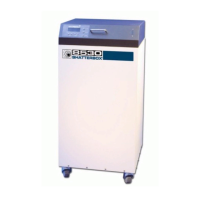
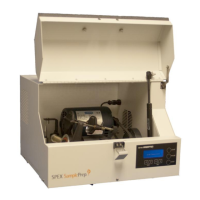
8000M Mixer/Mill
Page 11 of 27 SPEX SamplePrep LLC January 2010
5.0 OPERATION
The following sequence is typical. It supposes familiarity with the chief features of the
Mixer/Mill, as described in Section 4.0 SETTING UP.
1. Plug the power cord into the mill’s electrical inlet, and then into an approved grounded
outlet. Ensure that the On/Off switch (next to the power inlet) is in the off position, before
plugging the unit in. After the unit is plugged in, switch the power on by means of the
rocker switch. The timer will briefly display “SPEX SamplePrep” and “8000 Series
Mixer/Mill”. This will then change to show the default timer setting of 5:00.
2. After loading the vial with the sample to be mixed or ground, place it in a clamp. Tighten the
clamp with the knob, and lock the clamp with the locking tab. Close the lid and fasten with
the manual latch.
3. Program the timer setting as described in Section 4.5.3 Setting the Timer using the
up/down buttons. The timer will retain a given setting as long as the power is left on; when
power is turned off that setting is lost, and when the power is turned back on the timer
setting will revert to 5:00.
4. Start the Mixer/Mill by pushing the START button. During the run, the timer will count
down, and display the time left in the run in 5 second increments. When the run is over,
the timer will display RUN COMPLETE for five seconds while the lid stays latched. Then the
lid latch will disengage with an audible click, and the timer will reset. Open the lid, loosen
the locking tabs, then open the clamps and remove the vials.
5. To stop the mill during a run, press the STOP button. This motor will stop and the timer will
reset. RUN COMPLETE will be displayed for 5 seconds and the lid will stay latched. After
5 seconds the original timer setting will reappear and the lid latch will release.
6. To pause a run, press the PAUSE button. The motor will shut off and PAUSED will appear in
the display. The lid latch will not release. To resume the run, push START; the timer will
briefly display the exact number of seconds left in the run and then count down in 5-second
increments. In the unlikely event that pushing the STOP or PAUSE button does not shut
down the Mixer/Mill, cut off power by pressing the rocker switch on the back of the mill to 0.
7. If ERROR: LATCH FAILURE is displayed instead of numerals when the START button is
pressed, the interlock has not properly engaged. Clear the timer by pressing the STOP
button, and correct the problem.
NOTE: Always wait five seconds after the mill shuts off for the lid to unlatch. During this time
the timer will display RUN COMPLETE. Opening the lid prematurely can damage the
latch.


 To Next Page