8000M Mixer/Mill
Page 9 of 27 SPEX SamplePrep LLC January 2010
4.4 Control Panel (Cont’d)
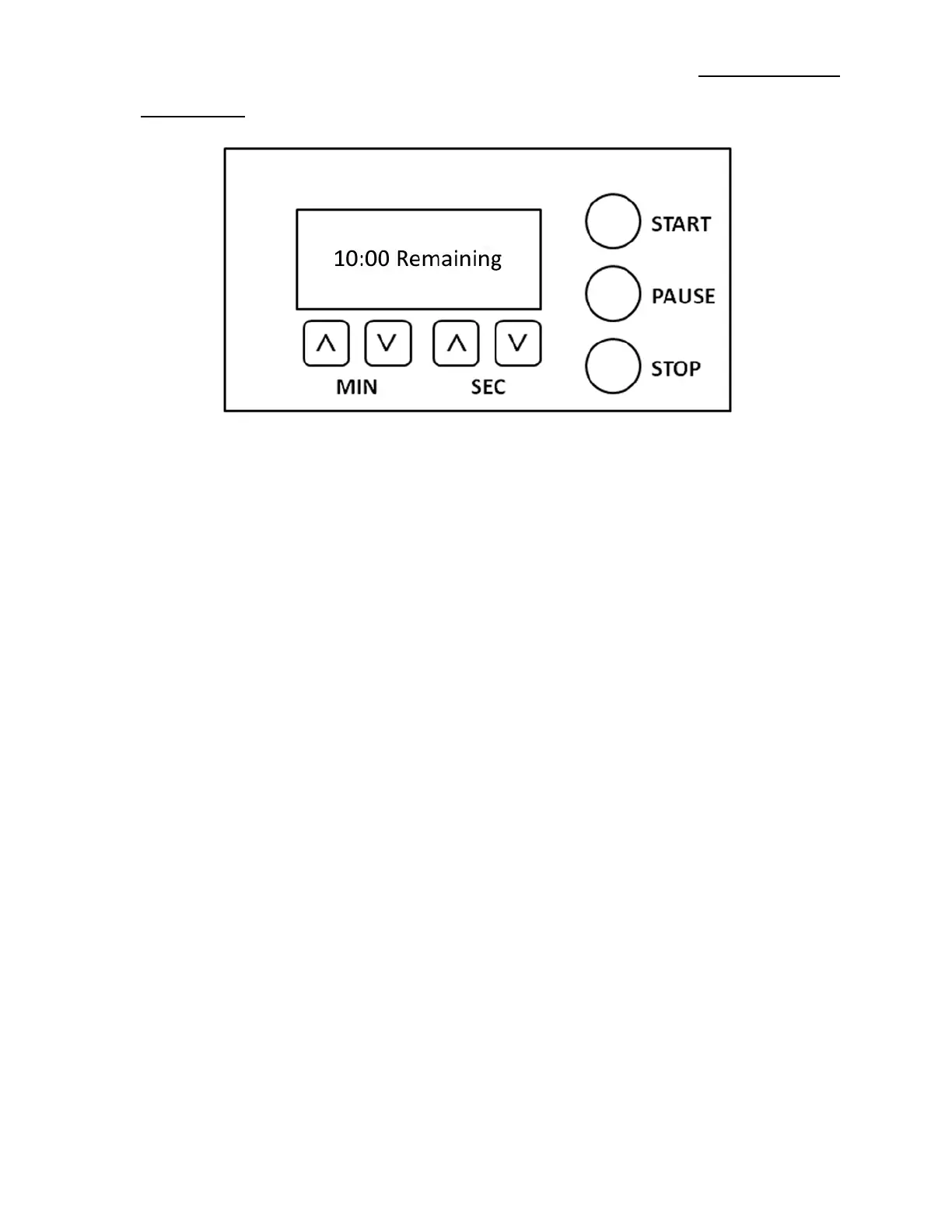
Figure 2 – 8000M Mixer/Mill Digital Timer Screen and Controls
4.4.2 Setting the Timer
When power is switched on, the timer will first display:
SPEX SamplePrep
8000 Series
MIXER/MILL
The timer will then display the default timer setting of five minutes (5:00). Assuming a grinding
vial is clamped into the mill and the lid is down, pressing START will initiate a run of 5 minutes.
First there will be a delay of several seconds for the lid latch to engage, then the timer will start
counting down in 5 second increments: 4:55, 4:50, 4:45, etc.
Every time power is turned off and back on, the timer will revert to the 5:00 default setting. To
maintain another timer setting, leave the power on. If power is not interrupted, the timer will
display the most recently programmed setting.
Set the mixing/grinding time with the four buttons below the timer display. There are up and
down buttons for minutes, and up and down buttons for seconds. The MIN buttons will change
the minute setting in 1 minute increments, and the SEC buttons will change the seconds setting
in 5 second increments. 100:00 is the maximum running time; increasing the minutes setting
past 100 will take the setting to zero. 55 is the maximum setting for seconds; increasing the
seconds past 55 will take the setting to zero. If a button is pushed and immediately released, it
will change its setting by one unit. If a button is held down, the setting will advance rapidly.


 To Next Page