SpinetiX SA, Rue des Terreaux 17, CH-1003 Lausanne, Switzerland
T +41 21 341 15 50 | F +41 21 311 19 56 | info@spinetix.com | www.spinetix.com
23
Pull mode
Setting up the pull mode
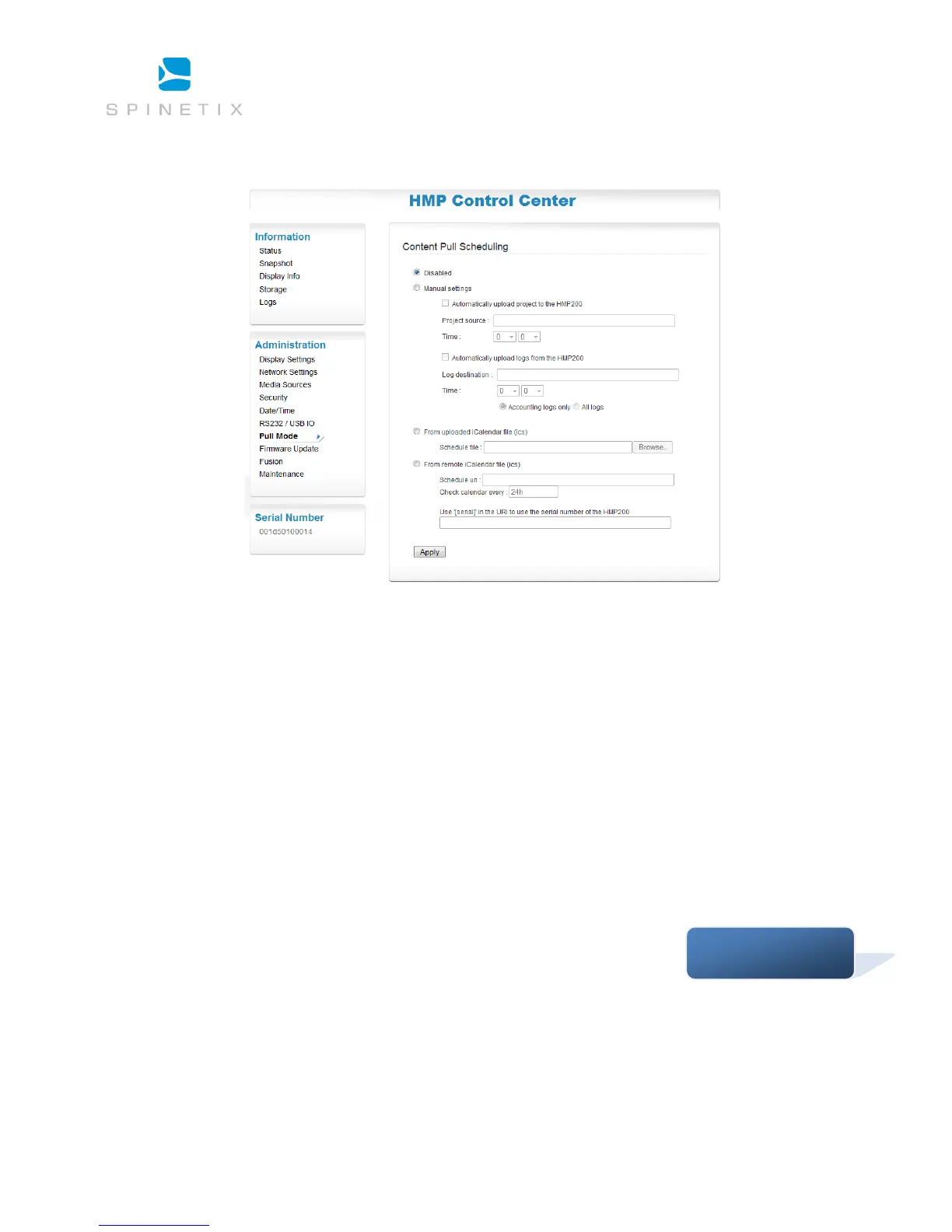
Pull mode can be used in a bidirectional manner to automatically publish files to the HMP.
Each time the HMP has been scheduled to update the content of its local storage, it will connect to the specified server, check for
changes, and download all modified files.
The publish action of the Pull mode can be used with WebDAV server or with standard HTTP servers. For the latter, an XML file
describing the content of the server must be available. Pull mode scheduling can be configured either directly from Control Center, or
by using a custom-built iCalendar file. There are two ways to configure Pull mode on a HMP unit:
• Using Control Center. This option is easy to configure, but has some limitations. For example, it forces a daily project
publishing at a specific timing. Moreover, the options for uploading logs are limited.
• Using iCalendar schedule files: This option gives you full control over the Pull mode of the HMP, but requires an external tool
to create the iCalendar files (such as Sunbird or HMD for instance).
Support Wiki keyword:



 To Next Page