20
Backlight Time Adjustment
Increasing the amount of time the backlight stays on will diminish battery life.
The default setting for the backlight time on the console is 5 seconds.
To adjust the length of time the backlight remains on after use:
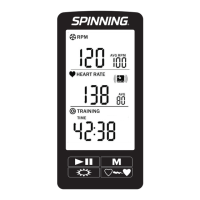
1. On the cadence information screen, the LCD display will
appear with a time.
2. Press Backlight to increase the time or Heart Rate Pairing to
decrease the time. You can also select OFF.
3. Press Mode to select time and return to workout mode.
To change the units of measure:
1. On the console, press Heart Rate Pairing to
display the units of measure (Figure 9).
2. Press Mode to select unit of measure.
(Km or Miles). The back light adjustment
screen now displays.
KM
Mile
Figure 9


 To Next Page