User Manual, Spintso Referee Watch S1 PRO, vers 2.0
24 (30)
User Manual, Spintso Referee Watch S1 PRO, vers 2.0
25 (30)
9. Short-cuts from home screen
9.1. Swipe Down
Swipe down to access the quick settings. Change a setting by tapping the icon.
9.2. Swipe Right / Left
Swipe left or right to quickly access referee functions, heart rate and a brief of your daily health data.
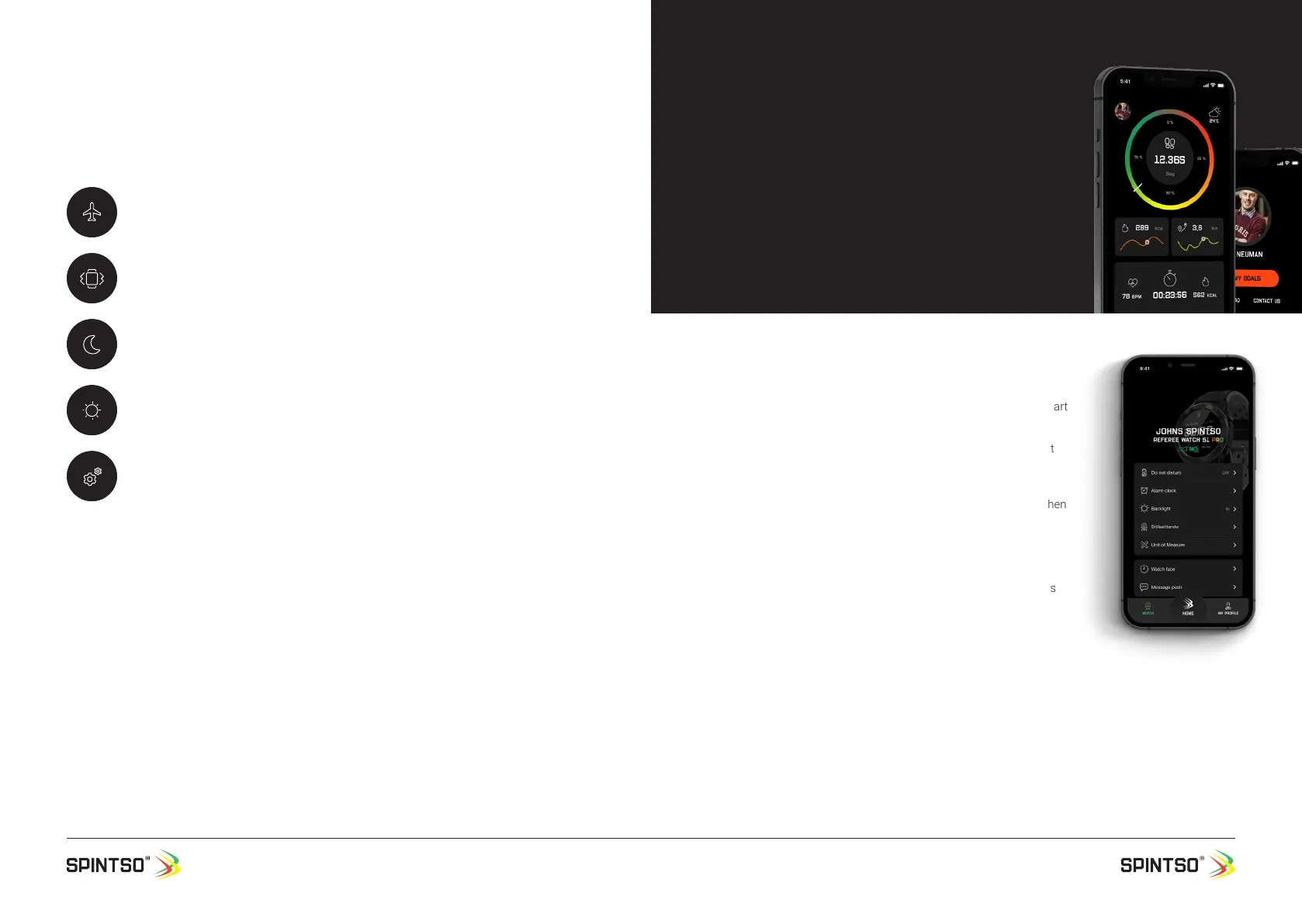
10.1. Watch TAB
In watch tab you can access the following features.
ADD SPINTSO WATCH. Tap to start searching for your Spintso smart
watch.
DIAL. Congure your personal dial.
MESSAGE PUSH. Enable/Disable or select which notications that
shall be forwarded to your watch.
INCOMING CALLS. Choose if incoming calls shall show up on the
watch
ANTI LOST. Enable/Disable anti list function. The watch vibrate when
loosing the Bluetooth
connection with your phone.
DO NOT DISTURB. Enable/Disable do not disturb function.
WAKE-UP ALARM. Set up to ve alarms that activates on your
watch.
SEDINTARINESS. Set the time period and how often sedentariness
shall activate on your watch.
UNIT OF MEASURE. Metric or Imperial can be selected.
CHOCK. Selection of the vibration repetition. Not applicable for
referee functions.
BACKLIGHT. Option to set for how long the watch screen shall be
active after wake-up. Not applicable for referee functions.
TURN THE WRIST. Enable / Disable or set the time for when the watch shall activate the screen when
turning the wrist.
CAMERA. Take a picture from your phone when tapping on your watch.
LANGUAGE. Select your preferred language on your watch.
FIRMWARE UPGRADE. If a newer software is available for your watch, it can be updated. Make sure
the watch and phone battery is at least 50% before loading new SW.
AGPS UPDATE. Option to have the watch connect to satellites quicker.
DISCONNECT. Disconnects your watch from the phone.
Flight mode
Disables Bluetooth.
Vibration
Turns vibration on/off. This setting does not affect the vibration in the referee functions.
Do not disturb
Disables vibration and notications. This setting does not affect the wake-up alarm and
the vibration in the referee functions.
Brightness
Screen brightness can be set in ve steps
Settings
Short-cut to watch settings.
10. App features
In the APP you can access three tabs. Watch, Home
and My Prole.


 To Next Page