Instructions
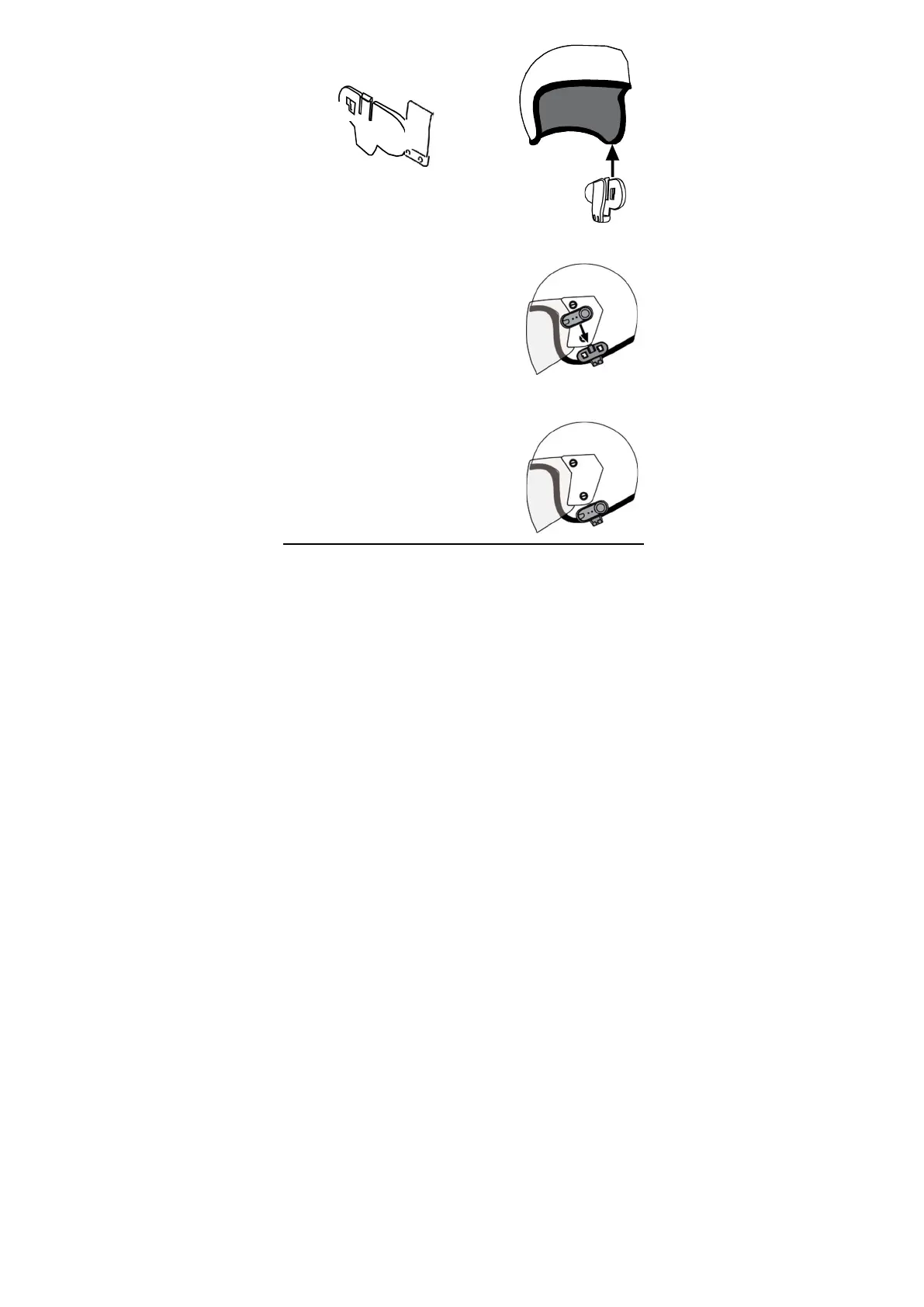
Fitting the Bluetooth°receiver to your helmet
1.
Using the provided screw driver, loosen the
Headset Clip screws.
2.
Slide the Headset Clip onto the left side of the
helmet (when on your head).Take care to
place the inside of the Headset Clip under the
helmet padding.
3.
Adjust the clip until you find the best location
for your helmet. Ensure that the slots in the
headset clip mount are facinp away from the
helmet.
4.
Tighten the screws to hold the clip firmly in
place. WARNING: Excessive tightening may
damage the clips.
5.
Slide the Bluetooth’receiver down into the
slots on the headset clip mount. Make sure
that it is locked in securely.
6.
To attach the ear speaker & microphone
headset, test which part of the helmet will be
the best location by putting your helmet on
and locating the place closest to your ears.
You will need to put the helmet on a few times
to find the optimum position to apply the pad.
when the correct position is found, remove the
adhesive protective strip and apply the felted
earphone pad.



 To Next Page