9. Tuning Principles
The TCU normally comes with standard profiles preloaded onto it. These profiles differ a lot due to
engine RPM and road speed differences for each type of vehicle. There is a large difference
between petrol and diesel engines and also 4x4 and two wheel drive vehicles. It is recommended
to start with a profile that is more or less similar to your configuration. Always start with Profile 1 in
automatic mode as this is the profile in which you have to calibrate all the sensors, so that it is the
same for the other profiles. Any calibration in other profiles will be replaced with the calibration of
Profile 1 at startup.
9.1 Procedure of Tuning.
9.1.1 Standing Still
1. First go through the setup and enter all the relevant settings that you do know like the
pulses per RPM and revolution of the speed sensor etc.
2. Calibrate the TPS sensor.
3. Start the engine and check the rev counter calibration is correct, then save the data and
switch the engine off.
4. Switch the ignition on and do the following settings while you are standing still.
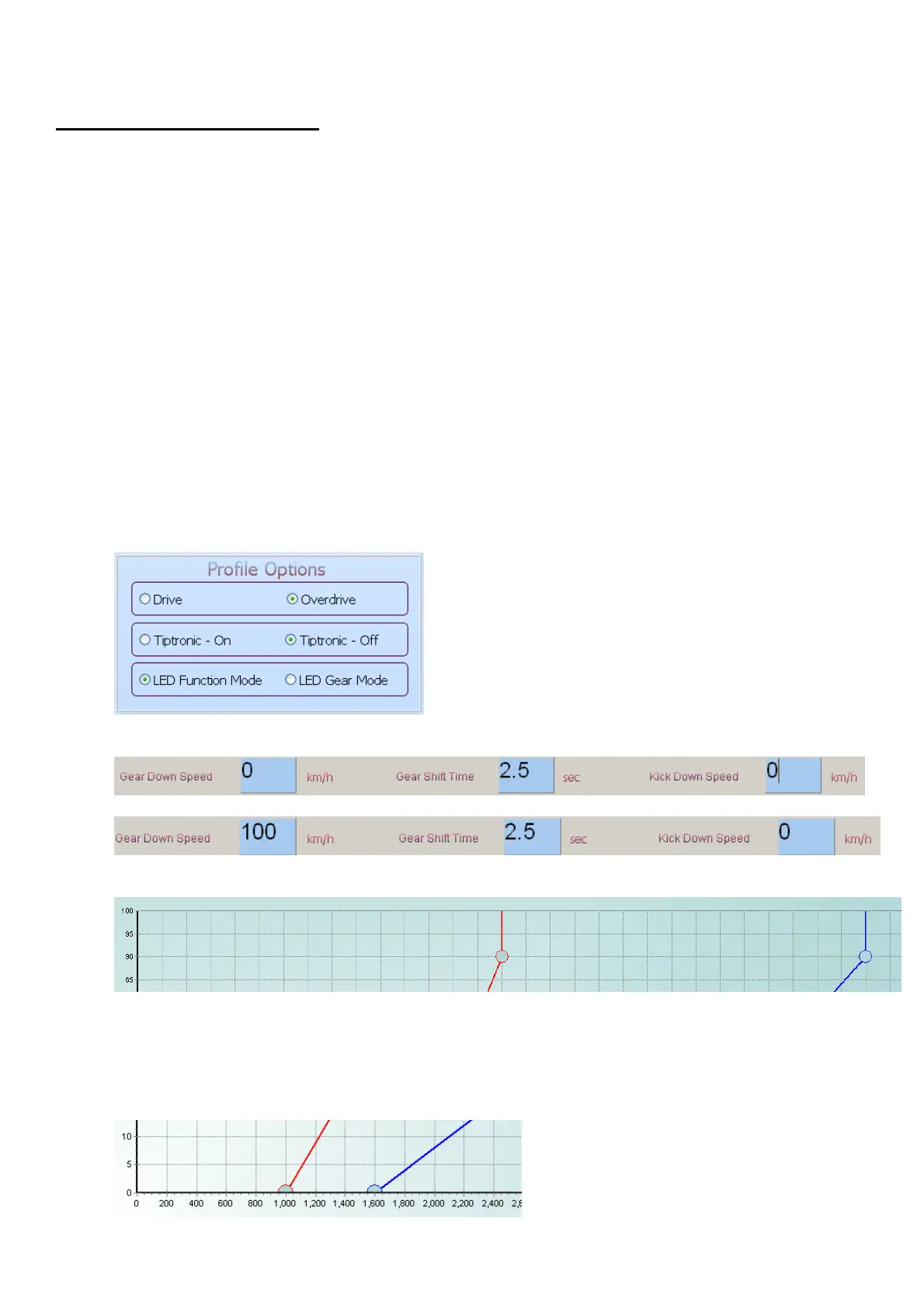
5. Start with the following option settings.
6. Set the Gear Down Speed and the Kick Down Speed for all the gears to 0 as in the block
below.
7.
8. Set the Gear Down Speed for first gear to 100 as in the block below.
9.
10. This will disable the speed settings so that you can set the RPM settings first. It will not
work for Tiptronic as you do need the required speed settings.
11.
12. Now set the Up Shift (Blue Line) High Dot to 90% TPS value, and to the maximum RPM
value allowed for that gear. Do this for each gear.
13. Now set the Down Shift (Red Line) High Dot to 90% TPS value and half of the maximum
RPM value allowed for that gear. Do this for each gear. An example is, if you want a gear to
reach 6000RPM under WOT, adjust the Down Shift High Dot to 3000RPM. This will be a
save value to start with, so that shift down does not the over-rev engine.
14.



 To Next Page