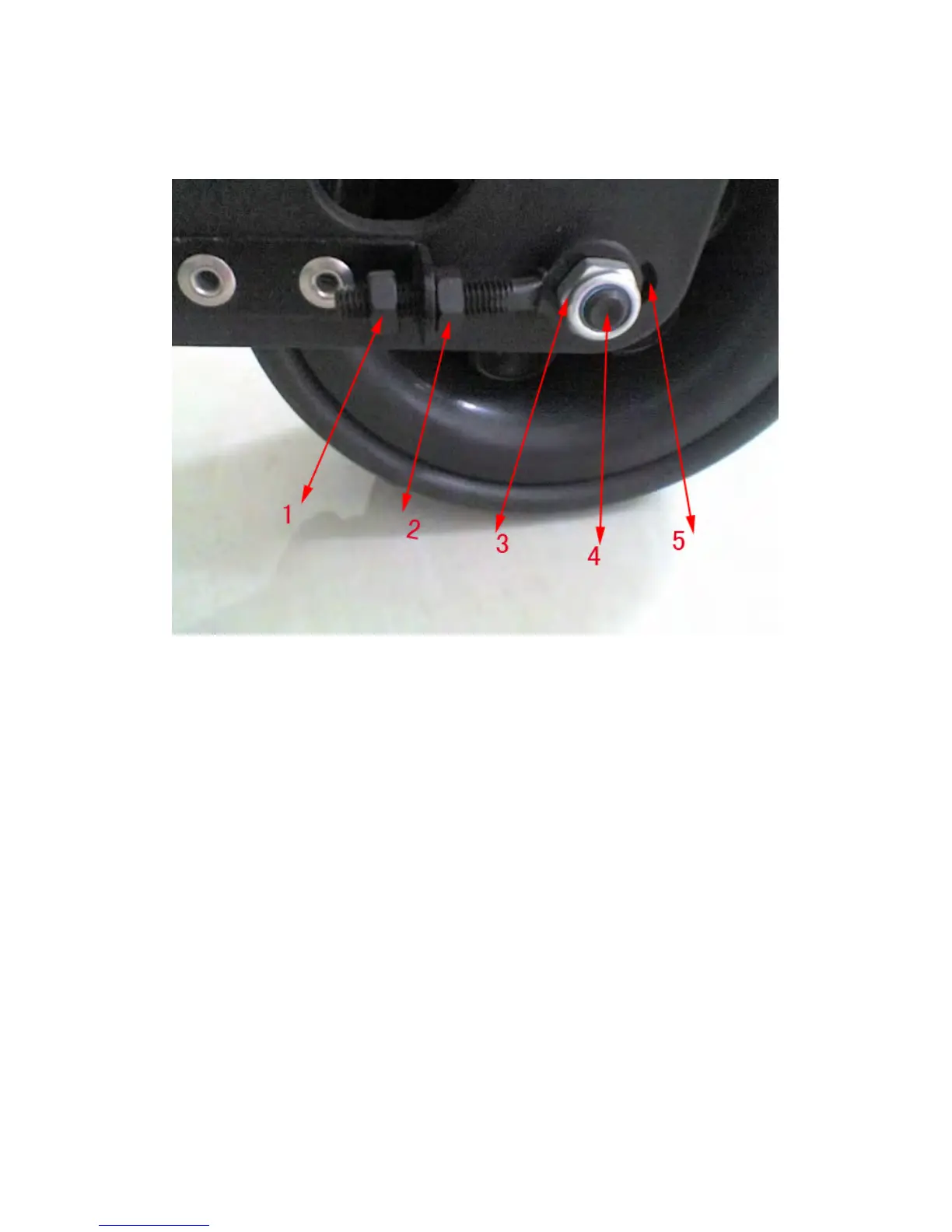
7.3 Tracking Adjustment
You can adjust the tracking of your caddy by loosening the axle and the adjustment bar on
the right side of the front wheel and shifting the axle accordingly.
- Loosen the nuts (#3 in diagram) on the front wheel and align it. Keep the nuts (#1
and #2) on the alignment bar un-tightened.
- When the front wheel is loose, you can adjust it left or right.
- When the wheel is aligned, tighten the nut (#3) on the axle (but still keep the
alignment bar’s nuts loose.
- Test the cart to make sure it goes straight on an asphalt/cement flat road or
pathway. If it does not, re-adjust the front wheel.
- ONLY AFTER when the cart is going straight, do you start tightening the nuts (#1
and #2) on the alignment bar. It does not need to be tight as its only purpose is to
prevent the wheel from going back and forth.


 To Next Page