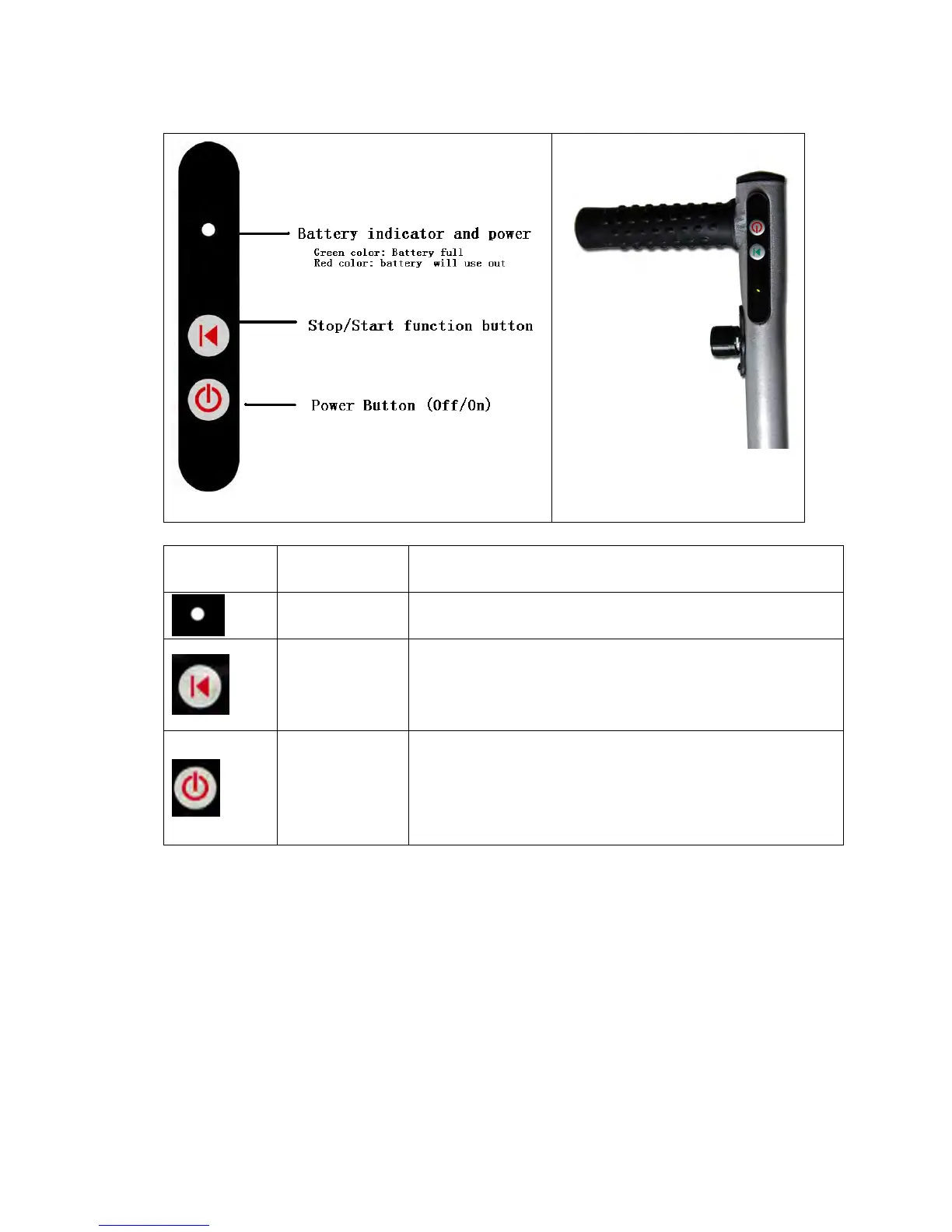
3.0 Manual Handle Control
Symbol Function Description
Battery Power Green LED: Battery is operational
Red LED: Battery is low and requires recharging.
Stop/Start This button starts and stops the cart. Once you are ready to go,
press the button, and the caddy will automatically travel at the
same speed that it was previously set at (except if you change
the variable speed control knob position).
Power On/Off Button controls the caddy’s power supply. Press for 2 seconds in
order to switch the caddy ON or OFF (similar to a mobile phone
operation). After connecting the battery, you need to press ON,
and the battery LED will illuminate. Your caddy should be ready
for operation.


 To Next Page