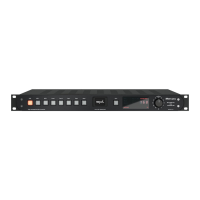
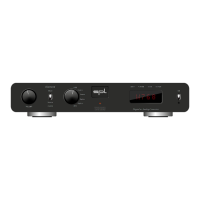
Diamond – Quickstart
Start up
Read the security advices on page !
Make sure that the selected mains voltage of the Diamond is according to the
mains voltage of your region.
Make sure that the mains switch on the rear of the Diamond is set to O
(O=O/On = I).
The standby switch on the front panel has to be set to
.
Connect the supplied power cord to the Diamond and to an appropriate mains
socket outlet.
If the supplied power cord does not match your mains socket outlet, please contact your dealer.
Turn o all devices you wish to connect to the Diamond.
Connect the outputs of your digital sources (e.g. Mac, PC or CD Player) to the
digital inputs of the Diamond. Please use appropiate audio cables (AES, USB,
coaxial, optical).
For Windows® computers download the latest driver from spl.audio/diamond and have it installed. Macs, iPhones
and iPads do not require a driver since the USB port is Apple-Class compliant.
Optionally connect the output of your word clock source to the word clock input
of the Diamond. Please use an appropiate cable (BNC, ).
Connect audio cables (XLR, RCA) between Diamond and a following amplier or
active loudspeakers.
Depending on the setting of the DIP switch (see page ), the level of the analog outputs (RCA, XLR) have a xed
level (Unity Gain) or is adjusted by the volume control.
Cables not included in the scope of delivery.
1
2
3
4
5
6
7
8
9


 To Next Page