Diamond – Quickstart
Power up
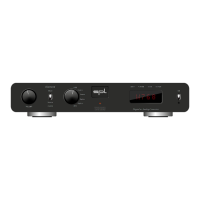
Turn down the volume of the Diamond.
Switch on mains switch on the back of the Diamond (On = I).
Power LED is dimly lit.
Operation
Switch the Diamond from standby into operation by setting the standby switch
to ON.
Power LED now lights up brightly.
Standby
Switch the Diamond in standby mode by setting the standby switch to
(
= Standby).
Power LED is dimly lit.
Power down
Turn down the volume of the Diamond.
Switch o mains switch on the rear of the Diamond (O = O).
Power LED no longer lights up.
Source selection
Choose a source by turning the Source switch: USB, Coax , Coax , Optic ,
Optic , or AES.
10
11
12
13
14
15
16


 To Next Page