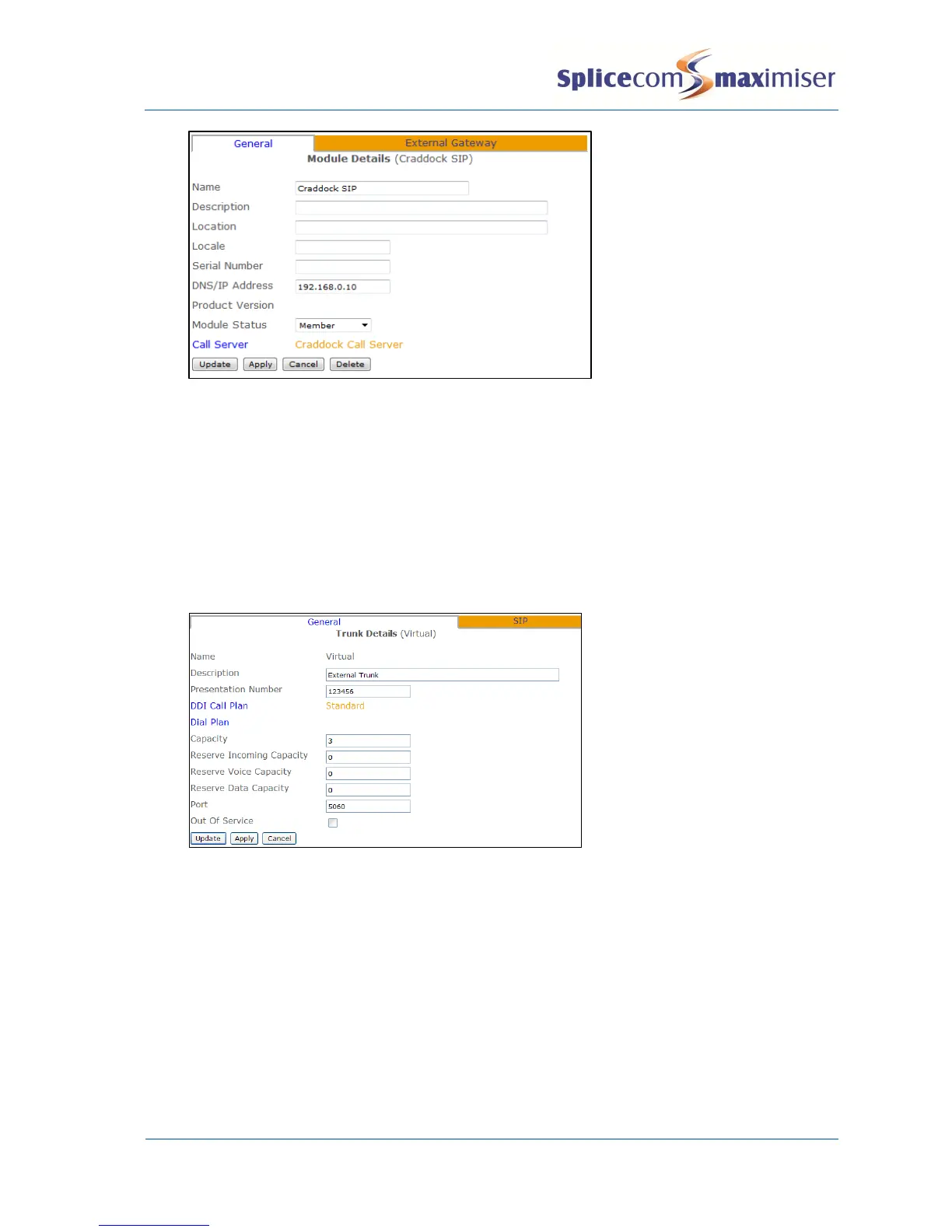
9 From the navigation pane select Trunks
10 Select the Module created above
11 From the Trunks List select Virtual
12 In the Presentation Number field enter the number to be sent on this Trunk. (This may be the
account number supplied by the SIP provider.)
13 Select Apply
14 Select the DDI Call Plan field
15 From the Select DDI Plan list select the DDI Plan required
16 In the Capacity field enter the number of connections to be allowed on this link.
17 Select Apply
18 Select the SIP page
19 From the Compression Type list box select
a G729A 8K – if supported by the SIP Provider, or
b Relay – for G711
20 In the NAT Server field enter
a the IP address allocated by the ADSL provider, or
b if using STUN, the name of the STUN server (provided by the SIP provider)
21 In the NAT Port field enter
a
5060
, or
b
3478
- if using STUN
22 From the NatMode field select Static or STUN
23 If a Registration DNS/IPAddress, User Name and Password have been supplied by the SIP provider
enter this information in the relevant fields otherwise leave the fields blank.



 To Next Page