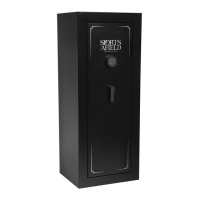
This document is an instruction manual for the Sports Afield Quick Access Security Vault, model SA-HD1X, manufactured by Home Defense. It provides comprehensive information on the vault's setup, operation, and maintenance, along with important safety and warranty details.
Function Description:
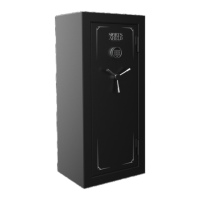
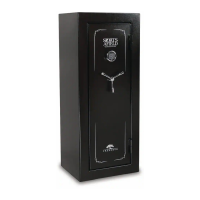
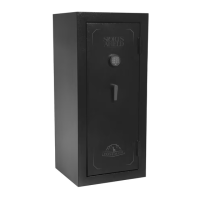
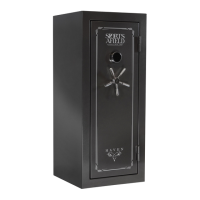
The Sports Afield SA-HD1X is a quick-access security vault designed to store firearms and other valuables securely. It features an electronic lock with a touch pad for quick entry and a key entry for backup access. The vault is designed for home defense, offering a secure storage solution that can be accessed rapidly when needed. It also includes a security cable for securing the vault to a fixed object, preventing unauthorized removal. The vault is intended to provide a secure environment for firearms, helping to prevent accidental access by children or unauthorized individuals.
Important Technical Specifications:
- Locking Mechanism: Electronic lock with a touch pad for primary access, and a key entry for backup.
- Power Source: Requires 4 AAA batteries for the electronic lock.
- Security Features:
- Electronic lock with a 3-8 digit security code.
- Silent entry mode for discreet access.
- Lockout mode/tamper protection: After three consecutive incorrect code entries, the touch pad is deactivated for 30 seconds. In "Severe Lockout" mode (after additional incorrect entries), the touch pad is deactivated for 5 minutes.
- Security cable for anchoring the vault to a fixed object.
- Pre-drilled holes for mounting the vault to a wood or concrete surface using lag bolts, steel washers, and concrete anchors.
- Battery Warning: A red light on the touch pad indicates low battery. The vault will also emit two beeps and a green light when a number is pressed if batteries are not fully charged.
- Dimensions (implied by illustrations): A compact, rectangular design suitable for placement in closets, offices, bedrooms, or other convenient locations.
Usage Features:
- Initial Entry: The vault is opened by locating the back up key on the front surface, inserting it, and turning it counter-clockwise. The spring-loaded lid will open upwards automatically.
- Battery Installation: Four AAA batteries are installed in a compartment located inside the vault, under a protective film. The compartment cover is secured with a screw.
- Electronic Lock Security Code Setup:
- Access the battery compartment and press the reset button. Two beeps and a green light indicate it's in programming mode.
- Input a 3-8 digit code using the touch pad.
- Once the code is set, replace the battery cover.
- Test the new code with the lid open to ensure it works. The door will automatically open upon successful entry.
- Silent Entry Mode: This feature allows the user to disable audible sound when interacting with the vault, providing silent access. To activate, hold down the number "1" key for three seconds. The sound can be re-activated by holding the number "1" key for three seconds again.
- Proper Placement and Moving of Vault:
- To maximize burglary protection and stability, the vault should be placed on the floor or a recommended surface.
- It is recommended to store the vault in a closet, office, basement, bedroom, or any other location that is convenient for you but out of direct line of sight from prying eyes.
- Always ensure the vault is in an isolated and dry area. Avoid placing it in direct contact with a wet floor. When installing on a concrete floor, use a moisture/protective barrier. Avoid exposing the vault to chemicals or other adverse environments that may void the warranty.
- Securing Your Vault:
- To a Wood or Concrete Surface: The vault includes pre-drilled holes for mounting. Hardware such as lag bolts, steel washers, and concrete anchors are provided for this purpose. The process involves drilling pilot holes, securing the vault with bolts, and tightening them.
- With Provided Cable: A security cable is included to secure the vault to a fixed object. The cable is looped around the object, threaded through a notch in the vault, and secured inside the vault.
- Loading Your Vault: Ammunition should be stored separately from valuables. Nothing should be put in the vault that will put pressure against the door when it is closed.
Maintenance Features:
- Maintaining Hinges and Internal Mechanisms: The hinges and internal locking mechanism are permanently lubricated and do not require maintenance. However, the door panel of the vault may void the warranty if opened. Any concerns should be directed to customer service.
- Low Battery Warning: The E-Lock is equipped to alert you when the batteries are low by illuminating a red light (center) on the touch pad. Always test the batteries when installing or replacing them. If the red light comes on when a number is pressed, the batteries are not fully charged and should be replaced.
- Lost Security Code/Backup Keys: In the event of a forgotten security code, backup keys can be used to gain access. If backup keys are lost, customer service should be contacted. Proof of purchase is required to obtain new keys.
- Warranty: The vault comes with a Three Year Warranty. SA Consumer Products will repair or replace, at their sole discretion, any Sports Afield vault damaged by fire, forced entry, or natural flood for the lifetime of the original owner. For defective parts, paint, or lock, the warranty is for three years of the original owner purchase date. This warranty is limited to the vault itself and does not include consequential damages or any kind of loss. Registration and copy of sales receipt must be on file at www.saproducts.com to register the vault.
Customer Service: For any questions, technical assistance, or to obtain replacement keys, contact Customer Service at cs@saproducts.com or (888) 792-4264.

 Need help?
 General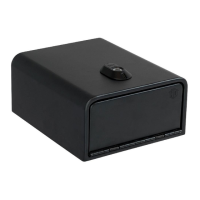




 To Next Page