83
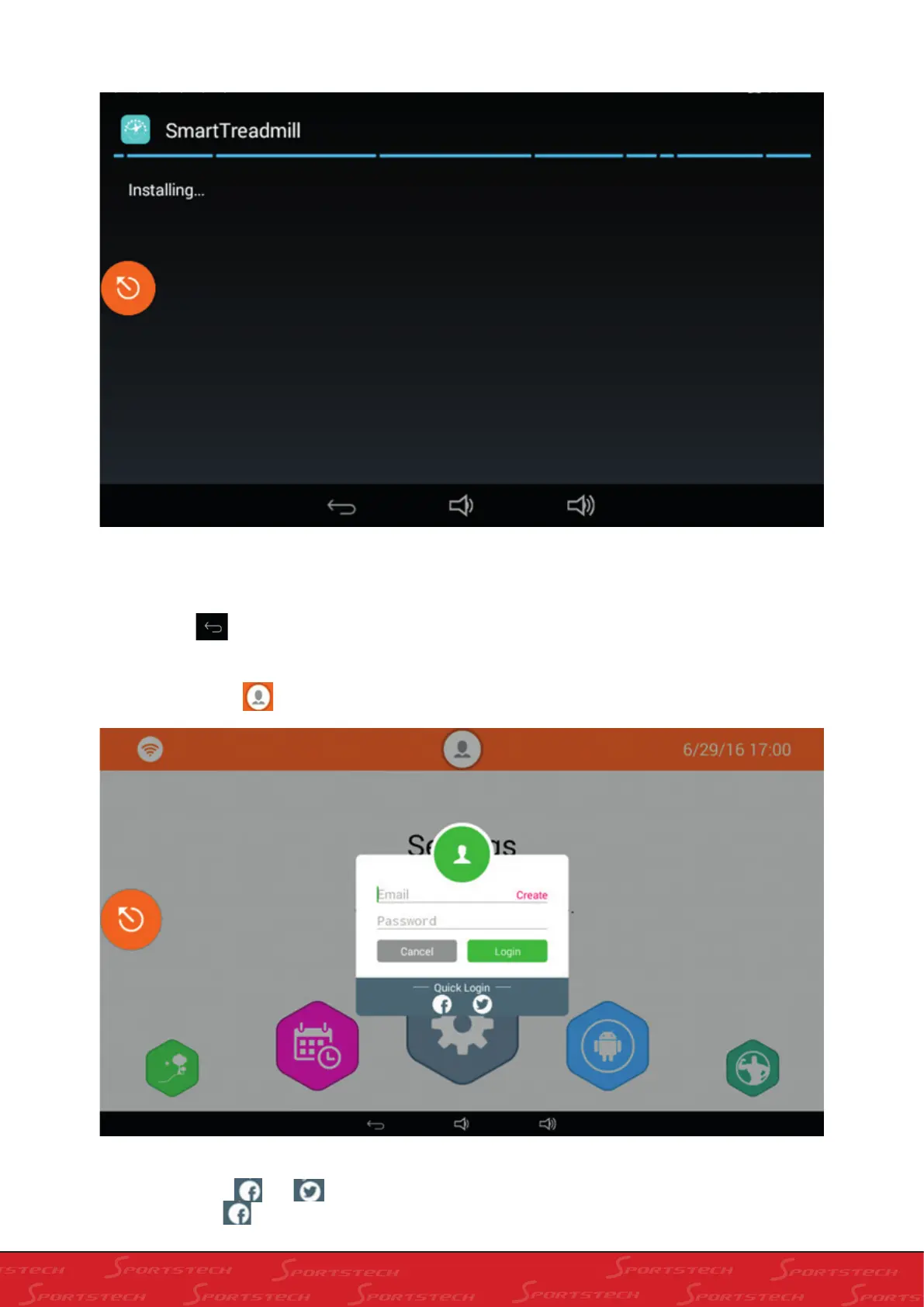
Click “Cancel” to cancel. Click “Install” to enter into installation screen as below:
In this screen, click “Install” to automatically install. After completing automatic installation,the treadmill will turn back
to the home screen.
7). Click Back , exit Settings and go back to home screen
3: User login (connected to the internet)
Press User information
to enter into login as below:
1). In this screen, input the registered account number (email) and passwords, press “Login”.
2). Or you can click and under the “Quick Login” use a third party account to login. (e.g., use facebook
account), click , and the following dialogue window shows



 To Next Page