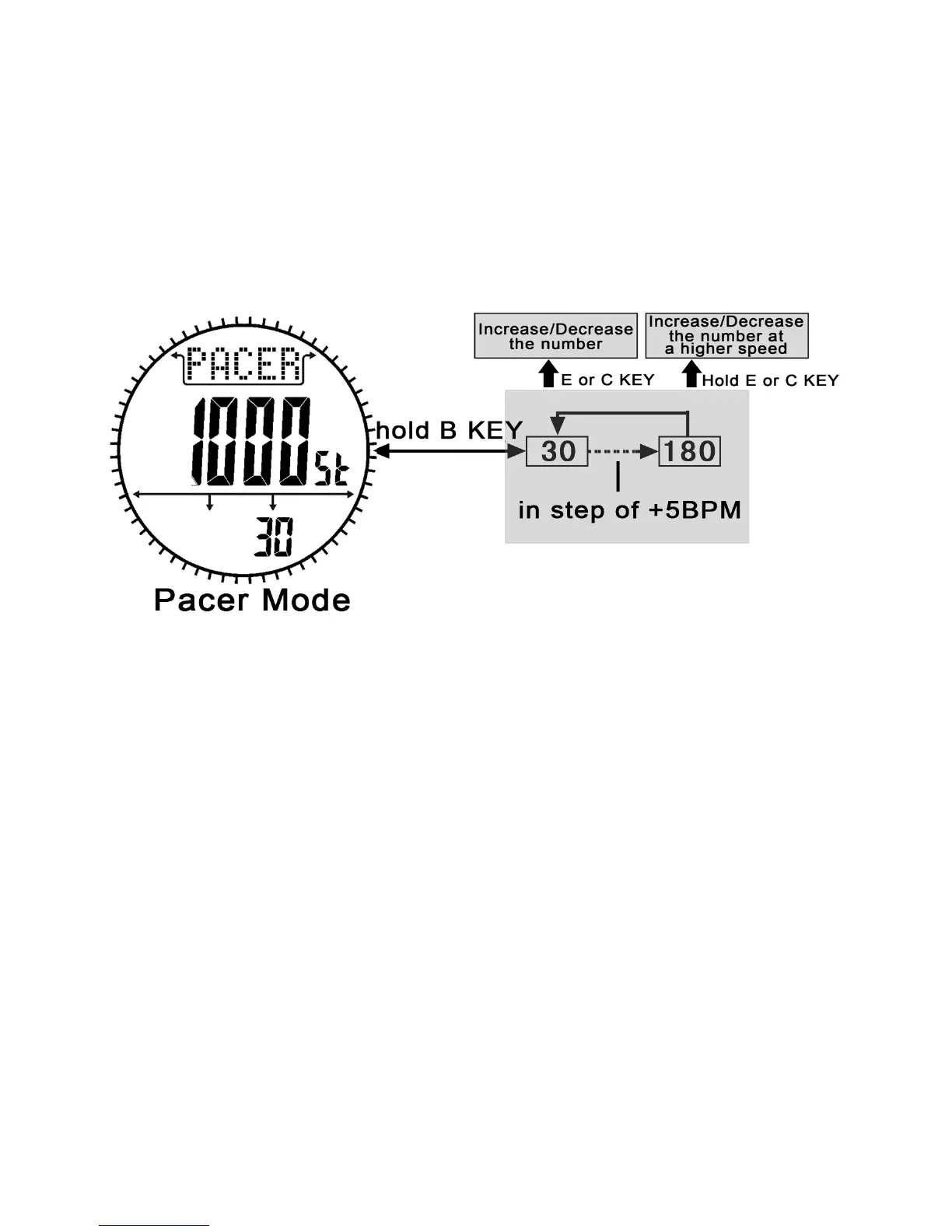
How to set the beeping rate
1. To select the setting display, press and hold the B button for 2
seconds in the pacer mode.
2. When the beeping rate digits start to flash, press the E or C
button to increase/decrease the number. (Hold down the button to
change the number at a higher speed).
3. When the setting is completed, press and hold the B button to
exit the setting display.


 To Next Page