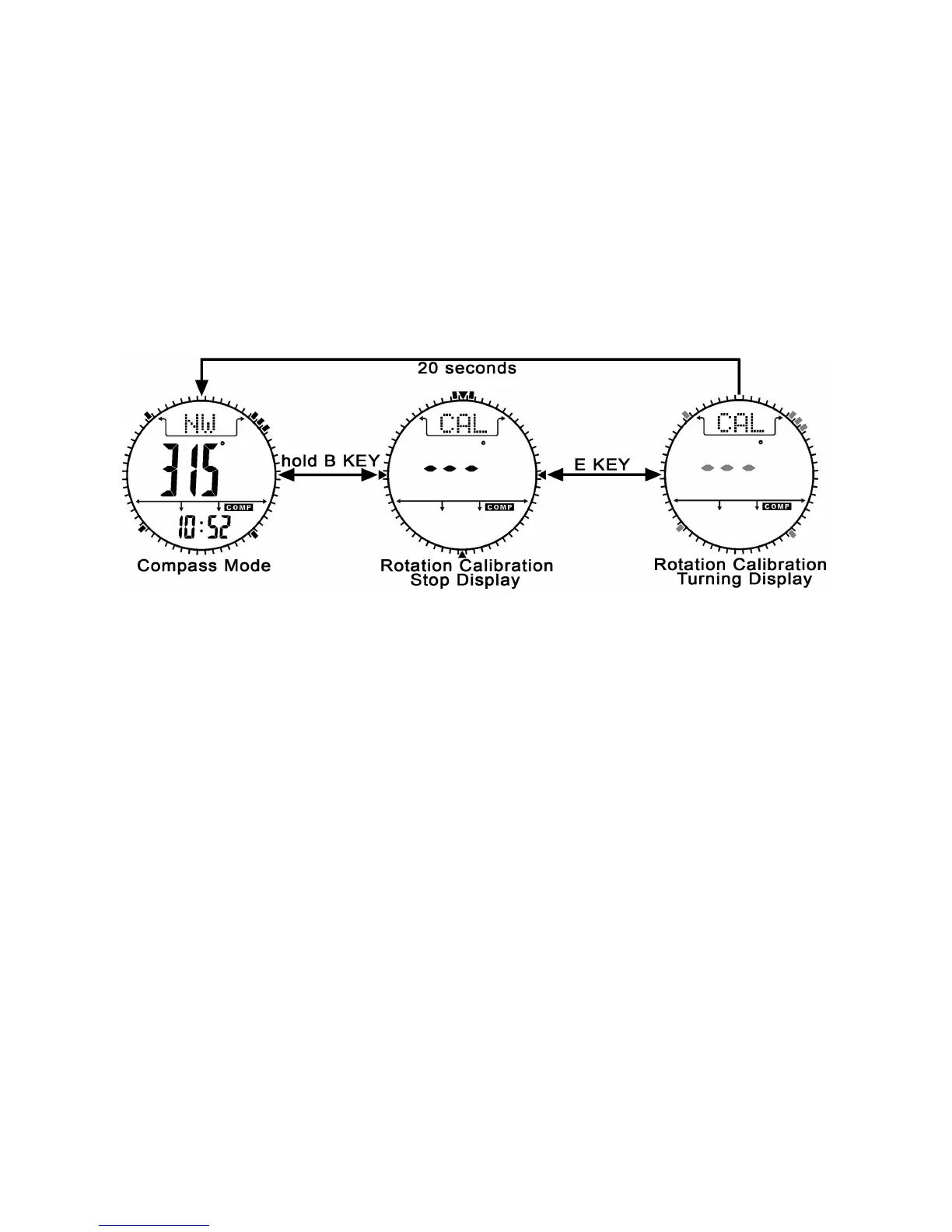
Rotation Calibration Display
1. Press and hold the B button, into the Rotation Calibration
Display.
2. Press the B button to switch between the rotation calibration and
magnetic declination.
3. Press the E button to start rotation calibration in rotation
calibration stop display, the pointers will start rotating, turning the
watch (keep parallel to the horizon) in the same direction of the
rotating pointers).
4. After the pointers rotate 2 turns, it will back to the compass mode.


 To Next Page