EasyManua.ls Logo

SPRIANO SST7 Series - User Manual

SPRIANO SST7 Series
52 pages
Print Icon
To Next Page IconTo Next Page
Loading...
OPERATING MANUAL
MN-SST70
ED-19-01
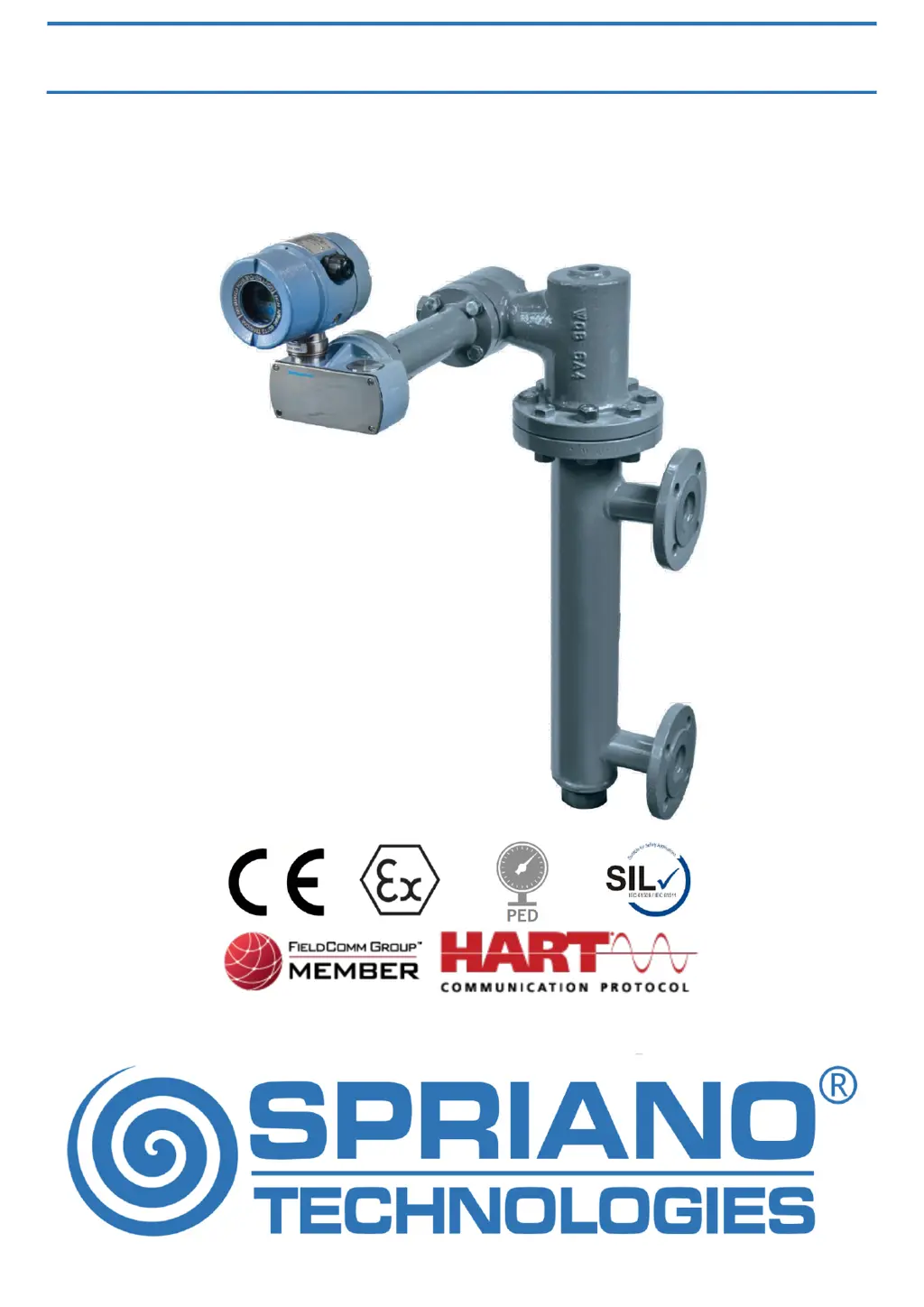
SST70 TORQUE TUBE LEVEL TRANSMITTER
ORIGINAL INSTRUCTIONS

Questions and Answers

  • M
    Maureen HernandezAug 14, 2025
    What to do if SPRIANO Transmitter measure is incorrect?
    • D
      Dominique BarnesAug 14, 2025
      If your SPRIANO Transmitter measure is incorrect, consider the following: * **Process:** Accurately verify the compatibility between the process and the connection type. * **Sensor drift:** Apply zero input conditions to the transmitter and use the OFFSET command. * **EMC interference:** Accurately verify the possible presence of electromagnetic interference on the supply line. Check the PE connection.
  • W
    wayneholmesAug 22, 2025
    Why is the analog output of my SPRIANO Transmitter 20mA?
    • D
      Drew CarlsonAug 22, 2025
      If the analog output of your SPRIANO Transmitter is less than 4mA or greater than 20mA: * **Transmitter in fault mode:** Check if the output isn’t out of the allowed span or check the presence of a failure (e1, e2, … on display). * **Wrong fault settings:** Check the settings using the ALARM TYPE command.
  • A
    Amanda FergusonAug 29, 2025
    How to fix unstable measure on SPRIANO SST7 Transmitter?
    • U
      umezaAug 29, 2025
      If you are experiencing an unstable measure with your SPRIANO Transmitter, it might be due to measuring disturbs. To address this, set an input average using the DAMP VALUE command (i.e. 10 seconds).
  • H
    Holly RobertsonNov 5, 2025
    Why is the analog output of my SPRIANO SST7 erratic?
    • M
      Mary NavarroNov 6, 2025
      If the analog output of your SPRIANO Transmitter is erratic, consider these possible causes and solutions: 1. **Wrong span limits:** Verify that the LRV and URV values are the ones you want. In the start-scale process condition, use the OFFSET command to correct the measure to zero. In the full-scale process condition, use the SET S. URV (set span URV) command to correct the URV value. It is possible to correct only the analogical output by changing the LRV or URV values (alternatively editing SET LRV and SET URV) to set the instrument measure at 4 mA or 20 mA. 2. **Uncalibrated analog output:** Use the LOOP TEST command to verify the analog output calibration. If it is not correct, use the CAL4-20mA command to calibrate the output. 3. **Incorrect HART® settings:** Use the ADDRESS comm...

Summary

Introduction to SST70 Transmitter

Product Overview

Overview of the SST7X series transmitters and their function.

Important Attention Points

Important safety and usage warnings for the transmitter.

Definitions and Symbols

Explanation of symbols and terms used in the manual.

Description of SST70 Transmitter

Installation Procedures

Transmitter Identification

Locating and identifying key data on the transmitter's nameplate.

General Mounting Requirements

Key considerations before installing the transmitter.

Mechanical Installation

Procedures for physically installing the transmitter.

External Mounting Displacers

Instructions for mounting displacers externally.

Internal Mounting Displacers

Guidelines for mounting displacers internally.

Top Part Orientation

Steps for orienting the top part of the transmitter.

Electronic Head Orientation

How to rotate and position the electronic head.

Electrical Connection

Connecting the transmitter to the power supply and loop.

Explosion Proof Protection

Safety measures for use in potentially explosive areas.

Earthing Procedures

Proper grounding procedures for the transmitter.

Transmitter Operations

Measure of Level

How to measure liquid level using the transmitter.

Measure of Interface

Procedure for measuring interface levels between two fluids.

Measure of Density

Steps to measure fluid density with the transmitter.

Configuration Overview

Overview of transmitter configuration options and display.

Keyboard Configuration

Using the keypad and LCD for transmitter setup.

Transport Security Operations

Maintenance and Troubleshooting

Display Error Codes

List and description of error messages shown on the display.

Spare Parts List

List of available spare parts for the SST70 instrument.

Displacer Substitution Procedure

Step-by-step guide for replacing the displacer.

Electronic Head Substitution

Procedure for replacing the electronic head.

Marking Information

Data Sheet and Specifications

Functional Data

Key functional parameters and specifications of the transmitter.

Physical Characteristics

Details on the transmitter's physical build and materials.

Operative Conditions

Environmental and operating conditions for the transmitter.

Performance Specifications

Accuracy and resolution specifications of the transmitter.

Influence of Operating Conditions

How environmental factors affect transmitter performance.

Functional Safety Standards

Safety parameters for critical applications.

Detailed Physical Specifications

Detailed physical specifications, enclosure, and connections.

Sensitive Element Details

Type and rating of the displacer and torque tube.

Process Wetted Parts

Materials used for parts in contact with the process fluid.

Available Options

Available optional accessories for the transmitter.

Main Dimensions and Weight

Table of dimensions and weights for different transmitter models.

SPRIANO SST7 Series Specifications

General IconGeneral
BrandSPRIANO
ModelSST7 Series
CategoryTransmitter
LanguageEnglish

Related product manuals