EasyManua.ls Logo

SPRIANO SST70 - User Manual

Default Icon
52 pages
Print Icon
To Next Page IconTo Next Page
Loading...
OPERATING MANUAL
MN-SST70
ED-19-01
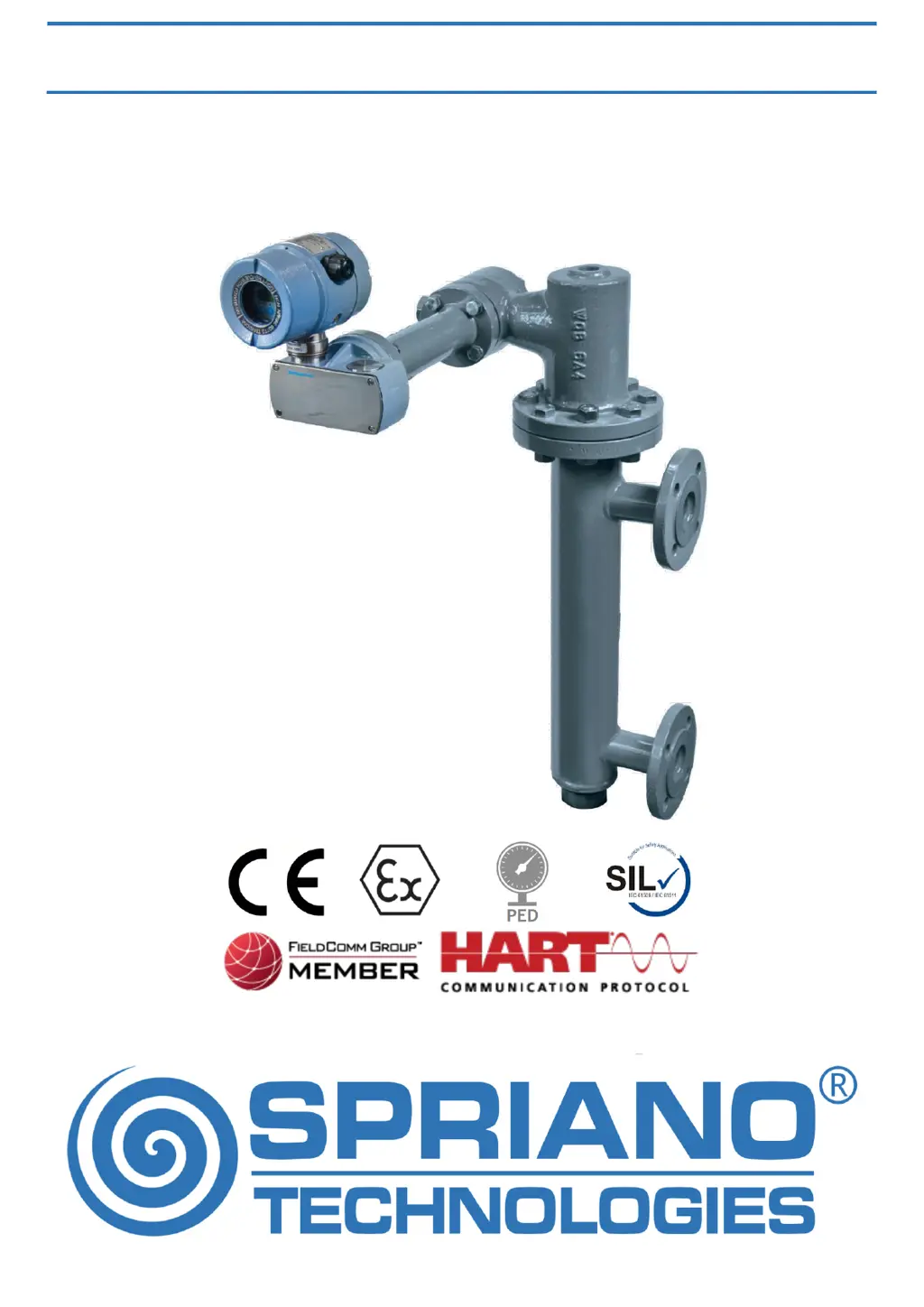
SST70 TORQUE TUBE LEVEL TRANSMITTER
ORIGINAL INSTRUCTIONS

Questions and Answers

  • G
    Gina Richardson MDAug 16, 2025
    What to do if SPRIANO Transmitter measure is incorrect?
    • I
      icooperAug 16, 2025
      If your SPRIANO Transmitter measure is incorrect, consider the following: * **Process:** Accurately verify the compatibility between the process and the connection type. * **Sensor drift:** Apply zero input conditions to the transmitter and use the OFFSET command. * **EMC interference:** Accurately verify the possible presence of electromagnetic interference on the supply line. Check the PE connection.
  • N
    Natalie TerryAug 23, 2025
    How to fix unstable measure on SPRIANO SST70?
    • M
      Michael MyersAug 23, 2025
      If you are experiencing an unstable measure with your SPRIANO Transmitter, it might be due to measuring disturbs. To address this, set an input average using the DAMP VALUE command (i.e. 10 seconds).
  • K
    Kathryn AllenAug 27, 2025
    What to do if the analog output of SPRIANO Transmitter is 20mA?
    • C
      Christopher BellAug 27, 2025
      If the analog output of your SPRIANO Transmitter is reading less than 4mA or greater than 20mA, it could be due to the transmitter being in fault mode. Check if the output is outside the allowed span or if there are any failure indicators (e1, e2, etc.) on the display. Alternatively, the fault settings might be incorrect. Verify these settings using the ALARM TYPE command.
  • E
    Eugene ChavezAug 31, 2025
    Why is the measure on my SPRIANO SST70 unstable?
    • J
      jenniferrobertsAug 31, 2025
      If the measure displayed by your SPRIANO Transmitter is unstable, it might be due to measuring disturbs. To resolve this, set an input average using the DAMP VALUE command (e.g., 10 seconds).
  • B
    Brittany StarkSep 4, 2025
    How to fix erratic analog output on SPRIANO Transmitter?
    • S
      Stephanie HamiltonSep 4, 2025
      If your SPRIANO Transmitter's analog output is erratic, it could be due to wrong span limits. Correct the output by using the LRV and URV command (or SET LRV and SET URV). Another potential cause is an uncalibrated analog output. Verify the analog output calibration using the LOOP TEST command; if incorrect, calibrate the output using the CAL4-20mA command. Finally, incorrect HART® settings could be the issue. Ensure the polling address is set to 0 using the ADDRESS command.
  • W
    williamskevinSep 7, 2025
    Why SPRIANO SST70 doesn’t turn on?
    • D
      Dawn FosterSep 8, 2025
      If your SPRIANO Transmitter isn’t turning on, first check the supply voltage to ensure it is within the range of 12,5Vdc < V < 30Vdc. Next, verify the transmitter connection polarity. Lastly, ensure that the electrical load is less than the maximum allowed.
  • B
    Bruce RandolphSep 10, 2025
    Why is the analog output of my SPRIANO SST70 Transmitter 20mA?
    • J
      jonesleslieSep 12, 2025
      If the analog output of your SPRIANO Transmitter is less than 4mA or greater than 20mA: * **Transmitter in fault mode:** Check if the output isn’t out of the allowed span or check the presence of a failure (e1, e2, … on display). * **Wrong fault settings:** Check the settings using the ALARM TYPE command.
  • A
    Amber JonesNov 11, 2025
    Why is the analog output of my SPRIANO SST70 Transmitter erratic?
    • K
      Kelli KelleyNov 11, 2025
      If the analog output of your SPRIANO Transmitter is erratic, consider these possible causes and solutions: 1. **Wrong span limits:** Verify that the LRV and URV values are the ones you want. In the start-scale process condition, use the OFFSET command to correct the measure to zero. In the full-scale process condition, use the SET S. URV (set span URV) command to correct the URV value. It is possible to correct only the analogical output by changing the LRV or URV values (alternatively editing SET LRV and SET URV) to set the instrument measure at 4 mA or 20 mA. 2. **Uncalibrated analog output:** Use the LOOP TEST command to verify the analog output calibration. If it is not correct, use the CAL4-20mA command to calibrate the output. 3. **Incorrect HART® settings:** Use the ADDRESS comm...

Summary

Installation Procedures

Mechanical Installation Steps

Detailed instructions covering the mechanical aspects of physically installing the transmitter.

External Displacer Mounting

Specific procedures for installing the transmitter when using external displacers.

Electrical Connection Guide

Detailed instructions for making the proper electrical connections to the transmitter for power and signal.

Explosion Proof Protection

Essential safety requirements and considerations for installing the transmitter in hazardous areas.

Earthing and Grounding

Proper earthing procedures for ensuring instrument safety, protection, and functionality.

Operations and Configuration

Transmitter Configuration Overview

Overview of configuring transmitter settings via the dot matrix LCD and interface buttons.

Maintenance and Troubleshooting

Display Error Codes

Lists various error messages displayed by the transmitter and their corresponding meanings.

Technical Specifications

Functional Safety Compliance

Safety critical parameters and compliance with IEC 61508/IEC 61511 standards for hazardous applications.

SPRIANO SST70 Specifications

General IconGeneral
BrandSPRIANO
ModelSST70
CategoryTransmitter
LanguageEnglish

Related product manuals