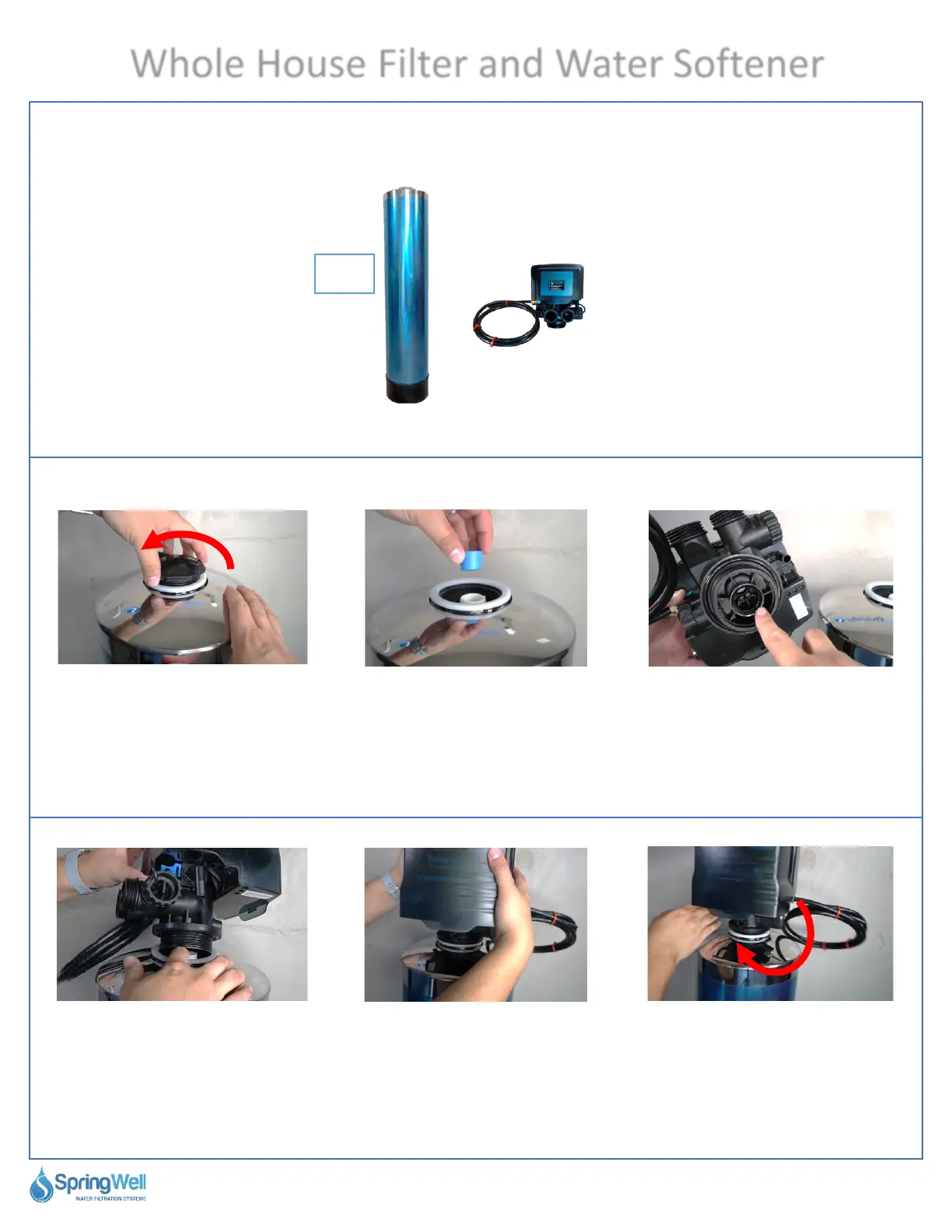
Installing the Softener Electronic Head
This step will require the materials listed below
Questions? Call (800)-589-5592 11
Whole House Filter and Water Softener
Electronic
Head
Softener
Tank
Tank
2
41) Unscrew the cap on top of
the softener tank.
42) There is a blue cap inside
that also needs to be removed.
Both caps can be discarded.
43) Locate the opening at the
bottom of the electronic head.
44) Align the opening on the
bottom of the tank head with
the pipe inside the tank.
45) Press the tank head
down to allow the threads to
catch.
46) Turn the tank head
clockwise until it is fully
tightened. Hand tight is OK.



 To Next Page