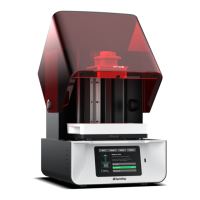
TechnicalGlossary
AdditiveManufacturing:Theprocessof
fabricatingapartbyaddingmaterialin
layers(alsoknownas3DPrinting).
DigitalLightProcessing(DLP):Adisplay
devicewhereeachpixeliscontrolledbya
microscopicmirror.OurUVprojectoruses
DLPchiptocureyourprints.
CAD(ComputerAidedDesign):any
softwareusedtogenerateandedit3D
Models.
RayWare:Theslicingandcontrolsoftware
foryourMoonRay3Dprinter.
Slicing:Theprocessofturninga3Dmodel
intoaprintfilecontaininginstructionsfor
yourMoonRay3Dprinter.UseRayWareto
sliceyourmodels.
MeshMixer:AfreeCADtoolfor3D
printing.
LayerHeight:Thethicknessofeach
individuallayerofthemodelwhencut
withaslicingprogram,measuredin
Microns(1/1000thofamm).
.STL&.OBJ:Twocommonfileformatsfor
3Dmodelsthatarecompatiblewith
RayWare.
.SSJ:AfileformatmadebyRayWarethat
containsaslicedprintjob.Loadthesefiles
intheManagePrintersorViewPrintJob
screensinRayWare.
BuildPlatform:Themetalplatformthat
yourMoonRayprintsonto.Alsoknownas
aprintbed.
Resin:Theliquidphotopolymercuredby
your3Dprintertomakeobjects.
ResinTank:ThisholdstheResinbaththat
youprintin.Becarefultoneverscratch
theglassorpuncturethefilmlayerwhen
cleaningyourresintank.
ResinTray:Aluminumwithaglasscenter,
thisisthelowerpieceoftheResinTank
Assembly.
ResinDrum:Thisistheupperpartofthe
ResinTank.
Overhang:Whenalayerextendsoutward,
potentiallyunsupported,overthe
previouslayer.
Supports:Removablescaffoldingstructure
builttohelppartsofanobjectthat
wouldotherwiseprintwithnomaterialto
attachto.
What’sinthebox
WhenbuyingaMoonRay3Dprinter,youwillreceive2packages:oneboxincludesthe
printeranditsnecessaryhardware,andtheotherincludesyourfinishingkitandresin.Ifyou
boughtadditionalresinstheymayhavebeenpackaged/shippedseparately.
● Laytheboxonitsback,sotheMoonRaytextanddrawingofthemachinearefacing
up.
● Opentheboxandremovetheaccessorypackage.
● YournewMoonRaysitswithintwofoampackinginserts.Removethetopfoaminsert,
thenyou'llbeabletoeasilyliftoutMoonRay.MoonRayisheavy,sopleaseuse
cautionwhenlifting.Saveallofthepackaging,includingthesefoaminserts,incase
youneedtoshipyourMoonRayinthefuture.
● Alsobetweenthefoaminsertsaretwoboxescontainingtheresintankandaspare
resindrum.Removethese.Thepowerconverterwillbebelowthebottomfoaminsert.


 To Next Page
 Loading...