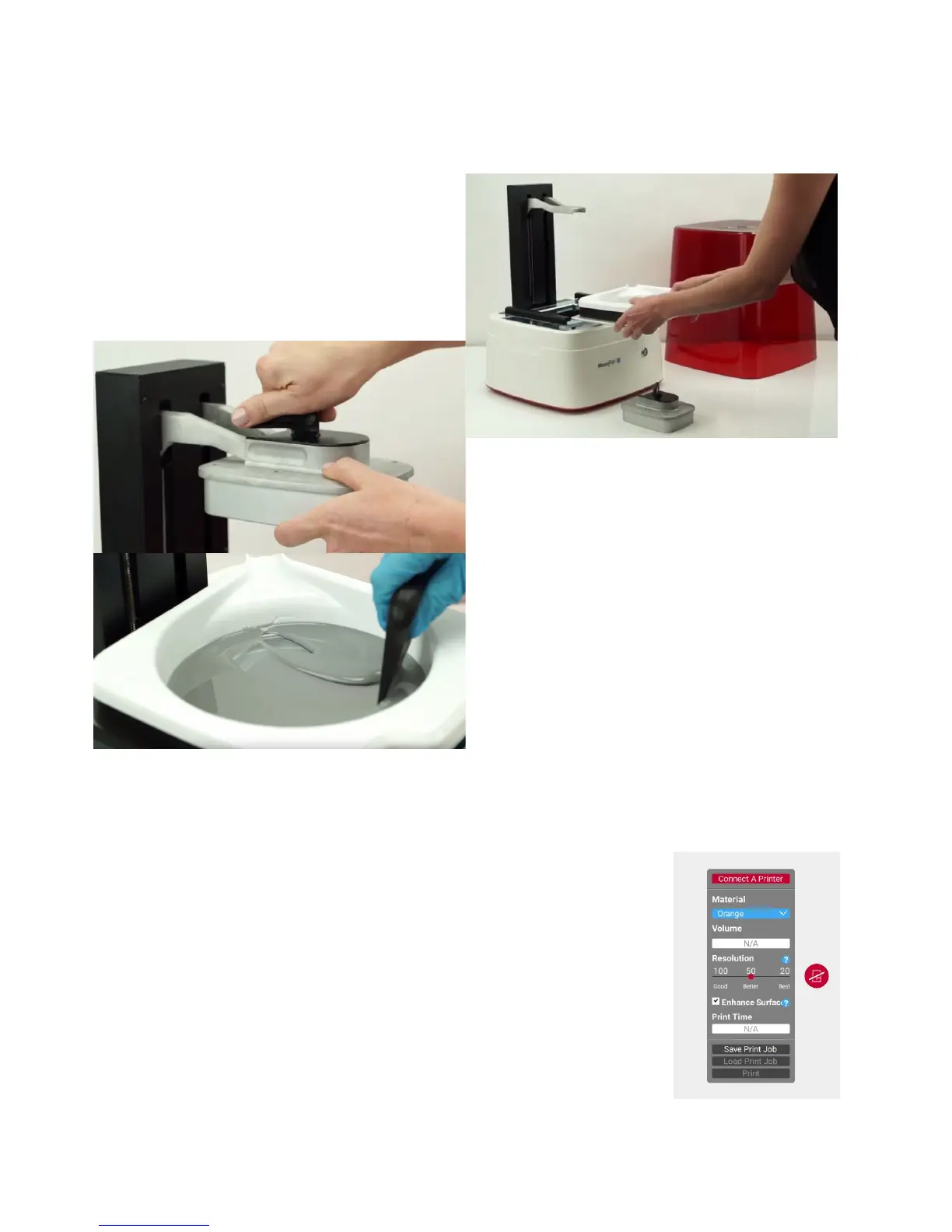
SettingupyourMoonRay
MoonRayshouldonlybeusedonasolid,
stablesurfacethatislevelandwell
ventilated.
First,slidetheresintankintothebaseof
themachine,ensuringthatitcatchesthe
channel.Thehandlewillbefacingout
whenthetankisinsertedcorrectly.
Then,placethebuildplatformontheprint
armandlockitsecurelywiththehandle.
MoonRayResin
Beforepouringresinintothetank,shakethe
bottlethoroughly.Pourresinintothetank,
beingmindfuloftheminandmaxfilllines,
thenstirusingtheprovidedblacksqueegee
untilitiscompletelymixed.Neverusea
metalorhardplasticscraperintheresin
tank,ifyouscratchtheglassorpuncturethe
filmyouwillneedtoreplacethoseparts.
Youcanleaveresincoveredintheprinterfor
uptothreedays.Whennotinuse,itisrecommendedyoupourexcessresinthroughascreen
orfinemeshbackintothebottle.
RayWare
DownloadRayWareathttps://www.sprintray.us/download
Clicktheiconwithalinethroughitontherightsideofthewindow
(pictured),thenclickthe‘ConnectAPrinter’optiontolaunchan
automatedwizardthatwillguideyouthroughthesetupprocess.Note
thatyouwillbebrieflydisconnectedfromyourinternetwhileyou
configureyourprinter.
IfyouareunabletoconnecttoyourMoonRay,disableyourfirewallor
addanexceptionthentryagain.



 To Next Page