Automaticsupportgeneration
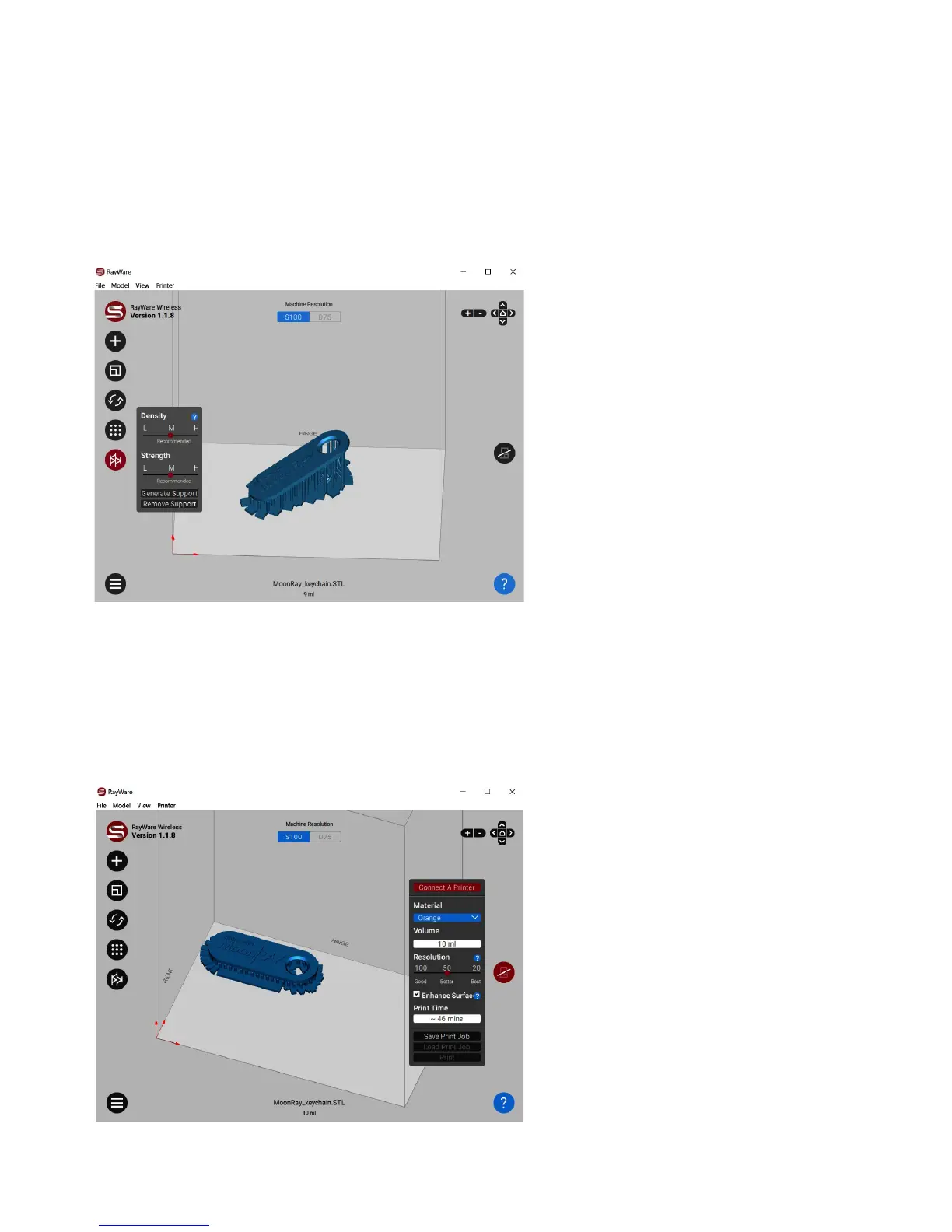
Addingapropersupportstructureisanessentialpartofpreventingfailedprints.Minimize
supportsbypositioningyourobjecttohaveasfewoverhangingsurfacesaspossible.
Youdon’tneedsupportstoprintthiskeychainwhenyouhavetheflatsidedown.
Tryaddingandremovingsupports
withyourpieceatvariousanglesto
seewheretheygenerate.
Strength/Thickness:Thediameterof
eachsupport,fromlow(thinnest)to
high(thickest).
Density:Adjuststhenumberof
supportspersquaremillimeter.
Printyourmodel
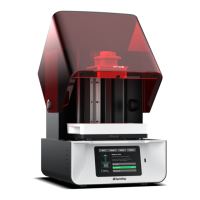
Whenyou'rereadytoprintyourmodel(s),clicktheMoonRaybuttononthemiddleofthe
rightsideofthescreen.Youhaveafewoptionstoselectbeforeprinting.
Printer:IfyouhavemultipleMoonRay
3Dprintersconnected,youcanselect
themachineforthespecificprintjob
here.
Material:Selectthetypeofresinyou
willbeusingtoprintyourmodel.Itis
veryimportantyoumakethecorrect
selection.
Resolution:Youhavethreeoptionsfor
layerthickness,eachinmicrons.As
layerthicknessincreases,printtime
anddetailleveldecrease.Formost
models,werecommendprintingusing
the"50"or"100"settings.


 To Next Page