1
1
1
2
6
4
3
5
7
8
2
3
4
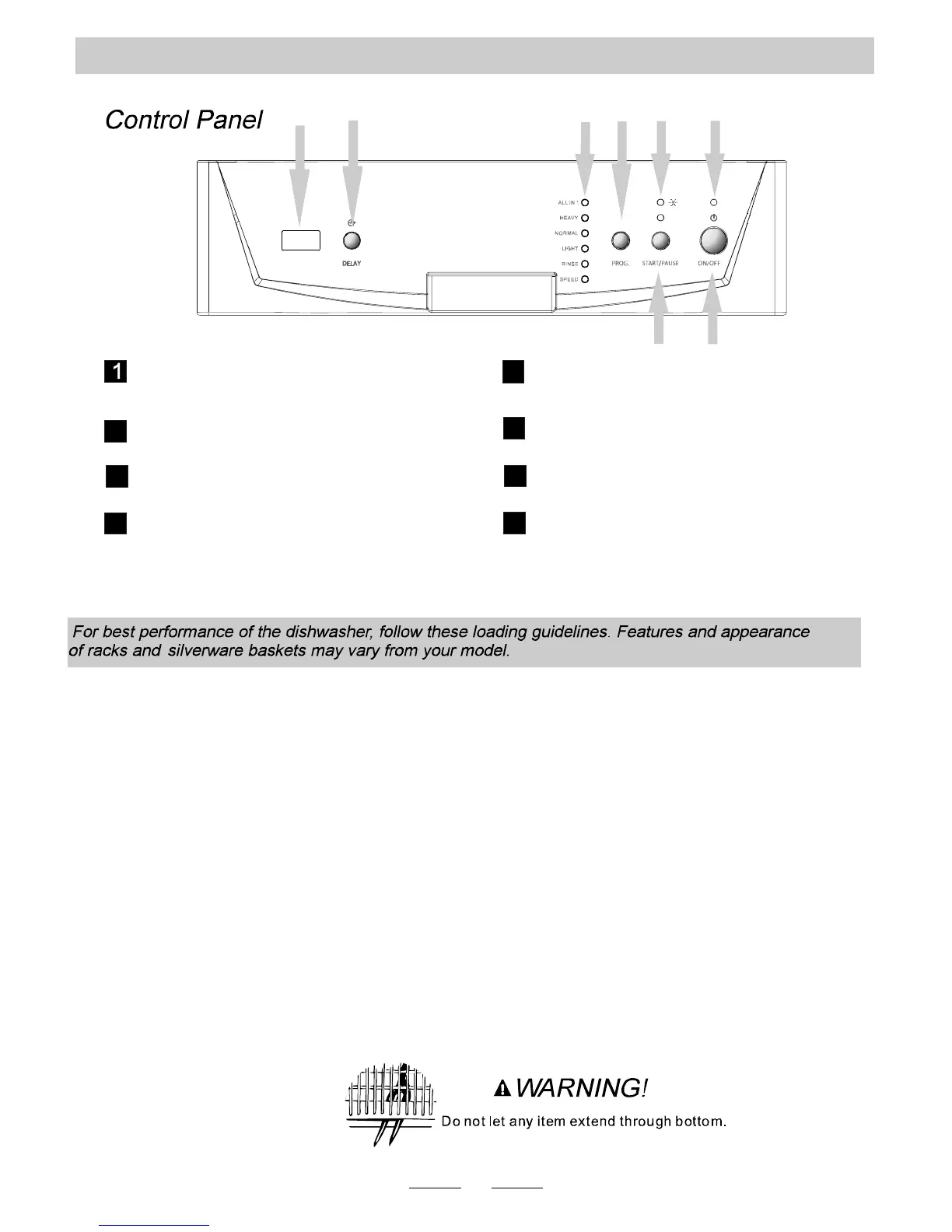
Power indica tor light.
Start /Pause button: To start the selected
washing program or pause the washing program
when the machin e is working.
Rinse aid low warning light.
Power switch: To turn on/off the power supply.
5
Wash Program Selector: Press to select one
of the six prog rams.
7
8
6
Program indicator ligh ts: Indicates the
selected wash cycle.
Delay Button : Press to program delay start.
Display window: Program remaining time,
delay time, running indicator, fault codes
and etc.
OPERATING INSTRUCTIONS
Loading the Dishwasher
CUTLERY BASKET
Flatware should be placed in the cutlery basket with handles at the bottom. Knives and other sharp
utensils should be placed with handles up, but make sure the tips do not extend through the bottom.
If the rack has side baskets, spoons should be loaded individually into slots. Longer utensils should
be placed horizontally at the front of the upper rack.
The following items are not suitable for wash in the dishwasher:
- Cutlery with wooden, horn china or mother-of-pearl handles and wooden platters
- Plastic items that are not heat resistant
- Older cutlery with glued parts, bonded cutlery items or dishes
- Pewter or copper items
- Crystal glass
- Steel items subject to rusting
- Very small items as they may fall out the basket
- Items made from synthetic bers
Items of limited suitability:
- Silver and aluminum - tends to discolor after washing
- Glazed patterns may fade
6


 To Next Page