EasyManua.ls Logo

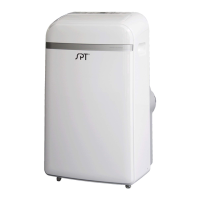
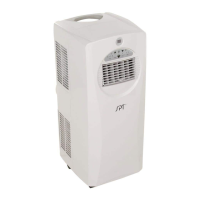
SPT WA-P903E - User Manual

SPT WA-P903E
28 pages
Print Icon
To Next Page IconTo Next Page
Loading...
Thank you for purchasing our Portable Air Conditioner.
Portable Air Conditioner
Instruction Manual
Before using your air conditioner, please read this instruction manual carefully and keep it for future reference.
READ AND SAVE THESE INSTRUCTIONS!
WA-P903E: 14,000BTU (cooling only)
Question and Answer IconNeed help?

Do you have a question about the SPT WA-P903E and is the answer not in the manual?

Summary

Preparation

Installation Location and Recommendations

Guidance on selecting an installation site and basic installation methods.

Safety Precautions

General Safety Guidelines

Comprehensive safety instructions for operation, installation, and general use.

Cautions

Child Safety and Supervision

Guidelines for safe appliance use by children and the need for supervision.

Operational and Installation Safety

Covers electrical safety, cord handling, unit damage, and environmental hazards.

Maintenance Safety and Contact Info

Safety during maintenance, preferred manual, and manufacturer contact.

Design and Compliance Notes

Design and Energy Rating Information

Details on design changes and the basis of energy rating.

Installation

Choosing Installation Location

Requirements for selecting an appropriate site for unit installation.

Recommended Installation Methods

Illustrations and guidance for initial installation steps and component assembly.

Tools and Accessories for Installation

Lists necessary tools and included accessories for the window installation kit.

Window Installation Kit Assembly

Step-by-step guide for assembling the exhaust hose and window slider kit.

Hung Window Installation Guide

Instructions for fitting the unit into a hung window, including sealing.

Sliding Window Installation Guide

Instructions for fitting the unit into a sliding window, including sealing.

Through-the-Wall Connection

Steps for preparing a wall opening and connecting the exhaust for through-wall installation.

Operation

Control Panel Buttons Overview

Explanation of buttons for Swing, Timer, Mode, Temperature, Fan, Sleep, and Power.

Operating Modes and Settings

Details on COOL, HEAT, FAN, DRY, AUTO modes and LED display indicators.

Timer and Sleep Functionality

Instructions for setting timers and using the Sleep function for energy saving.

Water Drainage Procedures

Guidance on continuous drainage for DRY/HEAT modes and emptying the water tank.

Maintenance

Cleaning Air Filters and Unit

Steps for cleaning the air filter and the exterior of the unit.

Unit Storage Preparation

Instructions for preparing the unit for storage, including drying and battery removal.

Troubleshooting

Unit Not Turning On

Diagnosing and resolving issues when the unit does not respond to the power button.

Cooling and Noise Issues

Troubleshooting poor cooling performance, noise, and vibration.

Gurgling Sound and Other Problems

Addressing gurgling sounds and other common operational issues.

Product Disposal

Environmental Responsibility and Disposal

Instructions for proper disposal of the product and packaging materials.

Remote Controller Usage

Specifications and Compliance

Details on remote battery, range, operating temperature, and regulatory compliance.

Usage Tips and Interference

Guidance on remote operation, potential interference, and signal reception.

Remote Control Functions

Basic Button Operations

Explanation of buttons for ON/OFF, Mode, Fan Speed, Temperature, and Timer.

Advanced Button Operations

Details on using Sleep, Swing, Follow Me, and Shortcut functions.

Remote Handling and Batteries

Battery Insertion and Disposal

Instructions for inserting, replacing, and disposing of remote control batteries.

Remote Operation Notes

Guidance on remote operation, button design variations, and signal reception.

Remote LCD Display

Mode, Timer, and Speed Indicators

Explanation of displays for operating mode, timer settings, and fan speed.

Battery, Sleep, and Follow Me Displays

Details on battery status, sleep function, follow me feature, and temperature/timer displays.

Basic Operation Guide

Cool, Heat, and Auto Modes

Step-by-step instructions for operating the unit in Cool, Heat, and Auto modes.

Additional Basic Operations

Dry and Fan Modes

Instructions for operating the unit in Dry (dehumidify) and Fan modes.

Setting the Timer

Timer ON and Timer OFF Programming

Steps to program the unit for automatic turn-on and turn-off times.

Combined Timer Settings

Sequential Timer Operation

Instructions for setting both TIMER ON and TIMER OFF simultaneously.

Example Timer Scenario

Timer Operation Example

Illustrates a scenario of setting the unit to turn on, operate, and turn off sequentially.

Advanced Functions

Sleep and Swing Functions

Details on using the Sleep mode for energy saving and Swing for air direction.

Shortcut Functionality

Explanation of the Shortcut function for restoring or setting favorite presets.

Product Guarantee

Warranty Terms and Coverage

Details of the one-year limited warranty, including terms and conditions.

Warranty Exclusions

Lists situations and damages not covered by the product warranty.

Summary

Preparation

Installation Location and Recommendations

Guidance on selecting an installation site and basic installation methods.

Safety Precautions

General Safety Guidelines

Comprehensive safety instructions for operation, installation, and general use.

Cautions

Child Safety and Supervision

Guidelines for safe appliance use by children and the need for supervision.

Operational and Installation Safety

Covers electrical safety, cord handling, unit damage, and environmental hazards.

Maintenance Safety and Contact Info

Safety during maintenance, preferred manual, and manufacturer contact.

Design and Compliance Notes

Design and Energy Rating Information

Details on design changes and the basis of energy rating.

Installation

Choosing Installation Location

Requirements for selecting an appropriate site for unit installation.

Recommended Installation Methods

Illustrations and guidance for initial installation steps and component assembly.

Tools and Accessories for Installation

Lists necessary tools and included accessories for the window installation kit.

Window Installation Kit Assembly

Step-by-step guide for assembling the exhaust hose and window slider kit.

Hung Window Installation Guide

Instructions for fitting the unit into a hung window, including sealing.

Sliding Window Installation Guide

Instructions for fitting the unit into a sliding window, including sealing.

Through-the-Wall Connection

Steps for preparing a wall opening and connecting the exhaust for through-wall installation.

Operation

Control Panel Buttons Overview

Explanation of buttons for Swing, Timer, Mode, Temperature, Fan, Sleep, and Power.

Operating Modes and Settings

Details on COOL, HEAT, FAN, DRY, AUTO modes and LED display indicators.

Timer and Sleep Functionality

Instructions for setting timers and using the Sleep function for energy saving.

Water Drainage Procedures

Guidance on continuous drainage for DRY/HEAT modes and emptying the water tank.

Maintenance

Cleaning Air Filters and Unit

Steps for cleaning the air filter and the exterior of the unit.

Unit Storage Preparation

Instructions for preparing the unit for storage, including drying and battery removal.

Troubleshooting

Unit Not Turning On

Diagnosing and resolving issues when the unit does not respond to the power button.

Cooling and Noise Issues

Troubleshooting poor cooling performance, noise, and vibration.

Gurgling Sound and Other Problems

Addressing gurgling sounds and other common operational issues.

Product Disposal

Environmental Responsibility and Disposal

Instructions for proper disposal of the product and packaging materials.

Remote Controller Usage

Specifications and Compliance

Details on remote battery, range, operating temperature, and regulatory compliance.

Usage Tips and Interference

Guidance on remote operation, potential interference, and signal reception.

Remote Control Functions

Basic Button Operations

Explanation of buttons for ON/OFF, Mode, Fan Speed, Temperature, and Timer.

Advanced Button Operations

Details on using Sleep, Swing, Follow Me, and Shortcut functions.

Remote Handling and Batteries

Battery Insertion and Disposal

Instructions for inserting, replacing, and disposing of remote control batteries.

Remote Operation Notes

Guidance on remote operation, button design variations, and signal reception.

Remote LCD Display

Mode, Timer, and Speed Indicators

Explanation of displays for operating mode, timer settings, and fan speed.

Battery, Sleep, and Follow Me Displays

Details on battery status, sleep function, follow me feature, and temperature/timer displays.

Basic Operation Guide

Cool, Heat, and Auto Modes

Step-by-step instructions for operating the unit in Cool, Heat, and Auto modes.

Additional Basic Operations

Dry and Fan Modes

Instructions for operating the unit in Dry (dehumidify) and Fan modes.

Setting the Timer

Timer ON and Timer OFF Programming

Steps to program the unit for automatic turn-on and turn-off times.

Combined Timer Settings

Sequential Timer Operation

Instructions for setting both TIMER ON and TIMER OFF simultaneously.

Example Timer Scenario

Timer Operation Example

Illustrates a scenario of setting the unit to turn on, operate, and turn off sequentially.

Advanced Functions

Sleep and Swing Functions

Details on using the Sleep mode for energy saving and Swing for air direction.

Shortcut Functionality

Explanation of the Shortcut function for restoring or setting favorite presets.

Product Guarantee

Warranty Terms and Coverage

Details of the one-year limited warranty, including terms and conditions.

Warranty Exclusions

Lists situations and damages not covered by the product warranty.

Overview

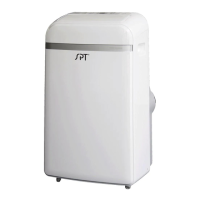
This document is an instruction manual for the SPT Portable Air Conditioner, model WA-P903E, which offers 14,000 BTU cooling only.

Function Description

The portable air conditioner is designed to provide cooling for indoor spaces. It features multiple operating modes including AUTO, COOL, DRY (dehumidify), and FAN. The unit can be controlled via a control panel on the unit itself or with a remote controller.

Operating Modes:

  • COOL operation: Sets the desired room temperature between 17°C and 30°C (62°F and 86°F) and allows selection of fan speed (LOW, MED, HIGH).
  • DRY (dehumidify) operation: Operates at a fixed LOW fan speed to dehumidify the room. Temperature cannot be set in this mode, and exhaust hose connection to a window is not needed.
  • FAN operation: Circulates air without cooling. Fan speed can be set to LOW, MED, HIGH, or AUTO. Temperature cannot be adjusted in this mode.
  • AUTO operation: Automatically selects between cooling or fan mode based on the set temperature and ambient room temperature. Fan speed cannot be set in AUTO mode.

Timer Function: The unit includes TIMER ON and TIMER OFF functions.

  • TIMER ON: Sets the unit to automatically turn on after a specified amount of time (0 to 24 hours).
  • TIMER OFF: Sets the unit to automatically turn off after a specified amount of time (0 to 24 hours).
  • Time can be set in 0.5-hour increments up to 10 hours, then in 1-hour increments up to 24 hours.

SLEEP Function: Available in COOL mode, this function conserves energy during sleep. The set temperature automatically increases by 1°C/2°F after 30 minutes, and again after another 30 minutes. This new temperature is maintained for 7 hours before returning to the original set temperature. This feature is unavailable in FAN or DRY modes.

SWING Function: Controls the horizontal louver blade for air flow adjustment. Pressing the SWING button initiates auto-swing, moving the louver up and down. Pressing it again stops the louver at the desired angle. A quick press adjusts the angle by 6°, while pressing and holding for 2 seconds activates/deactivates auto-swing.

SHORTCUT Function: Restores current or previous settings. When first connected to power, pressing SHORTCUT will operate the unit in AUTO mode at 26°C (79°F) with Auto fan speed. When the remote controller is on, pressing SHORTCUT will revert to previous settings (operating mode, temperature, fan speed, sleep feature). Pressing and holding for more than 2 seconds will restore the current operation settings.

Auto-Restart: If power is lost unexpectedly, the unit will restart with the previous settings once power resumes.

Important Technical Specifications

  • Model: WA-P903E
  • Cooling Capacity: 14,000 BTU
  • Operating Temperature Range: 17-35°C (62-95°F) for Cool mode, 13-35°C (55-95°F) for Dry mode, 5-30°C (41-86°F) for Heat mode (heating models only).
  • Power: The unit requires a grounded outlet with appropriate voltage. Voltage information is located on the side of the unit, behind the grille.
  • Refrigerant: The unit uses a refrigerant, and if low, a service technician is required to inspect and top it off.
  • Remote Controller:
    • Battery: 2 x AAA batteries (not included).
    • Signal Receiving Range: 8 meters.
    • Operating Temperature: -5°C to 60°C (23°F to 140°F).
    • Temperature Display: Can be toggled between Fahrenheit and Celsius by pressing and holding the Up and Down buttons simultaneously for 3 seconds.

Usage Features

Installation: The unit is portable and comes with a window installation kit for exhaust.

  • Location: Must be installed on a flat, sturdy surface, near a grounded plug, and with the collection tray drain accessible. A minimum clearance of 30cm (12 inches) from walls is required for proper airflow.
  • Window Kit: Fits windows 67.5-123cm (26.5-48 inches) and can be shortened. Includes a window slider adaptor, unit adaptor, exhaust hose, and foam seals for hung or sliding windows.
  • Exhaust Hose: Must not be over-bent or overextended to ensure proper function. A minimum of 20 inches clearance around the air outlet is recommended.
  • Through-the-wall connection: An optional wall adaptor (sold separately) can be used for permanent through-the-wall installation.

Control Panel:

  • LED Display: Shows set temperature (°C or °F), auto-timer settings, and current room temperature (in DRY or FAN modes). Displays error codes (E1-E4) and a "P1" indicator when the bottom tray is full.
  • Buttons: SWING, TIMER, MODE, Up (+), Down (-), FAN, SLEEP, POWER.

Water Drainage:

  • Continuous Drainage (DRY mode): Remove the upper drain plug, attach a drain connector (5/8" universal female mender) to a 3/4" hose (not included), and position the open end over a drain area.
  • Continuous Drainage (HEAT mode - required): Remove the lower drain plug, attach a drain connector to a 3/4" hose. This mode has a built-in pump, allowing a maximum drain hose height of 5 feet.
  • Emptying Water Tank: When the bottom tray is full ("P1" displayed), the unit beeps. Place a collection pan under the bottom tray drain spout or move the unit to a drain location. Remove the bottom drain plug to drain water, then replace it and restart the unit.

Maintenance Features

Safety Precautions:

  • Always unplug the unit before cleaning or servicing.
  • DO NOT use flammable liquids or chemicals for cleaning.
  • DO NOT wash the unit under running water.
  • DO NOT operate if the power cord is damaged; contact Sunpentown or a qualified electrician.

Cleaning the Air Filter:

  • Clean filters at least once every two weeks to prevent dust accumulation.
  • Wash filters in warm water (40°C/104°F) with a neutral detergent.
  • Rinse clean and allow to dry in a shady area, away from direct sunlight.
  • The upper filter can be taken out directly, while the lower filter requires removing a screw.

Cleaning the Unit:

  • Use a lint-free cloth soaked with neutral detergent to clean the housing, then wipe with a dry cloth.

Storage:

  • Drain the unit's water collection tray completely.
  • Run the appliance on FAN mode for 12 hours in a warm room to dry the interior and prevent mold.
  • Turn off and unplug the unit.
  • Clean and reinstall the air filter.
  • Remove batteries from the remote control.
  • Store the unit in a cool, dark place, away from direct sunlight or extreme heat.

Maintenance Tips:

  • Drain the water collection tray immediately after a "P1" error or before storage to prevent mold.
  • In households with animals, periodically wipe down the grille to prevent blocked airflow from animal hair.

Troubleshooting: The manual provides a troubleshooting guide for common issues such as the unit not turning on, not cooling well, being noisy, or making gurgling sounds, along with possible causes and solutions.

Sociable Remark: The manual emphasizes proper disposal of the product and packaging materials, adhering to local regulations for electrical and electronic equipment recycling to prevent environmental and health hazards.

SPT WA-P903E Specifications

General IconGeneral
BrandSPT
ModelWA-P903E
CategoryAir Conditioner
LanguageEnglish

Related product manuals