35
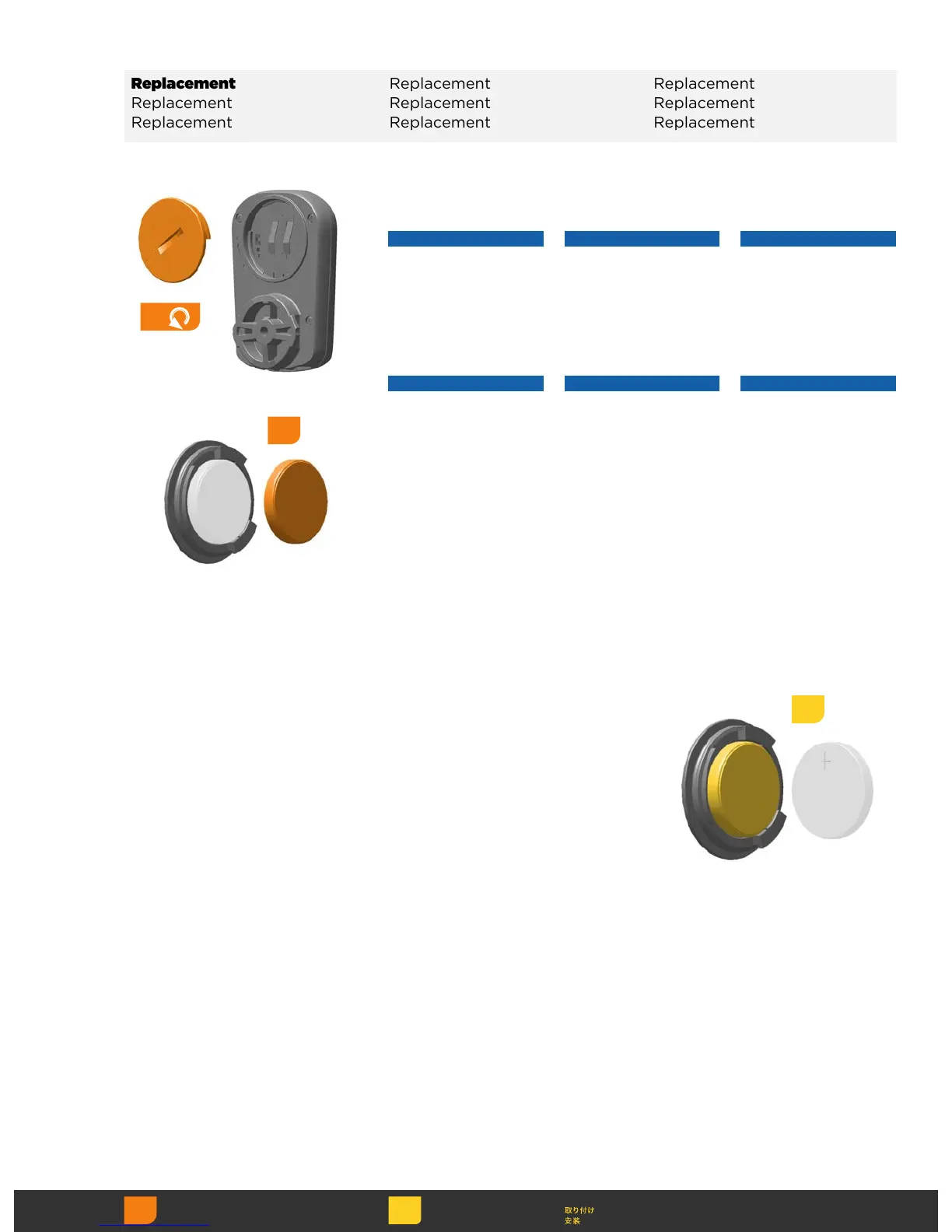
Insert a new CR2032
coin cell battery into the
battery cap, terminal
side out.
Insert a new CR2032
coin cell battery into the
battery cap, terminal
side out.
Insert a new CR2032
coin cell battery into the
battery cap, terminal
side out.
Insert a new CR2032
coin cell battery into the
battery cap, terminal
side out.
Insert a new CR2032
coin cell battery into the
battery cap, terminal
side out.
Insert a new CR2032
coin cell battery into the
battery cap, terminal
side out.
Insert a new CR2032
coin cell battery into the
battery cap, terminal
side out.
Insert a new CR2032
coin cell battery into the
battery cap, terminal
side out.
Insert a new CR2032
coin cell battery into the
battery cap, terminal
side out.
3
1
Use a coin to remove the
battery cap. Remove the
old battery.
NOTICE
Do not remove the
battery cap o-ring seal.
Use a coin to remove the
battery cap. Remove the
old battery.
NOTICE
Do not remove the
battery cap o-ring seal.
Use a coin to remove the
battery cap. Remove the
old battery.
NOTICE
Do not remove the
battery cap o-ring seal.
Use a coin to remove the
battery cap. Remove the
old battery.
NOTICE
Do not remove the
battery cap o-ring seal.
Use a coin to remove the
battery cap. Remove the
old battery.
NOTICE
Do not remove the
battery cap o-ring seal.
Use a coin to remove the
battery cap. Remove the
old battery.
NOTICE
Do not remove the
battery cap o-ring seal.
Replacement Replacement Replacement
Replacement Replacement Replacement
Replacement Replacement Replacement



 To Next Page