Sricam
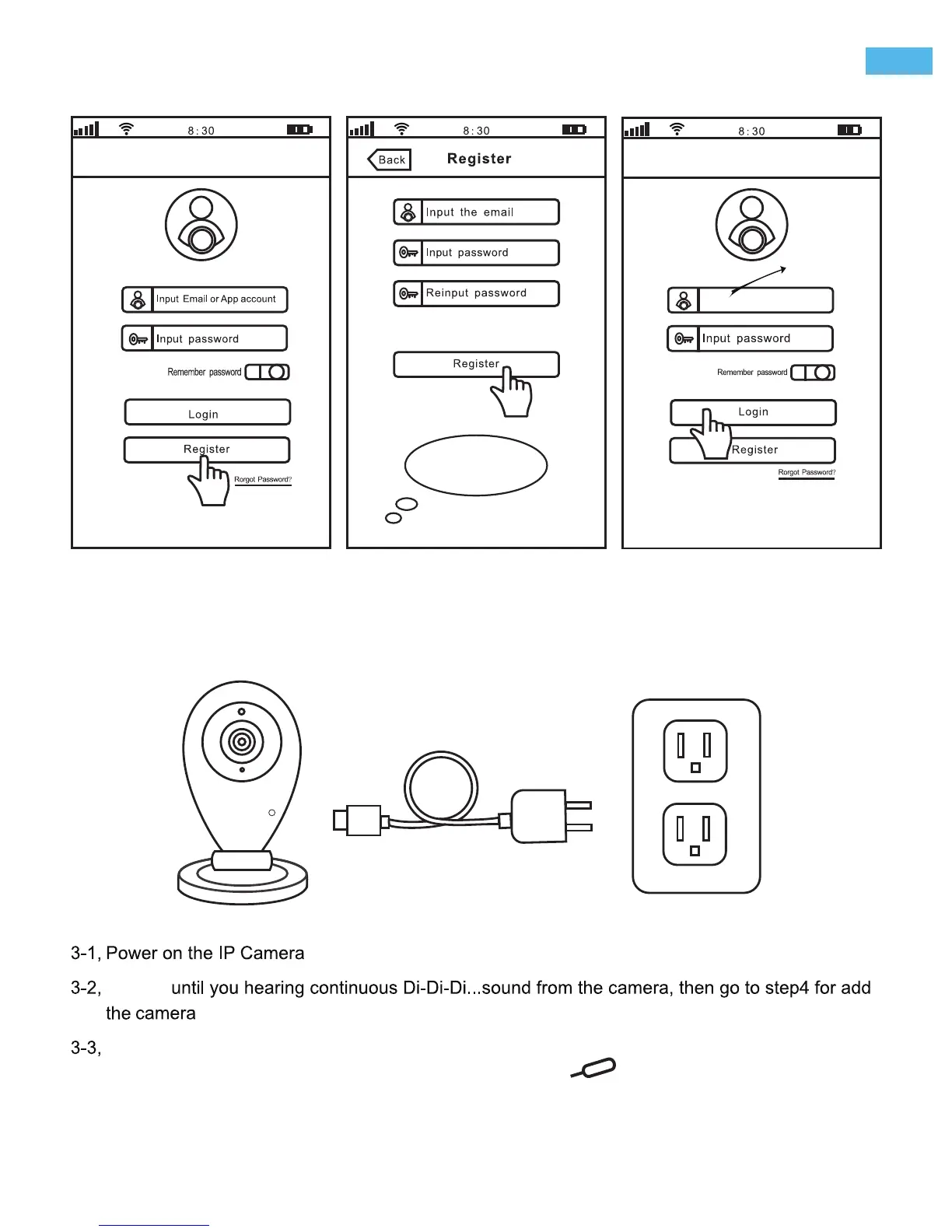
Step2. Register an App user account
support@sricam.com
2-1 2-2 2-3
registered
email in 2-2
Please create a
password for APP account,
pls don't input your email
password.
Step3. Product connection
R
After download the App “Sricam”, please Install and register a user account for it.
If you can’t hearing the “Di-Di-Di...”sound from the camera within 1 minute, you need reset the
camera first. Please press RESET button by the reset pin for a few seconds until you hear
a clash sound from the camera. Then waiting until you hearing continuous “Di-Di-Di...” sound
from the camera and go to Step4 for add the camera on App “sricam”.
Waiting
on App “sricam”.
.
-2-
EN


 To Next Page