Wi-Fi Setting
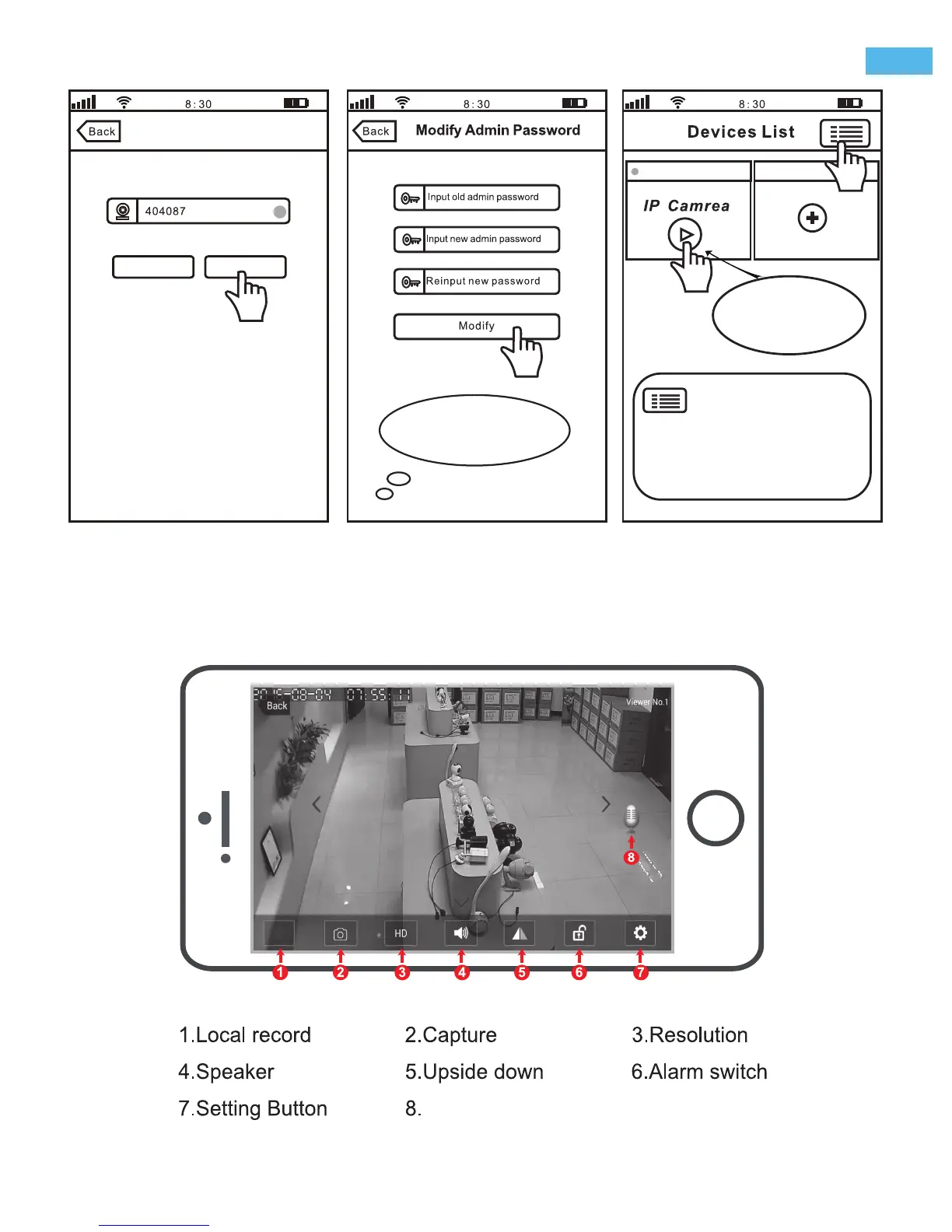
Wi-Fi setting succeeded
Skip
Modify Password
Note: Please creat
6-9 characters(0-9) for
your new password
office
Add new device
4-7 4-8 4-9
Note:Touch
for stream, keepping
touch for Setting
Step5. Live video stream on your smartphone
Microphone
-4-
EN
Note: Touch this button for setting
APP“Authority, Multi-Media, System,
Update, Logout, Quit. ”
Authority: Open “Audio / Pan Tilt /...”
Multi-Media: Check “Record Playback/ Local Pictures
/ Alarm Event”


 To Next Page