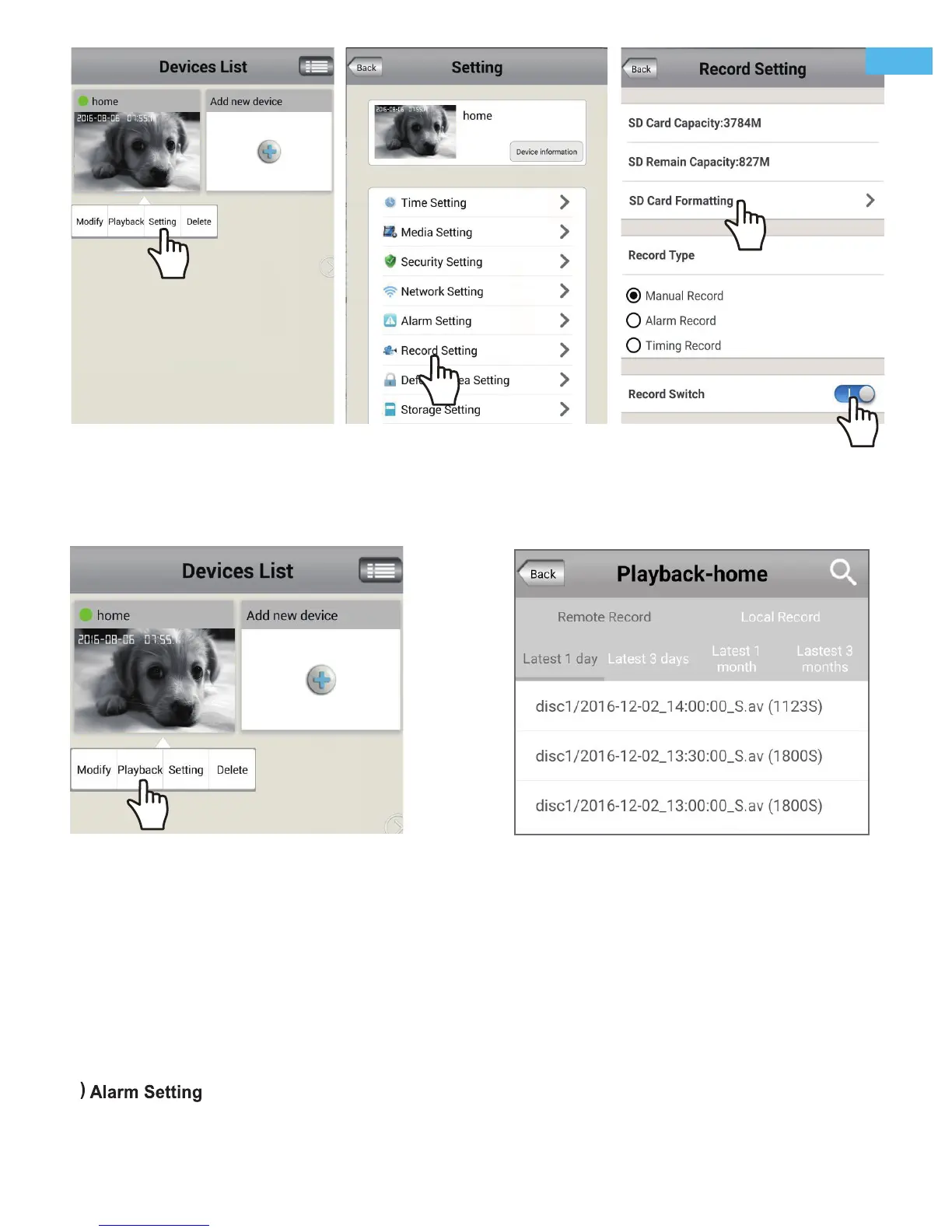
Touch " Playback" for playback the record on MicroSD card.as picture below (Note: each record is 30 minutes)
FAQ2-1 FAQ2-2 FAQ2-3
4) Record playback on PC
A: First unplug the MicroSD card from the camera, and copy the record to your computer via a MicroSD card
reader.
B: Download the video Player software from link: http://download.sricam.com/rjxz.html
C: Install the Video Player and playback the record
FAQ2-4
FAQ2-5
FAQ3: Email and Phone Push Alarm setting
3) Record Playback(on App)
Log in "Sricam" App. Keep touch the camera for pops up the "setting" menu.
First touch “Setting” menu and go to Alarm setting part as picture FAQ3-1 and FAQ3-2.
1
-7-
EN


 To Next Page