49
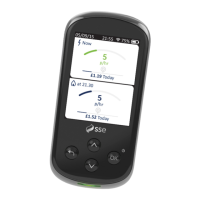
OK, let’s start again. A lot of the time, glitches can be sorted
out simply by rebooting your Smart Energy Tracker. Sounds
technical, but it isn’t. Here’s how it’s done:
How to reboot your
Smart Energy Tracker
1
Disconnect the USB adapter and remove the
battery cover
2
Pop the battery out carefully
Wait 60 seconds. Remember taking your battery out
will lose your data history
3
Replace the battery
4
Replace the battery cover
5
Reconnect the USB adapter
6
Your Smart Energy Tracker should re-connect within
2 minutes, but it may take up to 30 minutes for your
current energy data to appear
5
Any questions?


 To Next Page