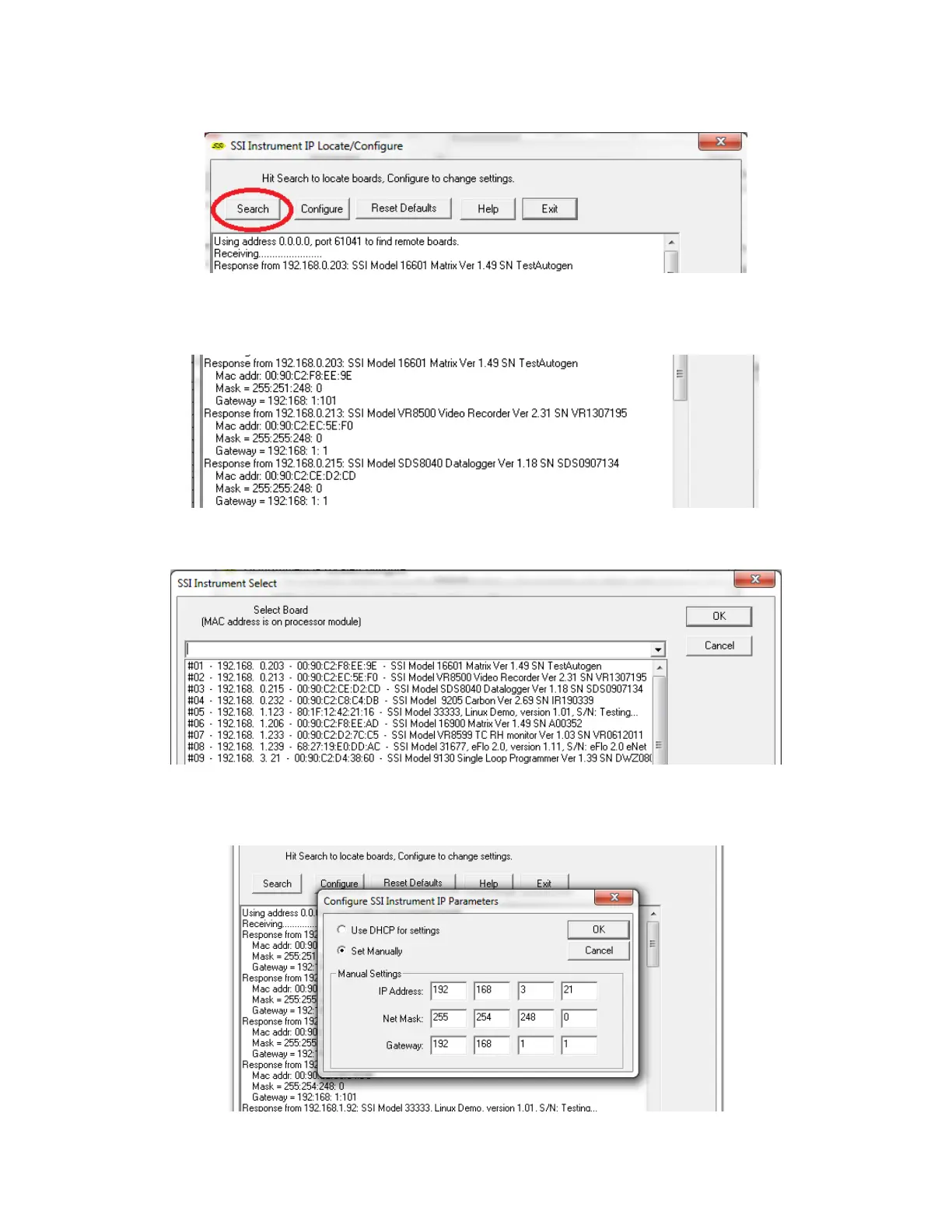
4. Look for identifying text in the list of instruments. It includes the type of instrument and
serial number. It also provides the IP Address information for the sensor.
5. Click the Configure button and choose the sensor to change its IP Address settings.
6. Click on the device description to highlight it and click the OK button. This will display the
device’s IP settings, which can be changed to match the network to which it’s connected.



 To Next Page