
 Need help?
Do you have a question about the Ssl DD999ACPW and is the answer not in the manual?
Explains the "WARNING" symbol for critical instructions.
Explains the "CAUTION" symbol for important instructions.
Details FCC rules, interference, and exposure guidelines for the device.
Advises on safe volume, hazardous situations, and immediate actions for anomalies.
Recommends professional installation and warns against self-installation.
Advises disconnecting the battery and using a 12V system before installation.
Explains legal restrictions on video viewing and warranty voiding.
Warns against watching video while driving and using features illegally.
Recommends reading the manual and lists California Proposition 65 warnings.
Identifies and labels front panel components like microphone, volume, and power buttons.
Identifies and labels rear panel ports for inputs and outputs.
Details how to turn the unit on/off, control the display, and mute audio.
Explains how to adjust volume and use voice commands.
Provides guidelines for using and cleaning the capacitive touchscreen.
Details methods for setting the date and time via CarPlay or manually.
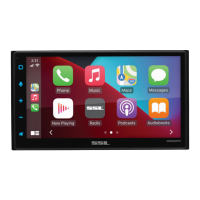
Illustrates navigation through various menus like Radio, Phone, Media, and Settings.
Guides on connecting iPhone via USB or wirelessly for CarPlay.
Explains how to customize app order and add/remove apps on the CarPlay screen.
Details how to restrict access to specific CarPlay applications.
Guides on connecting Android phone via USB or wirelessly for Android Auto.
Details app installation, system requirements, and compatibility.
Explains how to grant necessary permissions for Android Auto features.
Guides on pairing Bluetooth devices and managing connections for calls/streaming.
Details how to download contacts and access call history.
Explains how to dial, answer, end, mute, and manage calls with call waiting.
Covers searching contacts and accessing call history.
Details how to stream audio, control tracks, and view playback information.
Explains how to play music and photos from a USB drive.
Guides on tuning stations, fine-tuning, and selecting FM/AM bands.
Explains Local/DX settings, EQ access, and RDS/RBDS information.
Details how to play audio via the AUX input and volume level recommendations.
Explains front/rear camera views, reverse view display, and delay settings.
Details settings for system tone, loudness, subwoofer, volume, and source levels.
Explains EQ presets, audio effects, and balance/fader adjustments.
Covers setting time zone, date, time, 24H mode, and auto-adjust.
Details Android Auto launch, camera triggers, power, and delays.
Covers language, wallpaper, factory reset, and advanced settings.
Explains brightness, gamma, LED animation, and color settings.
Covers Bluetooth device search, auto-connect, and auto-answer settings.
Details automatic/manual phone book management and device name settings.
Explains seek quality, region, RDS/RBDS, AF, TA, and auto preset functions.
Displays hardware, software, Bluetooth, MAC addresses, and serial numbers.
Details power, accessory, ground, and SWC wiring connections.
Provides instructions for connecting speakers, noting impedance and polarity.
Details parking brake input and amplifier remote output wiring.
Guides on connecting camera, USB, microphone, and audio sources.
Provides recommended locations and considerations for microphone placement.
Explains SWC function, third-party adapter use, and interface.
Lists programmable controls and guides on SWC installation/programming.
Provides solutions for no sound and media not supported errors.
Offers solutions for bad radio reception and CarPlay/Android Auto startup problems.
Provides solutions for Bluetooth streaming/call and hands-free call quality issues.
Lists general, display, audio, and USB specifications.
Details radio tuner, CarPlay, Android Auto, and Bluetooth specifications.
 General
| Brand | Ssl |
|---|---|
| Model | DD999ACPW |
| Category | Automobile Accessories |
| Language | English |

 To Next Page