4-9
4.7.2 Real-Time Profile Display
Programming and uploading profile to the 1200.
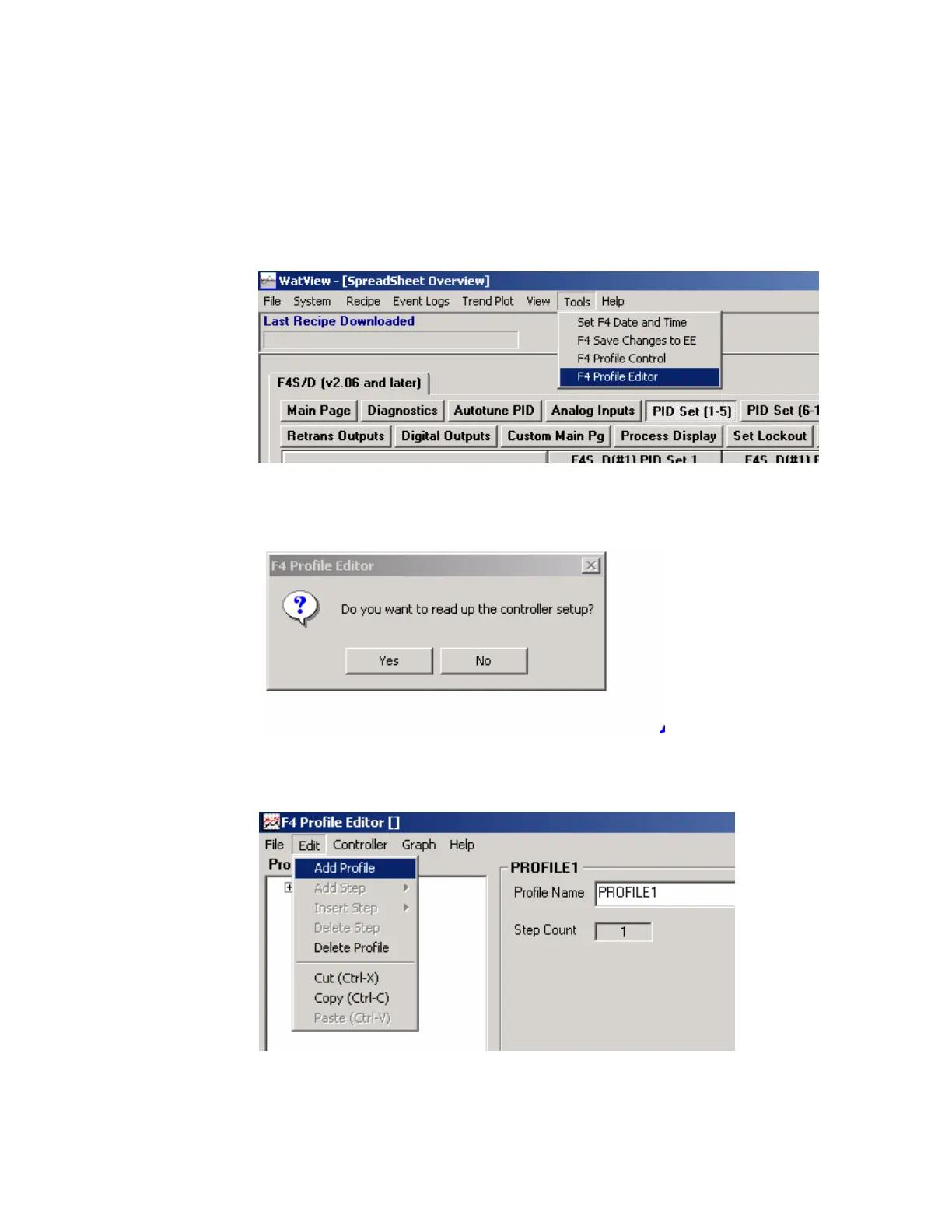
1. From the Watview spreadsheets overview choose "Tools" on the menu
bar.
Choose "Profile Editor" from the dropdown menu.
2. Choose "Yes" when prompted by the message below.
3. To create a profile, choose "Edit" from the profile editor, then choose
"Add Profile" from the dropdown menu as shown below.



 To Next Page