4-10
4. To add a step to a profile (for example a profile with a vacuum valve on
for 30 seconds and then purges for 30 seconds using GAS1, finally
ramping to heat for one minute to 150 degrees C).
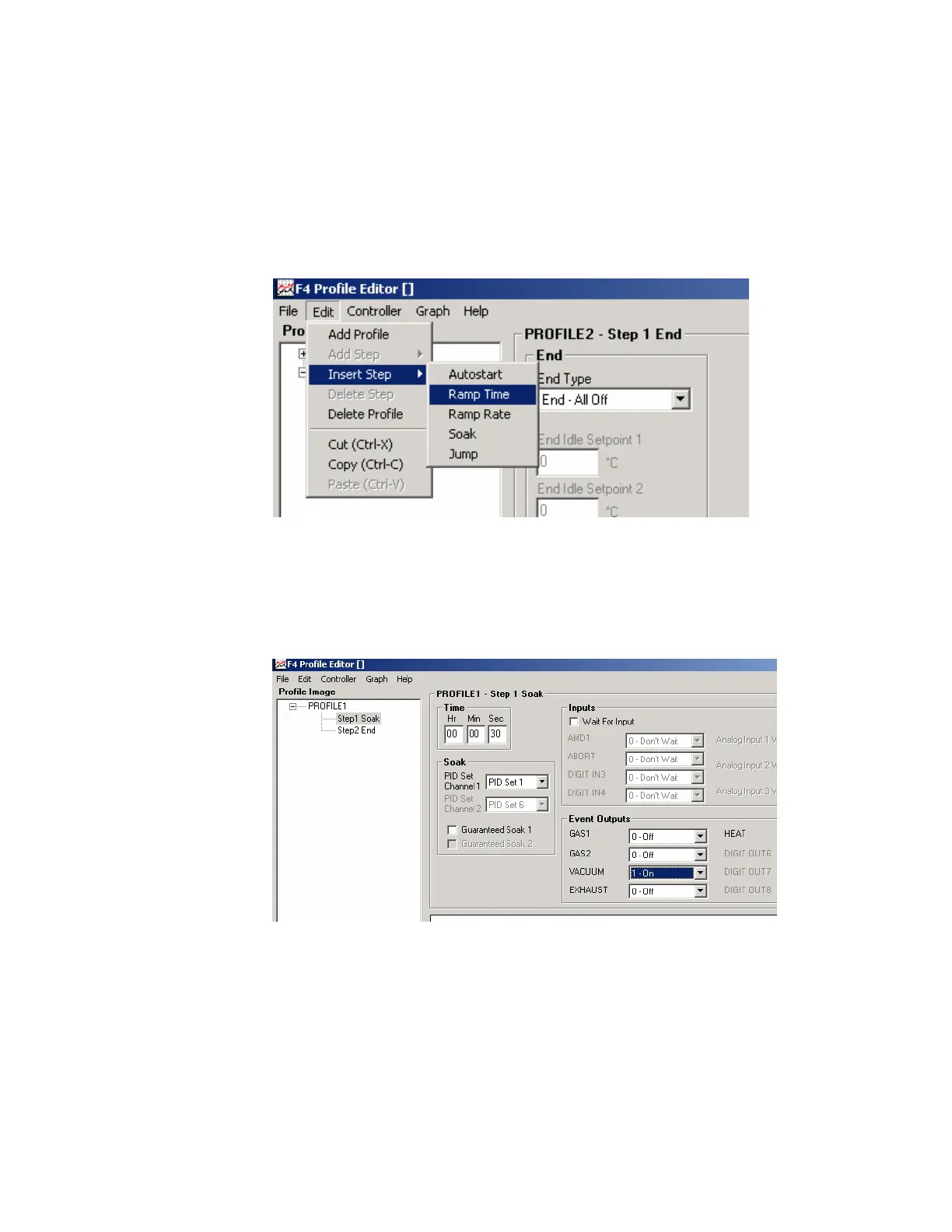
5. From "Profile Editor,” choose "Edit" and then from the dropdown menu,
choose "Insert Step" followed by "Ramp Time" as shown below.
6. To add a vacuum in a profile for 30 seconds, choose "Soak,” enter "30" in
Sec field.
7. Turn vacuum to "On" in the "Event Outputs" field.
8. To add purges choose "Edit,” then "Insert" from the dropdown menu,
then choose "Soak.”



 To Next Page