23
3. Switch the radio set on again.
The display flashes now and shows the formerly selected channel
configuration.
4. Use the channel selector to select one of the seven configurations
(d, d2, EU, EC, U, E or PL).
5. Set the program switch (6) to the OFF position.
6. Switch the radio set off and on again.
For control purposes, the new channel configuration is now dis-
played for the next three seconds. Afterwards, the radio set is
ready for operation with the new channel configuration.
In Germany, the radio set stabo xm 3003e is free of charge and
can be operated with each channel configuration without any
registration, transmission in AM is restricted to channels 1-40.
Before using your radio set abroad, make yourself familiar with
the applicable regulations for the respective countries and consider
a possible compulsory registration.
Operation
The operation of the stabo xm 3003e is almost self-explanatory.
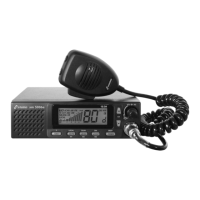
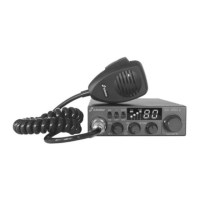
After having established all connections, switch your CB radio set
on by using the left rotary knob (ON/OFF/VOL) which is also used
for setting the volume. First, the country code should be displayed
for three seconds, afterwards a channel should appear in the
display. If the display does not light up, please check the power
supply and the fuse. A noise should be audible in the loudspeaker.
Failing this, check the microphone for proper connection and turn
the median rotary knob (SQL/ASC ) counterclockwise until a noise
can be heard. The RF Gain control should be set to the rightmost
position.
Reception
Channel selection (4)
Using the big rotary knob on the right (4), you can adjust the
requested channel which you wish to use for hearing. With the
microphone connected and the volume control adjusted to a me-
dium volume, the squelch control (2) (SQL/ASC) should be adjusted
such that a noise can be heard if the antenna is connected.
Squelch (2)
Each FM radio set and consequently the stabo xm 3003e as
well features a function for noise suppression (squelch) suppres-
sing the reproduction, if the signal is lacking or too weak. Use the
SQL/ASC control (2) to adjust the signal level at which this function
is activated.
With constantly varying conditions of reception, as for example
during mobile operation, a frequent adjustment of this level can
be necessary.


 To Next Page