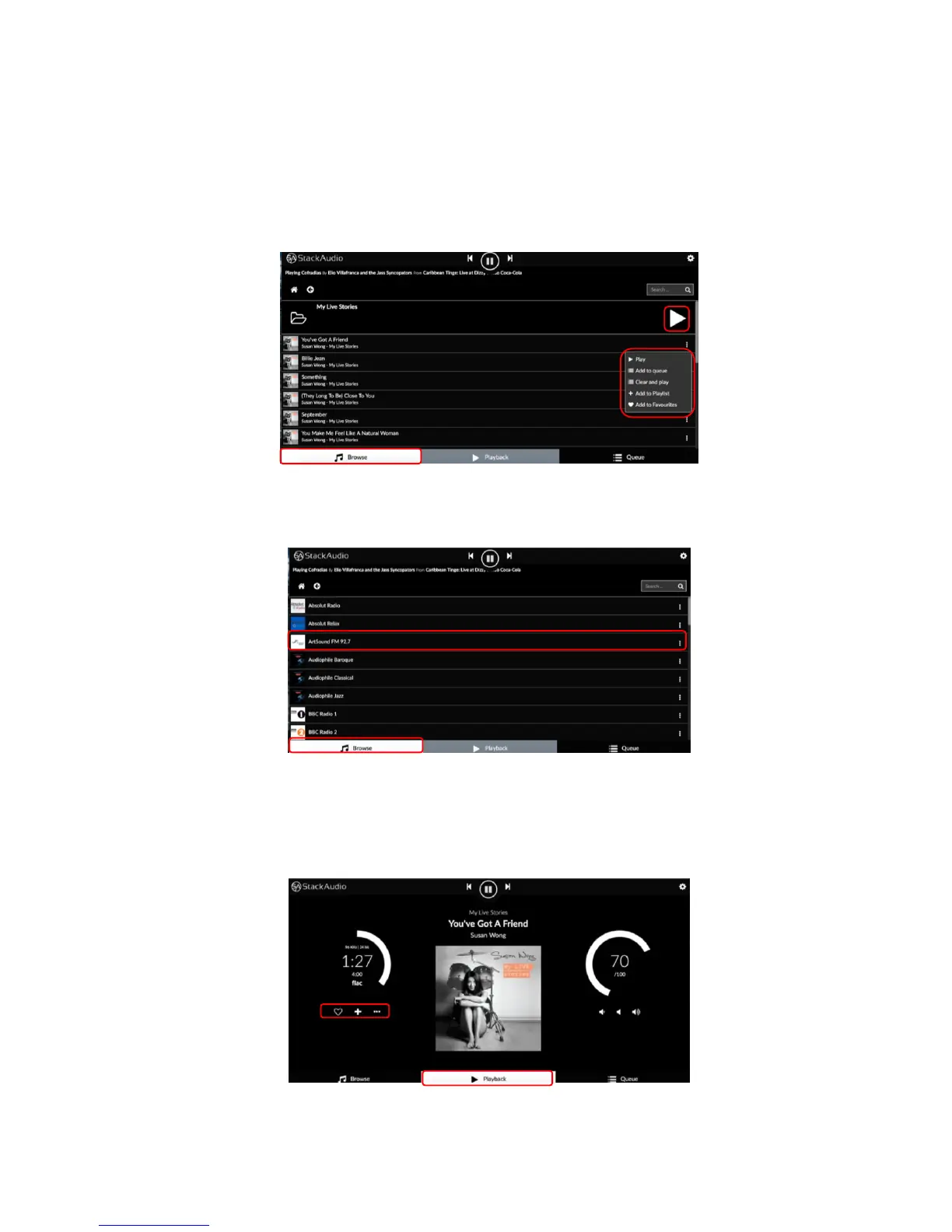
Opening a library will allow you to follow the music library file structure or playlist to
find the album or track to wish to play.
• Clicking on the arrow will add the whole album to the queue and start it playing.
Clicking on an individual track will add that to the queue and start it playing.
• Clicking on the 3 dots to the right of a track will bring up more options:
The same procedure is followed with other sources, for example web radio. Click on
the station you want to listen to start it playing.
The playback screen displays information about the music track or source being
played and volume level if enabled in the software (see settings, PLAYBACK
OPTIONS):
The icons on the left enable you to add to favourites, playlists or share the track.



 To Next Page