AC S.A. All rights reserved. Any unauthorized copying, reproduction, publishing, dissemination, disclosing or other use of information presented herein, in whole or as part, particularly photographs,
drawings, trademarks, etc., may lead to prosecution or civil proceedings.
10
Green – rich mixture, for engines with factory installed oxygen sensors, the value within this range
is correct at maximum engine load only, otherwise such values may occur at any engine load and
rpm,
Yellow – stoichiometric mixture (air-fuel ratio ensuring complete fuel combustion), for engines with
factory installed oxygen sensors, the value within this range is correct at low and partial engine
loads,
Red – lean mixture, the value within this range is unacceptable (except a situation when fuel feed is
cut off at idle engine).
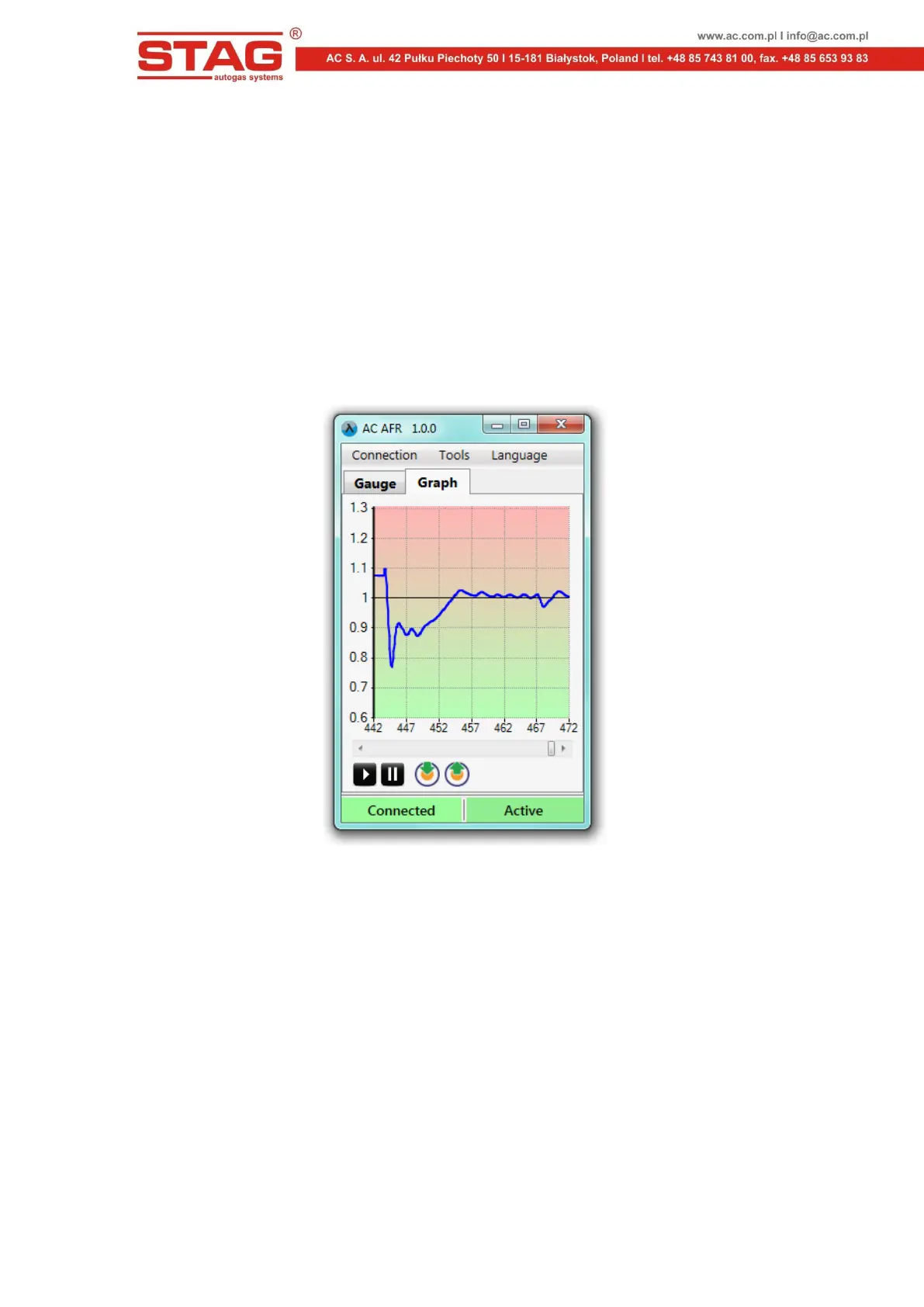
5.5 "Graph” tag
The "Graph" tag contains an oscilloscope screen. The measured value (default: lambda parameter) is
displayed on the oscilloscope.
Figure 8. Main window ("Graph" tag).
There is a scrollbar enabling observation of previously recorded data and control buttons below the
oscilloscope. The buttons perform the following functions, when viewing from left to right:
Start Oscilloscope (next click clear the oscilloscope)
Pause Oscilloscope
The current oscilloscope screen is written to a file
Load oscilloscope file



 To Next Page