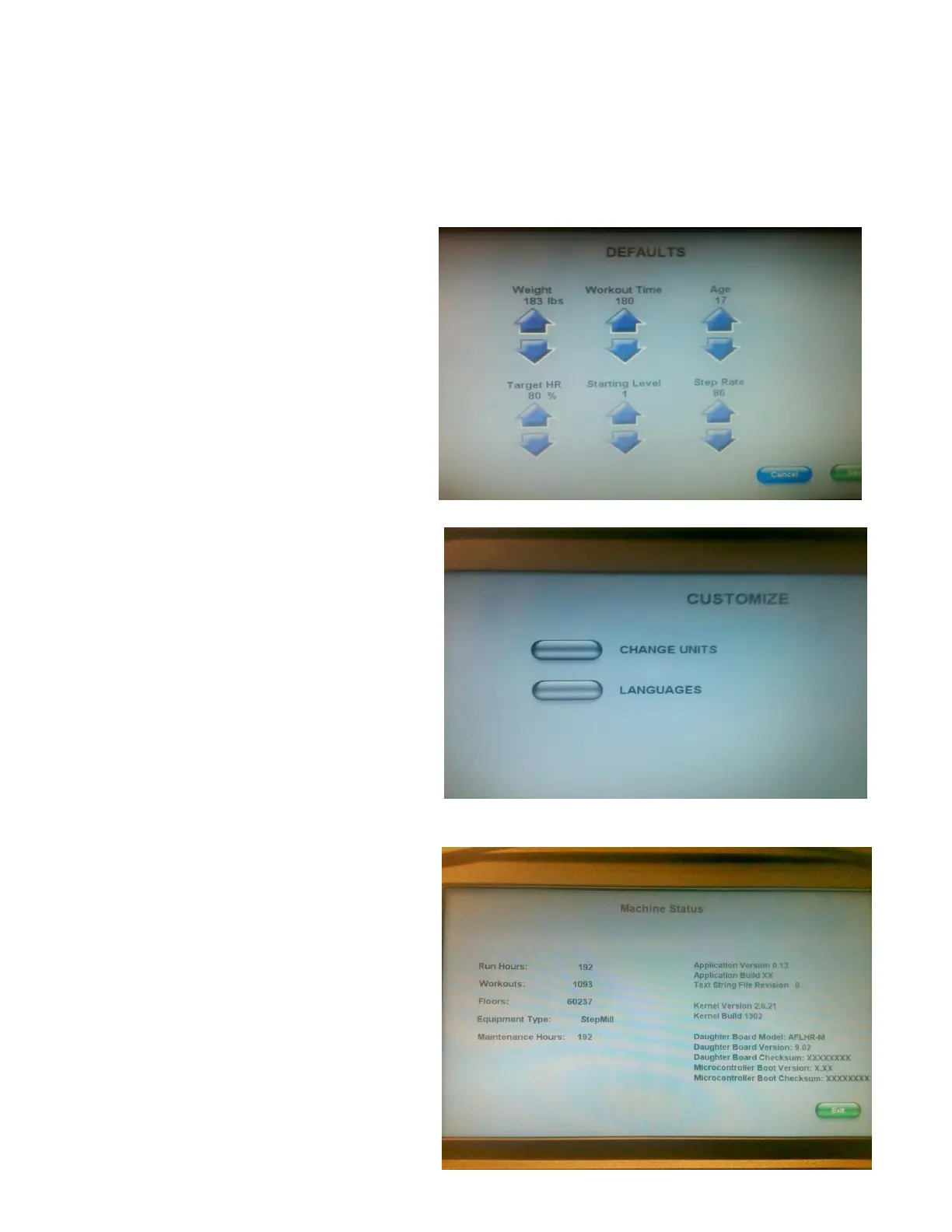
3 Defaults
The Default screen allows the user to customize the defaults for Quick Start.
Defaults are
Weight – 173
Workout Time 20 Minutes
Age 35
Target HR% 80
Start Level 1
Step Rate 20 Min
4 Customize
Change Units - Allows the user to change the
Units Metric/English
Languages – Allows the user to change 8
different Languages: English, German, Italian,
Dutch, French. Portuguese, Spanish, Japanese.
5 Machine Status
Maintenance Status shows the Run Hours,
Workouts, Floors, Unit Configuration
Stepmill/Stepclimber, and Maintenance Hours
on the left side. All Processor, software etc is
located on the right side.












 To Next Page