OPERATION DESCRIPTIONS
1. You may preset values for several functions. The preset function values will start to count down once
you press the START / STOP button to start exercising. Preset values will only count down, they will not
count up. When you complete one of the preset functions, the computer will remind you with an audible
alarm for ten seconds and stops running the program. Press any button to stop the audible alarm. Two
possible options follow: Option A: press the START / STOP button to continue to run the current program.
The value of this completed function will start to count up, while the other preset functions will continue
to count down until you reach the next preset function. Option B: press PROG/RESET button to select
a new program.
2. To stop a running program, press the START / STOP button. In this mode, you can press the START /
STOP button again to continue to run the current program. Or, you can use PROG/RESET button to
select a new program.
3. If you want to restart with a new program, press the PROG/RESET button and hold it down for ve
seconds to reset all of the function values to zero. Use PROG/RESET button to select a new program.
4. The computer will shut o automatically after 4 minutes of inactivity and all function values will be reset
to zero.
18
D. USER SETTING PROGRAMS (PROGRAM U1 to PROGRAM U4)
STEP 1: POWER ON
Handlebar Pulling or press any button.
STEP 2 : SELECT PROGRAM
Press PROG/RESET button until the desired program is displayed.
STEP 4 : EDIT THE PROGRAM PROFILE
Press the
FUN/SCAN
button, interval 1 will begin ashing. Use “ / ” buttons to set the load for interval
1. Press the
FUN/SCAN
button to proceed to the next interval. Use “ / ” buttons to set the load for each
interval.
COMPUTER INSTRUCTIONS
STEP 3: SET THE PROGRAM TIME, COUNT, DISTANCE, CALORIES, and PULSE
Press the
FUN/SCAN
button to select the program. The computer will go through the input items as follows
and allow you to set the function values. Use “
/ ” and
FUN/SCAN
buttons to input the values. Or press
the
FUN/SCAN
button to pass some of the inputs.
STEP 5 : START TO WORKOUT
Press the START
/ STOP button to start to workout.
Time (5:00 to 99:00) Count (10 to 9990 rows) Distance (100 meter to 9.9 Km) Calories (1 to 999 Kcal) Pulse (90 t0 220 bpm)
POWER SOURCE:
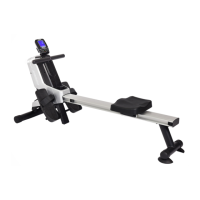
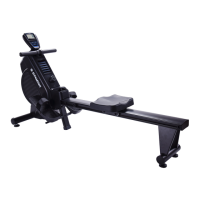
The computer uses the ADAPTER(102) as a power source. Use the Stamina® 1130 Magnetic Rowing
Machine with the ADAPTER(102) plugged into an electrical outlet.



 To Next Page