
 Need help?
Do you have a question about the Stamina 1130 and is the answer not in the manual?
Consult a physician before starting, discontinue if feeling faint or dizzy, keep others away.
Do not exceed the 250 lbs weight limit on this product.
Product contains chemicals known to cause cancer and reproductive harm.
Consult a physician before starting any exercise program, especially if over 35.
Follow guidelines for assembly, use, keeping children/pets away, and proper footwear.
Familiarize yourself with the labeled parts of the rowing machine using the provided diagram.
Chart to help identify warning, caution, and notice labels on the equipment.
Details on the caution label, including warnings about assembly, use, and weight limits.
Chart to identify fasteners by size and type for assembly.
Notice on how bolt and screw lengths are measured.
Attach the base frame to the main frame and secure the rear support.
Attach the rear stand to the main assembly using bolts and washers.
Unfold the rail and attach it to the base frame using bolts and washers.
Slide front cover onto side covers and attach to the base frame.
Attach the seat to the seat carriage using bolts and washers.
Insert handlebar through sleeve, slide on foam grip, and press in round plug.
Install bottle holder and press endcaps onto the rear stand.
Insert pedal shaft, slide on pedal caps, and secure with bolts and large washers.
Plug the power adapter into the power wire socket and then into an electrical outlet.
Instructions on how to adjust the pedal straps for comfort and securement.
Explanation of how the heart rate transmitter monitors and transmits heart rate data.
Instructions for assembling the heart rate transmitter, including battery installation.
Tips for ensuring accurate heart rate readings, including sensor contact and cleaning.
Guidelines for washing and storing the heart rate transmitter to maintain its function.
Explanation of the functions of PROG/RESET, FUN/SCAN, +, -, and START/STOP buttons.
Detailed explanation of all readouts and symbols on the LCD display.
Detailed descriptions of what each display parameter (Time, Watt, Pulse, etc.) shows.
Descriptions of the 13 available programs, including manual and preset options.
Details for Competition (P8) and Target Heart Rate (P9) programs.
Formulas and examples to calculate maximum and target heart rate zones based on age.
Chart estimating target heart rate zones based on user's age for effective aerobic exercise.
How to manually preset intervals for user-defined programs U1 through U4.
Step-by-step guide for using manual and preset programs.
Step-by-step guide for setting up and using the Competition program.
Step-by-step guide for using the Heart Rate Control program.
Step-by-step guide for setting up and editing user-defined programs.
Notes on preset value countdown, program stopping, restarting, and auto shut-off.
Details on the power source for the computer console, using the provided adapter.
Store the machine in a clean, dry place and avoid using the seat to move it.
Illustration and instructions for storing the rowing machine on its end.
Verify magnetic system tension and smooth seat travel.
Clean the roller tracks on the rail with an absorbent cloth.
Ensure all nuts, bolts, and caution labels are present and tightened/legible.
Wipe down the rowing machine with an absorbent cloth after each use.
Follow essential practices like doctor review, slow start, warm-up/cool-down, and heart rate monitoring.
Methods to measure workout intensity, including heart rate monitoring and using the provided table.
Chart estimating target heart rate zones based on user's age for effective aerobic exercise.
Purpose of warming up to prepare the body and minimize injuries before exercise.
Stretching muscles while warm to reduce injury risk; hold stretches for 15-30 seconds.
Illustrated stretching exercises for lower body, torso, and legs.
Purpose of cooling down to return the body to resting state and lower heart rate.
Diagram showing the front view of the rowing machine with numbered parts.
Diagram showing the back view of the rowing machine with numbered parts.
List of parts from #1 to #56 with their numbers, names, and quantities.
List of parts from #57 to #111 with their numbers, names, and quantities.
Details warranty period, exclusions, and terms for parts and frame.
Instructions on how to submit a warranty claim, including required information.
Exclusion of liability for damages and statement of sole express warranty.
Provides email, phone, fax, and mail contact details along with customer care hours.
Instructions for registering the product online or via mail to enact warranty.
Information on how to order replacement parts online, by mail, or by fax.
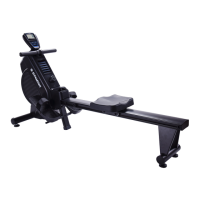
The Stamina 1130 Magnetic Rowing Machine is a fitness device designed for home use, offering a comprehensive workout experience through a magnetic braking system. This rowing machine allows users to engage in a full-body exercise that can improve cardiovascular health, build strength, and enhance overall fitness. The device is not intended for institutional or commercial applications.
The core function of the Stamina 1130 Magnetic Rowing Machine is to provide a low-impact, high-efficiency workout that mimics the motion of rowing on water. The magnetic braking system creates resistance, which can be adjusted to suit various fitness levels and workout intensities. The machine features a computer console that tracks key workout metrics, enabling users to monitor their progress and tailor their exercise routines.
The computer console is an advanced feature that serves as the central hub for managing workouts. It displays various data points such as time, watts, pulse, strokes per minute, count, calories burned, and distance. Users can select from a range of pre-set programs (P1 to P9) or create custom user-defined programs (U1 to U4). Program 1 is a manual program, offering complete control over the workload, while programs 2 through 7 are automatic pre-set programs with varying profiles like "Rolling," "Valley," "Fat Burn," "Ramp," "Mountain," and "Intervals." Program 8 is a "Competition" program, designed to challenge users to complete a pre-set distance within a pre-set time. Program 9 is a "Target Heart Rate Control" program, which automatically adjusts the workload to keep the user's heart rate within a specified target zone.
For heart rate monitoring, the Stamina 1130 includes a HEART RATE TRANSMITTER (chest strap) that wirelessly sends heart rate data to the computer console. This feature is crucial for effective cardiorespiratory training, as it helps users stay within their target heart rate zone for optimal fat burning and cardiovascular benefits. The console also allows users to preset values for time, count, distance, calories, and pulse, which will count down during the workout, providing an audible alarm upon completion.
The Stamina 1130 is designed for ease of use and adaptability to individual preferences. The pedal straps are adjustable, allowing users to customize their foot placement for comfort and security during exercise. The handlebar provides a secure grip for the rowing motion.
The computer console's intuitive interface allows for easy program selection and adjustment. The "PROG/RESET" button cycles through programs and can reset all function values to zero when held down. The "FUN/SCAN" button selects programs, presets function values, and switches between fixed and automatic scan displays during exercise. The "+" and "-" buttons are used to increase or decrease preset values and adjust the workload level during a program. The "START/STOP" button initiates and pauses workouts.
The machine is designed to be user-friendly, with clear instructions for assembly and operation. It is recommended that two people be available for assembly. Once assembled, the rowing machine should be placed on a solid, level surface, ideally on an equipment mat, with adequate space around it for safe operation.
For storage, the Stamina 1130 can be stood on end, making it suitable for smaller living spaces. Moving the machine is facilitated by wheels on the front stabilizer, allowing for easy relocation.
Regular maintenance is essential to ensure the safety, integrity, and longevity of the Stamina 1130 Magnetic Rowing Machine. Users are advised to periodically inspect the machine for any worn or loose components.
Key maintenance tasks include:
Only components supplied by Stamina Products, Inc. should be used for maintenance or repair. If any components are worn or damaged, they should be replaced immediately, or the machine should be removed from service until repairs are made. The owner's manual emphasizes that regular maintenance is the sole responsibility of the user.
 General
| Product Name | Stamina 1130 |
|---|---|
| Category | Home Gym |
| Foldable | No |
| Maximum User Weight | 250 lbs |
| Display | No |
| Warranty | 90 days |


 To Next Page