EasyManua.ls Logo

Stamina CT2.0 - User Manual

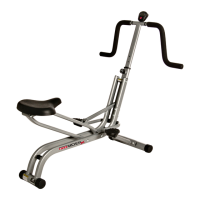
Stamina CT2.0
22 pages
Print Icon
To Next Page IconTo Next Page
Loading...
2040 N. Alliance, Springfield, MO 65803
Customer Service Number
1 (800) 375-7520
www.staminaproducts.com
This Product is Produced Exclusively by
Owner's Manual
55-1723
STAMINA PRODUCTS
MADE IN CHINA
Product May Vary Slightly
From Pictured.
2009, 06
Exercise can present a health
risk. Consult a physician
before beginning any exercise
program with this equipment.
If you feel faint or dizzy,
immediately discontinue use
of this equipment. Serious
bodily injury can occur if this
equipment is not assembled
and used correctly. Serious
bodily injury can also occur if
all instructions are not
followed. Keep others and
pets away from equipment
when in use. Always make
sure all bolts and nuts are
tightened prior to each use.
Follow all safety instructions in
this manual.
When calling for parts or
service, please specify the
following number.
WARNING
CAUTION:
Weight on this product should not exceed 250 lbs.
2007 Stamina Products, Inc.
Question and Answer IconNeed help?

Do you have a question about the Stamina CT2.0 and is the answer not in the manual?

Summary

Safety Instructions

Customer Support and Contact Information

Before You Begin

Hardware Identification Chart

Assembly Instructions

Step 1: Attach Front Stabilizer

Connects the front stabilizer to the main frame using specified hardware.

Step 2: Attach Rear Stabilizer

Connects the rear stabilizer to the main frame using specified hardware.

Step 3: Cable and Tension Knob Assembly

Routes cable and attaches tension knob to the upright.

Step 4: Connect Tension Cable

Connects the tension cable end to the spring hook and bracket.

Step 5: Connect Sensor Wire

Plugs the sensor wire into the connection wire.

Step 6: Attach Upright to Main Frame

Inserts and secures the upright to the main frame.

Step 7: Attach Pedal Arms

Attaches pedal arms to cranks and secures pedal shafts.

Step 8: Attach Pedal Caps

Attaches left and right pedal caps to the pedal arms.

Step 9: Attach Handlebars

Attaches left and right handlebars to the upright.

Step 10: Attach Lower Pivoting Arms

Connects lower pivoting arms to handlebars and linkages.

Step 11: Final Alignment Check

Aligns pivot tubes and pedal arms, then tightens bolts.

Step 12: Install Meter

Installs batteries and attaches the meter to the upright.

Set Up Instructions

Leveling the Cross Trainer

Adjusting leveling caps for optimal stability on the floor.

Moving the Cross Trainer

Safe procedures for moving the equipment, requiring two people.

Function Inspection

Verifying proper assembly and functional operation of the unit.

Operational Instructions: Meter and Setup

Using the Meter Display

Explains meter functions: SCAN, TIME, SPEED, DISTANCE, CALORIES.

Install and Replace Batteries

Guide for installing and replacing AA batteries in the meter.

Operational Instructions: Workout and Adjustment

Load Adjustment Guide

How to increase or decrease workout resistance using the tension knob.

Exercise Workout Guide

Basic instructions on how to use the cross trainer and perform workouts.

Forward and Reverse Workout

Instructions on changing workout direction for varied muscle engagement.

Storage Guidelines

Maintenance Procedures

Regular Component Checks

Ensures safety and integrity by checking part tightness and labels.

Component Replacement and Cleaning

Guidance on using approved parts and keeping the unit clean.

Conditioning Guidelines

Workout Intensity and Heart Rate Monitoring

Guidance on maintaining target heart rate zones for effective aerobic exercise.

Target Heart Rate Zones by Age

Table providing target heart rate zones based on user age.

Warm-up and Cool-down Procedures

Warm-up and Stretching

Importance of warming up muscles and performing stretches.

Cool-down Process

Procedure for cooling down the body after exercise sessions.

Limited Warranty Information

Product Parts Drawing

Parts List (Diagram #1-49)

Parts List (Diagram #50-97)

Notes Section

Fax;Mail Ordering Form

Stamina CT2.0 Specifications

General IconGeneral
BrandStamina
ModelCT2.0
CategoryFitness Equipment
LanguageEnglish

Related product manuals