EasyManua.ls Logo

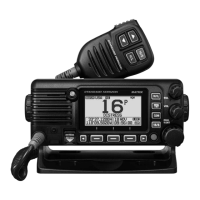
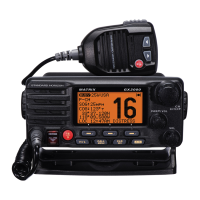
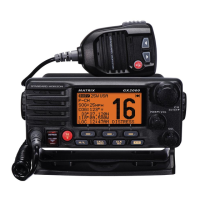
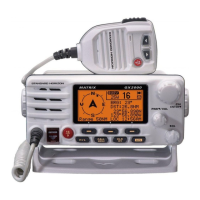
Standard Horizon GX2400GPS/E - User Manual

Standard Horizon GX2400GPS/E
148 pages
Print Icon
To Next Page IconTo Next Page
Loading...
z International ITU-R M.493-15 Class D DSC (Digital Selective Calling)
z Integrated dual channel AIS (Automatic Identication System) receiver
z AIS/AIS SART target display: MMSI, Call Sign, Ship Name, BRG, DST, SOG and COG
z NMEA 2000 and NMEA0183 Compatible
z Integrated 66 Channel Internal GPS receiver
z Contact Class A or B AIS Ship with DSC
z Programmable CPA or TCPA collision avoidance alarms
z Submersible IPX8 (1.5 meter for 30 minutes)
z 80dB Commercial grade receiver
z DSC position request and report functions
z GM (Group Monitor) using DSC Group Position Calling
z Navigation (LAT/LON, SOG and COG) information shown on display
z MOB (Man Over-Board) Operation
z Versatile user-programmable scanning, priority scan and Dual/Triple Watch
z Integrated 32 Code Voice Scrambler and 4 Code Voice Scrambler
z 30 Watt PA/Loud Hailer with preprogrammed fog signals and listen back
z Noise canceling for both transmit and receive audio
z Second Station Remote Microphone
*
z Intercom Feature between Radio and Second Station Remote Microphone*
z ATIS Mode for European Inland Waterways (GX2400GPS/E only)
*(Optional SSM-70H (RAM4) or SSM-72H (RAM4X) required)
MATRIX NMEA2000 GPS
GX2400GPS
GX2400GPS/E
(
European Version
)
Owners Manual

Table of Contents

Questions and Answers

  • J
    juanflemingAug 5, 2025
    Why does my Standard Horizon Transceiver say “HI BATTERY” or “LO BATTERY”?
    • S
      Stanley ArcherAug 6, 2025
      If your Standard Horizon Transceiver displays a “HI BATTERY” or “LO BATTERY” message upon powering on, it indicates that the connected power supply voltage is either too high or too low. To resolve this, verify that the connected power supply voltage is within the range of 11 volts to 16.5 volts DC.
  • K
    Kathleen RossAug 9, 2025
    How to fix a Standard Horizon Transceiver that fails to power up?
    • M
      Michael HerreraAug 9, 2025
      If your Standard Horizon Transceiver fails to power up, the cause may be due to no DC voltage reaching the transceiver or a blown fuse. First, check the 12 VDC battery connections and the fuse. Second, ensure that the power key is pressed and held to turn the radio on.
  • A
    Alexandria WeissAug 14, 2025
    What to do if Standard Horizon GX2400GPS/E blows fuse when connected to power supply?
    • A
      Ashley GonzalezAug 14, 2025
      If your Standard Horizon Transceiver blows a fuse when connected to the power supply, it might be due to reversed power wires. Check the power cable for DC voltage, or replace the fuse (6A). Ensure the red wire connects to the positive (+) battery post and the black wire to the negative (–) battery post. If the fuse continues to blow, contact your Dealer.
  • H
    Haley SantiagoAug 18, 2025
    Why is my Standard Horizon GX2400GPS/E Transceiver transmit power low?
    • J
      James WilliamsonAug 18, 2025
      If the receiving station reports low transmit power from your Standard Horizon Transceiver, even when set to HI power, the antenna may be the problem. Have the antenna checked or test the transceiver with another antenna. If the issue remains, contact your Dealer for servicing.
  • R
    Robyn GilmoreAug 22, 2025
    How to stop popping noise from Standard Horizon GX2400GPS/E Transceiver speaker?
    • K
      Kenneth McconnellAug 22, 2025
      If you are experiencing popping or whining noise from the speaker of your Standard Horizon Transceiver while the engine is running, it is likely due to engine noise. Try re-routing the DC power cables away from the engine. You can also add a noise suppressor on the power cable or switch to resistive spark plug wires and/or add an alternator whine filter.
  • A
    Aaron GreenAug 27, 2025
    What to do if sound is not emitted from Standard Horizon Transceiver speaker?
    • M
      Max CervantesAug 27, 2025
      If sound is not emitted from the internal or external speaker of your Standard Horizon Transceiver, the issue might be with the accessory cable. Check the connections of the accessory cable, as the external speaker cable (WHITE/ SHIELD) may be shorted together.
  • R
    Roy TravisAug 31, 2025
    Why is my position not displayed on my Standard Horizon GX2400GPS/E Transceiver?
    • D
      Dawn JonesAug 31, 2025
      If your position is not displayed on your Standard Horizon Transceiver, there might be an issue with the accessory cable, the SCU-38 cable, or the GPS chart plotter settings. * Check the accessory cable connection. Some GPS units use the battery ground for NMEA connection. * Check the SCU-38 cable connection. * Verify the output signal format of the GPS navigation receiver. This radio requires NMEA 0183 and NMEA 2000 format with GLL, RMB, or RMC sentence as an output signal. If the GPS has a baud rate setting, ensure it is set to 4800 and parity to NONE.

Summary

QUICK REFERENCE

Safety Precautions

CONTROLS AND INDICATORS

INSTALLATION

Electrical Connections and External Devices

Details on connecting power, antenna, and external devices.

BASIC OPERATION

Setup Menu and Basic Operations

Navigating setup menus, managing transmit power, timers, and channel groups.

MOB, PA;Fog, Intercom, Scrambler, Demo

Operating Man Over-Board, PA/Fog horn, intercom, scrambler, and demo modes.

GPS OPERATION

DIGITAL SELECTIVE CALLING (DSC)

Distress Alerts and All Ships Calls

Procedures for DSC distress alerts and all ships calls.

Individual and Group Calls

How to manage contacts and make/receive individual and group DSC calls.

Position Management and Polling

Using DSC for position requests, reports, and auto polling.

DSC Test, Log Operations, and Loopback

Performing DSC tests, managing call logs, and loopback operations.

NAVIGATION

Waypoint Operations

Managing waypoints, including starting/stopping navigation and setup.

Routing Operations

Setting up, editing, and deleting routes for navigation.

GM OPERATION

AUTOMATIC IDENTIFICATION SYSTEM (AIS)

AIS Operation and Display

How to view and interact with AIS targets on the display.

AIS Setup and Alarms

Configuring AIS settings like CPA, TCPA, range, and alarms.

NMEA 2000 SETUP

CONFIGURATION SETUP

CHANNEL FUNCTION SETUP

DSC SETUP

GPS SETUP

ATIS SETUP

ATIS Code Programming

Procedure for programming the ATIS code into the transceiver.

SSM-70 H (RAM4) REMOTE MIC OPERATION

CONNECTING A USB DATA TERMINAL TO THE PC

MAINTENANCE

Troubleshooting Chart

A guide to diagnosing and resolving common transceiver issues.

SPECIFICATIONS

Standard Horizon GX2400GPS/E Specifications

General IconGeneral
DSCYes
AISYes
Voltage Range13.8 VDC
TypeVHF Marine Transceiver
Frequency Range156.000 - 162.025 MHz
Power Output25 W
GPSIntegrated GPS
DisplayLarge LCD
ChannelsUSA, International, and Canadian Channels
NMEANMEA 0183
Waterproof ratingIPX8

Related product manuals