EasyManua.ls Logo

Standard Horizon GX2150 - User Manual

Standard Horizon GX2150
132 pages
Print Icon
To Next Page IconTo Next Page
Loading...
Page 1GX2000/GX2150
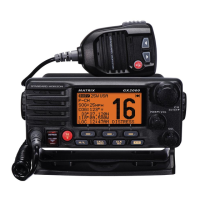
MATRIX SERIES
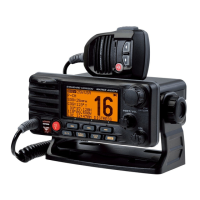
GX2000 and GX2150
25 Watt VHF/FM
Marine Transceivers
Owner's Manual
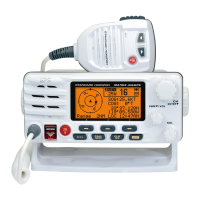
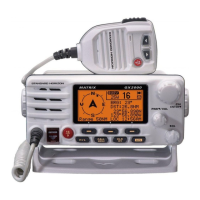
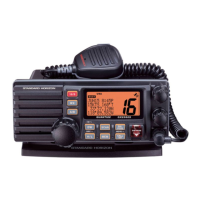
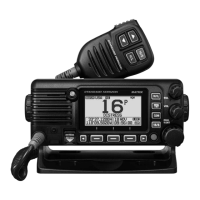
MATRIX AIS+ GX2150 MATRIX GX2000
Integrated dual channel AIS (Automatic Identification System) receiver (GX2150)
AIS (Automatic Identification System) receiver or transponder connection (GX2000)
4800 or 38400 NMEA baud rate selection for plotters with 1 NMEA port (GX2150)
Able to use PA or Fog signaling when on AIS display (GX2150)
True and Magnetic bearing selection on AIS display
AIS target display: MMSI, Call Sign, Ship Name, BRG, DST, SOG and COG
Contact Class A or B AIS Ship with DSC
Programmable CPA or TCPA collision avoidance alarms
ITU Class D DSC (Independent Channel 70 receiver built-in)
80dB Commercial grade receiver
DSC position request and report functions
Navigate to a DSC Distress Call
30 Watt PA/Loud Hailer with pre-programmed fog signals and (listen back GX2150)
ClearVoice noise canceling speaker microphone with channel selection and 16/9 key
GPS Compass, Waypoint and GPS status pages
Navigation (LAT/LON, Time, SOG and COG) information shown on display
Enter, Save and Navigate to waypoints with Compass page
User programmable soft keys
Versatile user-programmable scanning, priority scan and Dual Watch
Oversized rotary channel knob with push to enter, backlit display and keys
Optional connection for RAM3 second station remote microphone with AIS display
Intercom between radio and RAM3
Voice Scrambler (optional)
Local/Distance attenuator
Submersible JIS-7 / IPX7 (3.3 feet for 30 minutes)
E2O (Easy-To-Operate) menu system
When connected to a GPS

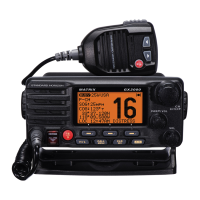
Table of Contents

Questions and Answers

  • D
    Dr. Ashley WardAug 14, 2025
    Why does my Standard Horizon GX2150 display 'HI BATTERY' or 'LO BATTERY'?
    • K
      kingmatthewAug 14, 2025
      The “HI BATTERY” or “LO BATTERY” message on your Standard Horizon Transceiver indicates that the power supply voltage is either too high or too low. Make sure the connected power supply voltage is neither higher than 17 volts nor lower than 10 volts.
  • V
    Vanessa CooperAug 17, 2025
    Why does my Standard Horizon GX2150 Transceiver fail to power up?
    • H
      Heather SullivanAug 18, 2025
      Your Standard Horizon Transceiver might not be powering up because there's no DC voltage reaching it, or the fuse might be blown. First, check the 12VDC battery connections and the fuse. Also, make sure you press and hold the VOL/PWR knob to turn the radio on.
  • E
    Ebony KentAug 21, 2025
    What to do if Standard Horizon GX2150 Transceiver blows fuse when connected to power supply?
    • R
      Renee DunnAug 21, 2025
      If your Standard Horizon Transceiver blows a fuse when connected to the power supply, it might be due to reversed power wires. Check the power cable for DC voltage and replace the fuse (6A 250V). Ensure the red wire connects to the positive (+) battery post and the black wire to the negative (-) battery post.
  • J
    Jackie WestAug 25, 2025
    What causes popping or whining noise from the speaker of my Standard Horizon GX2150 Transceiver?
    • K
      Kristen GonzalesAug 25, 2025
      A popping or whining noise from the speaker of your Standard Horizon Transceiver while the engine is running is likely due to engine noise. Try rerouting the DC power cables away from the engine. You can also add a noise suppressor on the power cable, switch to resistive spark plug wires, and/or add an alternator whine filter.
  • B
    Benjamin SloanAug 27, 2025
    What to do if receiving station reports slow signal strength on Standard Horizon GX2150?
    • A
      amanda76Aug 27, 2025
      If a receiving station reports slow signal strength, even with your Standard Horizon Transceiver set to HI power, the antenna might be the issue. Have the antenna checked, or test the transceiver with another antenna.
  • K
    Kiara TapiaAug 30, 2025
    How to fix sound not emitted from the internal or external speaker of Standard Horizon GX2150 Transceiver?
    • K
      kelleyandrewAug 30, 2025
      If no sound is coming from the internal or external speaker of your Standard Horizon Transceiver, the accessory cable might be the problem. Check the connections of the accessory cable by short circuiting the external speaker cable (WHITE/SHIELD).
  • S
    Stephanie DavisSep 3, 2025
    How to fix sound not emitted from the PA speaker of Standard Horizon GX2150 Transceiver?
    • W
      Willie MontoyaSep 3, 2025
      If no sound is emitted from the PA speaker of your Standard Horizon Transceiver, the issue might be with the accessory cable. Check the accessory cable connection by short circuiting the PA speaker cable (RED/SHIELD).
  • D
    Diana JohnsonSep 6, 2025
    Why is “AIS” information not displayed on my Standard Horizon GX2000 Transceiver?
    • A
      Austin RobertsonSep 7, 2025
      If “AIS” information is not displayed on your Standard Horizon GX2000 Transceiver, the accessory cable might be the cause. Check the accessory cable connection by short circuiting the NMEA-HS(+) cable (BROWN) and NMEA-COMMON (–) cable (GREEN). Also, verify that the baud rate setting of the AIS receiver is set to 38400 baud.
  • E
    Emily AllenSep 10, 2025
    Why is my position not displayed on Standard Horizon GX2150 Transceiver?
    • X
      xwilliamsSep 10, 2025
      Your position might not be displayed on the Standard Horizon Transceiver due to issues with the accessory cable or the GPS navigation receiver settings. * Check the accessory cable connection. Note that some GPS units use the battery ground line for NMEA connection. * Verify the output signal format of the GPS navigation receiver. The radio requires NMEA0183 format with GLL, RMB, or RMC sentence as an output signal. If the GPS has a baud rate setting, ensure it is set to 4800 and parity to NONE.

Summary

Quick Reference Guide

General Information

Packing List

Options

On-line Warranty Registration

Getting Started

Prohibited Communications

Details FCC prohibitions on radio communications, including false distress or profane language.

About VHF Radio

Explains VHF radio frequencies and range factors, emphasizing line-of-sight communication.

Selecting an Antenna

Discusses antenna gain and provides examples for selecting marine VHF antennas.

Installation

Safety; Warning Information

Provides safety warnings regarding RF exposure limits and antenna placement.

Location

Guidance on choosing a suitable mounting location for the radio, considering compass deviation.

Mounting the Radio

Instructions for mounting the radio using supplied or optional brackets.

Electrical Connections

Details on connecting power, antenna, and accessories, including fuse replacement.

Accessory Cables

Wiring diagrams and connection examples for the GX2000 and GX2150.

Controls and Indicators

Front Panel

Identifies and describes the function of controls on the front panel of the transceiver.

Rear Panel

Details the connectors and jacks found on the rear panel of the transceiver.

Microphone

Explains the functions of the microphone controls and its noise reduction technology.

Basic Operation

Reception

Steps for setting up and receiving signals on the transceiver.

Transmission

Procedure for transmitting voice communications, including FCC requirements.

Transmit Time - Out Timer (TOT)

Explains the TOT feature that limits continuous transmission time.

Display Type

How to select different display screen types for the transceiver.

Channel Function Setup

Channel Group

How to select the channel group for USA, Canada, or International operation.

Scan Memory

Instructions for storing channels into scan memory for scanning.

Scan Type

Selection between Memory Scan and Priority Scan modes.

Scan Resume

Setting the time the radio waits before resuming scanning after a transmission.

DSC Setup

Individual Directory

Storing vessel or person names and MMSI numbers for DSC calls.

Individual Reply

Setting up automatic or manual response to DSC Individual calls.

Individual Acknowledgment

Configuring automatic or no reply for individual DSC calls.

Individual Ringer

Adjusting the ringer time for DSC Individual calls.

AIS;Compass Setup

Automatic Identification System (AIS)

Overview of AIS, its purpose, classes, and reception range.

Direction

Selecting AIS compass orientation between Course Up or North Up.

Activation Range

Setting the search range for AIS targets.

CPA Alarm

Setting the Closest Point of Approach alarm distance for approaching vessels.

Waypoints

Marking a Position

How to mark and save the current vessel position as a waypoint.

Adding a Waypoint

Instructions for manually adding new waypoints with names and coordinates.

Editing a Waypoint

Procedure for editing existing waypoint names and coordinates.

Deleting a Waypoint

Steps to remove a waypoint from memory.

RAM3 (CMP30) Remote Mic Operation

Remote Mic Controls

Identifies and explains the functions of the RAM3 remote microphone controls.

Assigning Soft Keys

How to assign functions to the soft keys on the remote microphone.

Maintenance

Replacement Parts

List of commonly requested replacement parts and their order information.

Factory Service

Contact information for radio repair and servicing.

Troubleshooting Chart

A chart listing symptoms, probable causes, and remedies for common issues.

Channel Assignments

Warranty

Reset Procedures

Memory Clear

Procedure to clear Scan memory and Preset memory.

Microprocessor Resetting

How to reset all memories and settings to factory defaults.

Specifications

General

General specifications including channels, voltage, current, and dimensions.

Transmitter

Technical specifications for the transmitter section.

Receiver (for Voice and DSC)

Technical specifications for the voice and DSC receiver.

Receiver (for AIS)

Technical specifications for the AIS receiver.

FCC Radio License Information

Station License

Information regarding FCC ship station license requirements.

Radio Call Sign

Information on FCC requirements for radio call signs for recreational boaters.

Canadian Ship Station Licensing

Information on licensing requirements for vessels in Canada.

FCC; Industry Canada Information

FCC and Industry Canada data needed for license applications.

FCC Notice

Standard Horizon GX2150 Specifications

General IconGeneral
BrandStandard Horizon
ModelGX2150
CategoryTransceiver
LanguageEnglish

Related product manuals