EasyManua.ls Logo

Standard Horizon INTREPID GX1260S - User Manual

Standard Horizon INTREPID GX1260S
39 pages
Print Icon
To Next Page IconTo Next Page
Loading...
16/9
SCAN
PO
S
W
X
H/L
C
A
L
L
/SET
D
IS
T
R
E
S
S
PULL OPEN
16/9
Horizon
INTREPID
V
O
L
/P
W
R
SQL
HORIZON
Marine Electronics
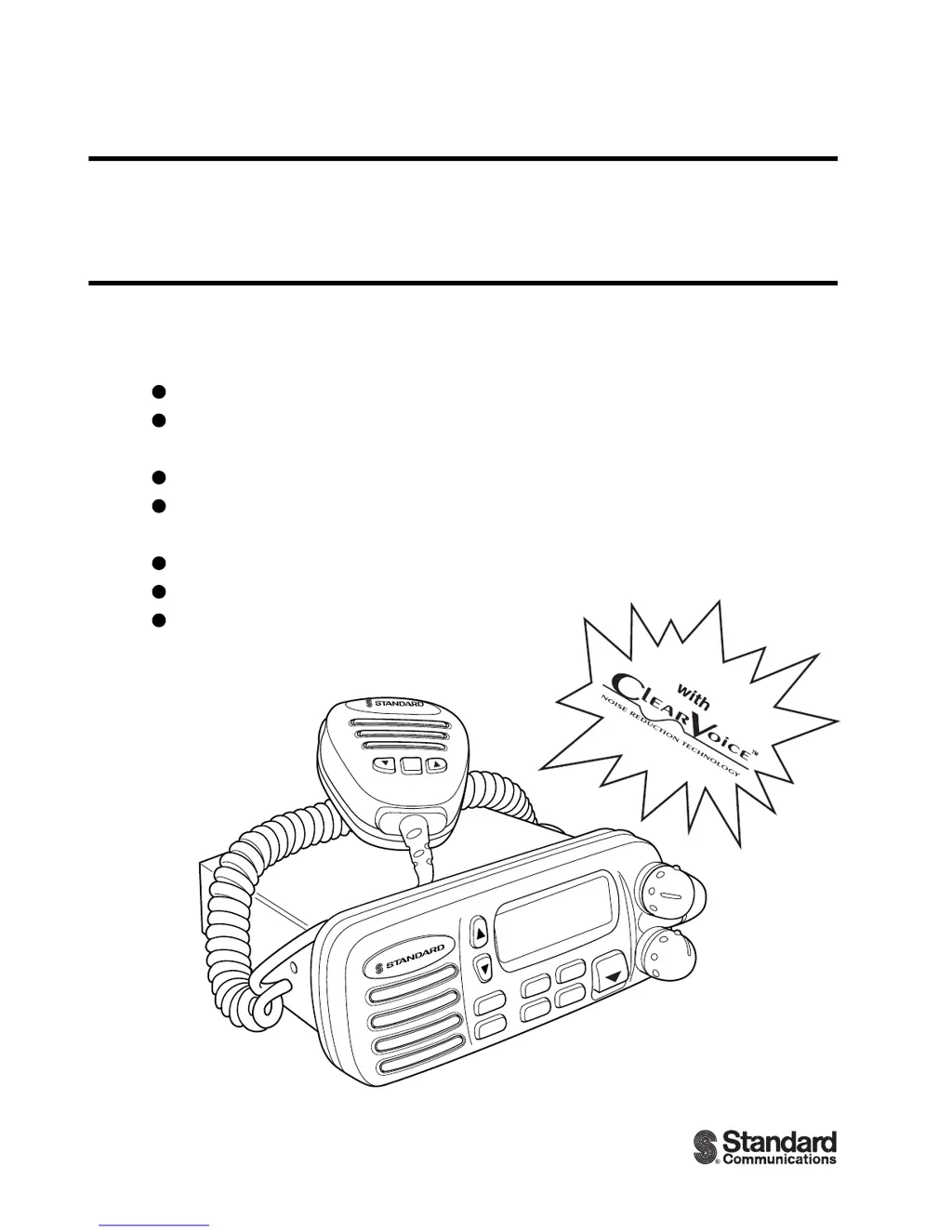
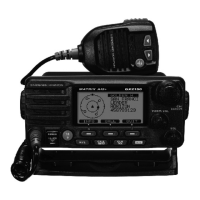
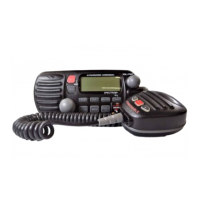
INTREPID GX1260S
25 Watt VHF/FM
Marine Transceiver
Owner
'
s Manual
Submersible
One-Button DSC Distress Call Automatically
Sends Latitude & Longitude and Vessel ID
Noise Canceling “Clear Voice” Microphone
Latitude & Longitude Shown On Display
When Connected To GPS
Programmable Scan & Priority Ch16 Scan
NOAA Weather Alert
Backlit LCD & Keys
a division of

Questions and Answers

  • J
    jesusbestJul 29, 2025
    Why does my Standard Horizon Transceiver say 'HI BATTERY' or 'LOW BATTERY'?
    • M
      Mr. David MoralesJul 29, 2025
      If the Standard Horizon Transceiver displays 'HI BATTERY' or 'LOW BATTERY' when powered on, it indicates that the connected power supply voltage is either too high (24 volts or more) or too low (less than 9 volts). Verify that the connected power supply voltage is within the appropriate range and ensure that the generator is functioning correctly.
  • M
    Marilyn AndersonAug 2, 2025
    How to fix a Standard Horizon INTREPID GX1260S that won't turn on?
    • C
      Carolyn FletcherAug 3, 2025
      If your Standard Horizon Transceiver fails to power up, start by pressing and holding the Power switch/ Volume control knob until the transceiver turns on. Then, check the power cable for DC voltage and replace the fuse (6A 250V) if necessary, as the cause may be no DC voltage to the transceiver or a blown fuse.
  • M
    Misty AllisonAug 7, 2025
    What to do if Standard Horizon Transceiver keeps blowing fuses?
    • C
      collinsjessicaAug 7, 2025
      If the Standard Horizon Transceiver blows a fuse when connected to the power supply, the power wires might be reversed. Ensure that the red wire is connected to the positive battery post and the black wire to the negative. If the fuse continues to blow, contact your SCC Dealer.
  • P
    pettyamandaAug 11, 2025
    Why is my Standard Horizon Transceiver transmit power so low?
    • K
      katrinasmithAug 11, 2025
      If receiving stations report low transmit power from your Standard Horizon Transceiver, even when set to HI power, the antenna might be the issue. Have the antenna checked, or test the transceiver with another antenna. If the problem persists, contact your SCC Dealer for servicing.
  • L
    Linda PerezAug 15, 2025
    How to eliminate engine noise from Standard Horizon INTREPID GX1260S speaker?
    • M
      Mrs. Kara MacdonaldAug 15, 2025
      If you are experiencing popping or whining noise from the speaker of your Standard Horizon Transceiver while the engine is running, it is likely due to engine noise. Reroute the DC power cables away from the engine. Additionally, you can add a noise suppressor on the power cable, change to resistive spark plug wires, and/or add an alternator whine filter.
  • C
    Connie GillAug 20, 2025
    Why is my Standard Horizon INTREPID GX1260S not showing my position?
    • R
      Rebecca CopelandAug 20, 2025
      If your position is not displayed on the Standard Horizon Transceiver, there could be two potential causes. First, check the polarity of the connected external cable. Second, verify the output signal format of the GPS navigation receiver. This radio requires NMEA0183 format with GLL sentence as an output signal.
  • J
    Jeffrey CampbellAug 25, 2025
    What to check if external speaker on Standard Horizon INTREPID GX1260S has no sound?
    • D
      Donald PatelAug 25, 2025
      If sound is not emitted from the external speaker of your Standard Horizon Transceiver, check the polarity of the connected external cable.

Summary

General Information

Introduction

Overview of the VHF/FM transceiver's capabilities and specifications.

Controls and Indicators

Controls and Connections

Identification and function of the transceiver's physical controls and connection ports.

Installation

Electrical Connections

Instructions for connecting the transceiver to power and antenna.

Basic Operation

Reception

Procedure for receiving signals, adjusting volume, and setting the squelch.

Transmission

Steps for transmitting, including PTT usage and speaking clearly.

Digital Selective Calling

Sending a Distress Call

Procedure for transmitting a distress call, including automatic position data.

Sending an Individual Call

How to initiate a DSC signal to a specific party for voice communication.

Sending an All Ship Call

Function to contact other vessel stations without prior ID, specifying urgency or safety.

Receiving DSC Calls

Describes how to receive various types of DSC transmissions like distress, geographical, and individual calls.

DSC; Radio Setup Mode

RAM Mic Operation

RAM Mic Controls and Connections

Description of controls and connection points for the optional RAM microphone.

Intercom Operation

Procedures for using the intercom feature between the RAM Mic and the transceiver.

Maintenance

Troubleshooting Chart

A guide to diagnose and resolve common operational problems and their causes.

Specifications

Standard Horizon INTREPID GX1260S Specifications

General IconGeneral
Frequency Range156.000 - 163.425 MHz
Output Power25W / 1W
Waterproof RatingIPX7
NOAA Weather ChannelsYes
Display TypeLCD
DSCYes
TypeMarine VHF
ChannelsUSA, International, and Canadian Channels

Related product manuals