EasyManua.ls Logo

Standard Horizon SPECTRUM + GX2355S - User Manual

Standard Horizon SPECTRUM + GX2355S
74 pages
Print Icon
To Next Page IconTo Next Page
Loading...
Owner
'
s Manual
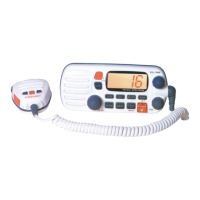
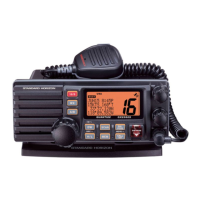
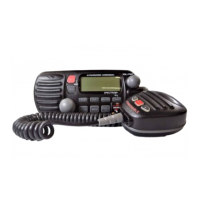
25 Watt VHF/FM
Marine Transceiver
SPECTRUM + GX2355S
A/B
H/L
PA/FOG
NAV
SCAN
MEM
CALL
SET
DISTRESS
P
U
L
L
O
P
E
N
16/9
SPECTRUM+
VOL/PWR
SQL
16/9
WX
Submersible
DSC distress call automatically broadcasts lat/long and vessel ID
MARITEL DSC telephone capability
DSC position request function and NMEA data input/output
Noise canceling Clear Voice Speaker microphone with channel selector
20 W Loud Hailer with Bells & Whistles
Latitude/Longitude and SOG/COG display
Channel name capability
Versatile user-programmable scanning and priority scan
NOAA Weather Alert
One-button access to Channel 16 and 9
Access all US, Canadian and International channels
Big, back-lit display and keys
with GPS attached

Table of Contents

Questions and Answers

  • R
    rodriguezluisJul 29, 2025
    Why does Standard Horizon SPECTRUM + GX2355S display 'HI BATTERY' or 'LOW BATTERY'?
    • W
      williamsjerryJul 29, 2025
      The 'HI BATTERY' or 'LOW BATTERY' message on your Standard Horizon Transceiver indicates that the power supply voltage is either too high or too low. Verify that the connected power supply voltage is not 24 volts or lower than 9 volts and that the generator has not malfunctioned.
  • J
    Jennifer HaynesAug 2, 2025
    Why does my Standard Horizon SPECTRUM + GX2355S Transceiver fail to power up?
    • M
      milleramyAug 2, 2025
      The Standard Horizon Transceiver may fail to power up due to a lack of DC voltage or a blown fuse. Ensure the power cable is providing DC voltage and replace the fuse (6A 250V) if necessary. Also, ensure that you press and hold the Power switch/ Volume control knob until the transceiver turns on.
  • B
    Brian PonceAug 7, 2025
    What to do if Standard Horizon Transceiver blows fuse when connected to power supply?
    • C
      Christopher BrownAug 7, 2025
      If your Standard Horizon Transceiver blows a fuse when connected to the power supply, it might be due to reversed power wires. Ensure the red wire is connected to the positive battery post and the black wire to the negative. If the fuse continues to blow, contact your Dealer.
  • K
    kjohnsonAug 11, 2025
    What causes popping or whining noise from Standard Horizon SPECTRUM + GX2355S speaker?
    • A
      Amy RobinsonAug 11, 2025
      A popping or whining noise from the Standard Horizon Transceiver speaker while the engine runs is often due to engine noise. To resolve this: 1. Reroute the DC power cables away from the engine. 2. Add a noise suppressor on the power cable. 3. Consider changing to resistive spark plug wires and/or adding an alternator whine filter.
  • M
    Megan YorkAug 15, 2025
    Why is sound not emitted from Standard Horizon Transceiver external speaker?
    • S
      Stephanie SandersAug 15, 2025
      If sound is not coming from the external speaker of your Standard Horizon Transceiver, the issue might be with the external cable. Check the polarity of the connected external cable.
  • J
    Jose AveryAug 19, 2025
    What to do if Standard Horizon SPECTRUM + GX2355S Transceiver position is not displayed?
    • Q
      qrobinsonAug 19, 2025
      If your Standard Horizon Transceiver position is not displayed, there could be two potential causes: * External cable: Check the polarity of the connected external cable. Some GPS units use the battery ground line for NMEA connection. * Setting of the GPS navigation receiver: Check the output signal format of the GPS navigation receiver. This radio requires NMEA0183 format with GLL sentence as an output signal. If the GPS has a baud rate setting make sure to select 4800 and parity to NONE.
  • C
    Christopher Jones DVMAug 23, 2025
    Why do receiving stations report low transmit power from Standard Horizon SPECTRUM + GX2355S?
    • R
      Robert WeaverAug 23, 2025
      If receiving stations report low transmit power from your Standard Horizon Transceiver, even when set to HI power, the issue is likely with the antenna. Have the antenna checked or test the transceiver with another antenna. If the problem persists, contact your Dealer for servicing.

Summary

4 Installation

4.1 Location

Guidelines for selecting an optimal mounting location for the radio unit.

4.2 Electrical Connections

Procedures for connecting the power source and antenna to the transceiver.

4.4 CMB16 Flush Mount Installation

Step-by-step guide for flush mounting the transceiver using the CMB16 bracket.

5 Basic Operation

5.14 Resetting the Transceivers Microprocessor

Procedure to restore the transceiver to its factory default settings.

6 Digital Selective Calling

6.1 General

Introduction to DSC and Maritime Mobile Service Identity (MMSI) concepts.

6.2 Sending a Distress Call

Step-by-step instructions for sending an emergency distress call.

6.2.2 Sending a Distress Call and Manually Inputting a Position

How to send a distress call with manually entered position data.

6.3 Sending a Distress Call with Nature of Distress

Procedure for sending a distress call specifying the nature of the emergency.

6.4 Sending an Individual Call

How to initiate a direct DSC call to another specific vessel.

6.5 Sending a Group Call

Initiating a DSC call to a predefined group of vessels.

6.6 Sending an All Ships Call

Making a broadcast DSC call to all vessels within range.

6.7 MariTel DSC Telephone Call

Using DSC to make and receive telephone calls via marine network.

6.7.2 Receiving a Shore to Ship Call

Procedure for receiving a telephone call initiated from a shore station.

6.9.1 Operation of Distress Call Waiting

Accessing and reviewing logged distress calls in the call waiting directory.

6.9.2 Operation of Individual Call Waiting

Accessing and reviewing logged individual calls in the call waiting directory.

6.10 Position Request

Requesting the position information of another vessel via DSC.

6.11 Position Send

Transmitting your vessel's position to another radio via DSC.

6.12 Receiving DSC Calls

Guidance on receiving and responding to various types of DSC transmissions.

6.12.2 Receiving a Distress Relay Call

Procedure for handling a distress relay call received from another vessel.

7 DSC; Radio Setup Mode

7.1 Setup

Accessing and navigating the main setup menu for configuration options.

7.12 User MMSI Input

Entering the unique Maritime Mobile Service Identity (MMSI) number.

9 Operating Practices

9.1 Emergency (Channel 16 Use)

Procedures for making emergency calls (Mayday) on Channel 16.

9.7 Digital Selective Calling (DSC)

Overview of DSC, its purpose, and the USCG DSC Watch system.

9.8 Maritime Mobile Service Identity (MMSI)

Explanation of what an MMSI is and its role in DSC communication.

9.9 Using Digital Selective Calling Features

Details on using various DSC call types like Distress, Individual, and Group calls.

10 Maintenance

10.3 Troubleshooting Chart

A guide to diagnosing and resolving common transceiver problems.

13 Specifications

13.4 DSC

Digital Selective Calling (DSC) specific technical details like format and NMEA output.

Standard Horizon SPECTRUM + GX2355S Specifications

General IconGeneral
BrandStandard Horizon
ModelSPECTRUM + GX2355S
CategoryTransceiver
LanguageEnglish

Related product manuals