EasyManua.ls Logo

Standard Horizon HX471S - User Manual

Standard Horizon HX471S
61 pages
Print Icon
To Next Page IconTo Next Page
Loading...
HX471S
HX471S
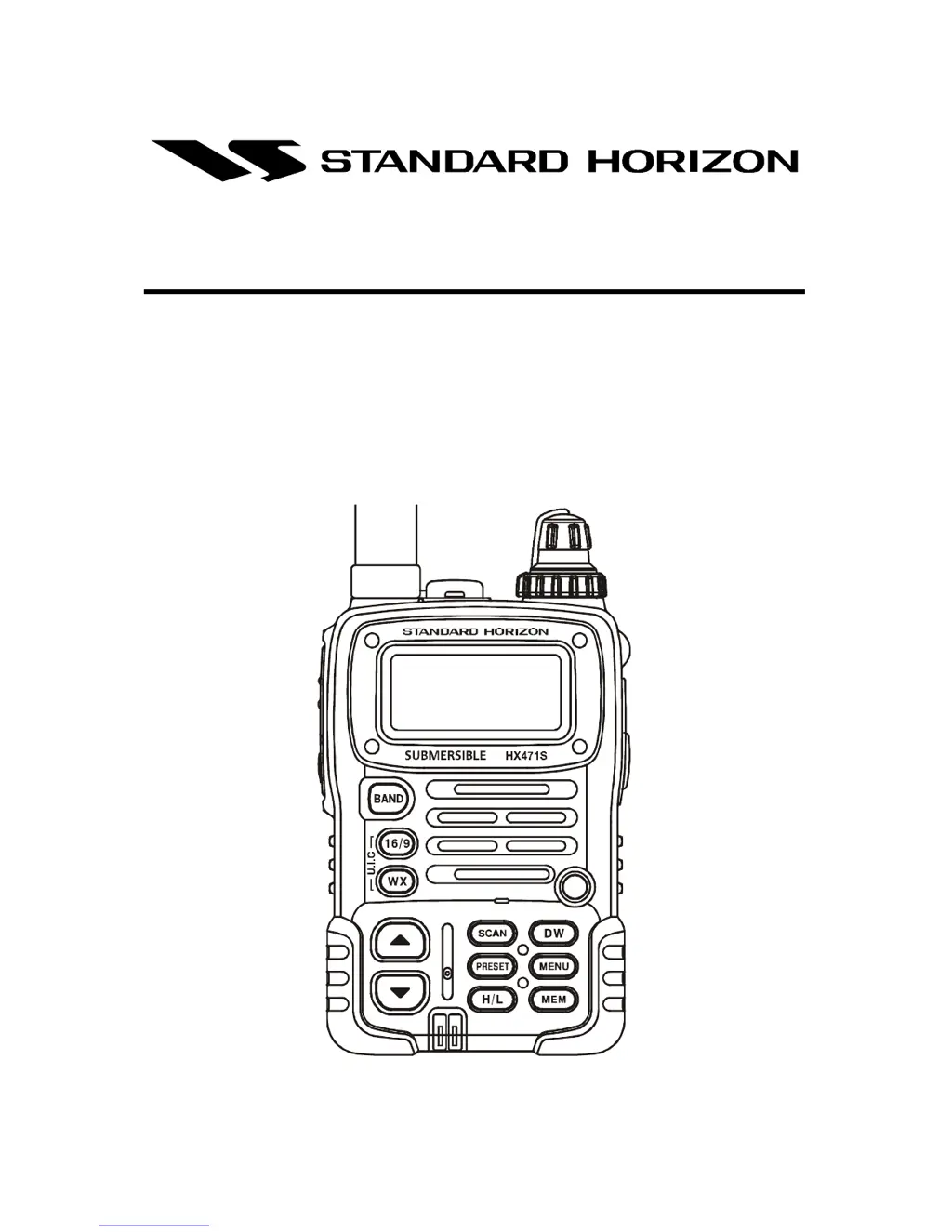
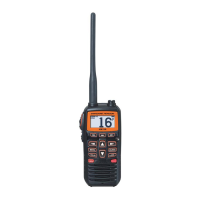
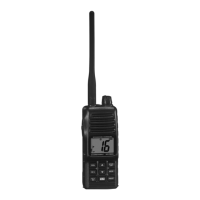
Submersible Multi Band Marine Portable
Owner's Manual

Other manuals for Standard Horizon HX471S

Questions and Answers

  • M
    Mary JohnsonJul 26, 2025
    What to do if the indicator doesn't light when charging the battery on my Standard Horizon HX471S Transceiver?
    • E
      Emily PattersonJul 26, 2025
      If the indicator light does not illuminate when charging the battery of your Standard Horizon Transceiver, it may indicate a defective battery. Contact your Standard Horizon dealer.
  • C
    Christine PearsonJul 30, 2025
    How to fix Standard Horizon HX471S when the SCAN key doesn't start the scan?
    • D
      Dale OlsonJul 30, 2025
      If the SCAN key on your Standard Horizon Transceiver isn't initiating a scan, it could be due to a couple of reasons. First, you might not have any channels stored in the transceiver's memory. Use the MEM key to add your desired channels. Second, the squelch might not be adjusted correctly. Adjust the squelch to the point where the background noise just disappears, but be careful not to adjust it so much that you eliminate incoming signals.
  • K
    Karen LarsonAug 4, 2025
    Why doesn't the squelch control eliminate background noise on my Standard Horizon Transceiver?
    • K
      Katherine BaxterAug 5, 2025
      If rotating the squelch control knob on your Standard Horizon Transceiver isn't eliminating background noise, the most likely cause is a low battery. Try charging the battery.
  • G
    garrettjasonAug 9, 2025
    What to do if I cannot change any function on my Standard Horizon HX471S Transceiver?
    • Q
      qgoldenAug 10, 2025
      If you cannot change any function on your Standard Horizon Transceiver, the Key Lock feature may be activated. Turn the Key Lock off.
  • S
    Samantha WolfAug 15, 2025
    How to enable USA/INTL/CAN modes on Standard Horizon Transceiver?
    • L
      lawrenceoliverAug 15, 2025
      If the USA/INTL/CAN modes are not functioning on your Standard Horizon Transceiver, ensure you are following the correct procedure. Hold down the 16/9 key and then press the WX key.
  • C
    christopher79Aug 20, 2025
    Why doesn't the Key Lock function on my Standard Horizon Transceiver?
    • G
      Gregory DavisAug 20, 2025
      If the Key Lock function is not working on your Standard Horizon Transceiver, ensure you are operating it correctly. Hold down the LAMP key for 1 second to activate or deactivate the Key Lock.

Summary

RF Exposure Safety Statement

FCC and Canada Radio License Information

Maritime Station License

Explains FCC license requirements for vessels using VHF marine radio.

Marine Radio Call Sign

States FCC no longer requires licenses for recreational boaters.

Canadian Ship Station Licensing

Information for obtaining a license when traveling in Canada.

FCC;Industry Canada Information

Data needed for license application.

FRS Licensing

FCC Notice

General Information

Introduction to HX471 S

Overview of the HX471S transceiver's features and capabilities.

Accessories

Packing List

Lists the items included in the transceiver package.

Optional Accessories

Lists optional accessories available for the HX471S.

About This Radio

VHF Marine Band Overview

Explains VHF marine band frequencies and usage warnings.

FRS (Family Radio Service) Overview

Describes the FRS band, its purpose, and operation areas.

Receive Only Channels and Frequencies

AM;FM Broadcast Bands

Details about AM/FM broadcast reception bands and frequencies.

AIR (Aircraft) Bands

Information on monitoring aircraft communication bands.

MURS Bands

Getting Started

Batteries and Chargers

Information on the high-performance lithium-ion battery pack.

Battery Safety and Maintenance

Battery Safety Precautions

Crucial safety guidelines for handling and using the battery pack.

Battery Maintenance and Storage

Best practices for maintaining and storing the battery pack.

Battery Recycling Guidelines

Guidelines for environmentally sound disposal of lithium-ion batteries.

Battery Charging

Battery Installation and Removal

Step-by-step instructions for installing and removing the battery pack.

Using the Charger Cradle

Mounting the CD-25 Charger on Vessel

Guidance on securely mounting the charger cradle on a vessel.

Connecting a GPS to the Charger

Controls and Switches

Controls Overview

Introduction to the transceiver's controls and switches.

Power, Squelch, and Mic;SP Jack

Describes power switch, volume, squelch control, and mic/speaker jack.

PTT, Lamp;Key Lock, and Band Key

Details the Push-to-Talk, Lamp/Key Lock, and Band selection keys.

16;9 and WX Keys

Explains the 16/9 and WX keys for channel selection.

Navigation and Function Keys

Covers UP/DOWN, SCAN, PRESET, H/L, DW, and MENU keys.

Memory and Distress Keys

Describes the MEM key for scanning and the DISTRESS key.

Basic Operation

Initial Setup

Instructions for initial setup, including installing the belt clip and battery.

Reception Procedures

Steps to power on, adjust squelch, select bands, and scan channels.

Transmission Procedures

Steps for transmitting, including power levels and time-out timer.

NOAA Weather Channels

How to access weather broadcasts and receive weather alerts.

Preset Channels (P0-P9)

How to program and use preset channels for instant access.

SOS Strobe Operation

How to enable the visual distress beacon feature.

Advanced Operation on Marine Band

USA, Canadian, and International Channels

How to switch between different marine channel sets.

Memory Scan

How to program and initiate scanning of selected marine channels.

Priority Scan

Scanning feature to monitor a priority channel alongside others.

Dual Watch

Allows monitoring of a priority channel and another selected channel.

Emergency Channel 16

Procedure for making Mayday calls and handling emergencies.

Channel 9 Hailing

Guidelines for initial contact and hailing other vessels.

Channels 13 and 67 Operation

Usage guidelines for channels 13 and 67.

USA Channel 67 Operation

Specific operational details for USA Channel 67.

Digital Selective Calling (DSC)

Overview of DSC, including MMSI requirements.

Sending a Distress Call

Procedure for transmitting a DSC distress call with GPS position.

Simplex;Duplex Channel Use

Explanation of simplex and duplex channel modes of operation.

CTCSS Operation on FRS Bands

CTCSS Code Operation

How to program and use CTCSS codes for selective communication.

Barometer and Scrambler Operation

Barometric Pressure Meter

How to display and calibrate the barometric pressure meter.

Voice Scrambler Unit

Instructions for activating the optional voice scrambler.

Operating Practices

Emergency (Channel 16 Use)

Procedure for making Mayday calls and handling emergencies.

Calling Another Vessel (Channel 16 or 9)

Guidelines for initial contact and hailing other vessels.

Channels 13 and 67 Operation

Usage guidelines for channels 13 and 67.

Prohibited Communications

FCC regulations on prohibited radio communications.

NOAA Weather Alert Testing

Procedure for testing the NOAA weather alert feature.

Resetting the Microprocessor

Cloning

Menu (Set) Mode

BEEP Setting

How to enable or disable the keypad beeper.

Barometric Pressure Settings

Settings for calibrating and displaying barometric pressure.

Channel Name Setting

How to assign custom names to channels.

CTCSS Setting

Enables/disables CTCSS and selects codes for FRS band.

Display Mode Settings

Configures information displayed on the LCD.

Distress Ring Setting

Sets the duration of the DSC Distress alarm.

DW Display and Band Icon Settings

Configures Dual Watch display and the BAND icon.

Lamp Mode Settings

Sets how the LCD/keypad illumination operates.

MMSI Registration

Stores the Maritime Mobile Service Identity (MMSI) code.

Mute and Scan Display Settings

Controls audio muting and scan display modes.

Scan Lamp and Scrambler Settings

Manages scan lamp illumination and voice scrambler.

Step and Strobe Settings

Configures AM band step size and DSC distress strobe illumination.

Time Offset and Weather Alert

Sets time offset and enables/disables weather alert feature.

Maintenance

General Precautions

General precautions to prevent damage to the radio.

Replacement Parts

Information on ordering replacement parts and their part numbers.

Troubleshooting Chart

Common symptoms, probable causes, and remedies for issues.

Optional Unit Installations

SU-1 Barometric Pressure Unit or FVP-31 Voice Scrambler Unit

Instructions for installing optional barometer or scrambler units.

FBA-23 Battery Case

How to install the alkaline battery case.

VHF Marine Channel Assignments

Chart Data Explanations

Explains VTS, Alpha channels, Bridge-to-Bridge channels, and S/D notation.

Recreational Boater Channels

Identifies channels typically used by recreational boaters.

Warranty Information

Limited Warranty Terms

Details warranty periods for different product types and accessories.

Receiving Warranty Service

Procedures for obtaining warranty repair service.

Online Warranty Registration and Support

Information on registering the product and contacting support.

Specifications

General Specifications

General technical specifications including frequency ranges and consumption.

Transmitter Specifications

Technical details about the radio's transmitter.

Receiver Specifications

Technical details about the radio's receiver.

Standard Horizon HX471S Specifications

General IconGeneral
TypeHandheld VHF Marine Transceiver
BatteryLithium-ion
Battery Capacity1800 mAh
Waterproof RatingIPX7
DisplayLCD
GPSNo
NOAA Weather ChannelsYes
ScanningYes
ChannelsUSA, Canada, International
Output Power6W / 1W
DSCYes

Related product manuals