EasyManua.ls Logo

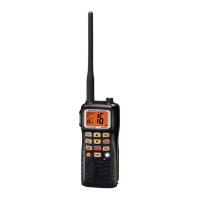
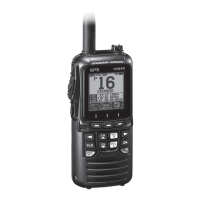
Standard Horizon HX851 - User Manual

Standard Horizon HX851
104 pages
Print Icon
To Next Page IconTo Next Page
Loading...
Page 1HX851
HX851
Floating Marine Transceiver with GPS
Owners Manual

Table of Contents

Other manuals for Standard Horizon HX851

Questions and Answers

  • S
    smallmaryAug 16, 2025
    What to do if Standard Horizon HX851 Transceiver cannot transmit a DSC Call?
    • E
      Eric Martinez Jr.Aug 16, 2025
      If you are unable to transmit a DSC Call, it is likely that the MMSI number has not been programmed. Program the MMSI number.
  • J
    Jacob LindseyAug 19, 2025
    Why indicator does not light when charging a battery of Standard Horizon HX851?
    • C
      Christopher HernandezAug 19, 2025
      If the indicator does not light when charging the battery, it may be due to a defective battery FNB-121LI. Contact Standard Horizon dealer.
  • C
    Cassidy MurrayAug 22, 2025
    Why does Standard Horizon HX851 Transceiver key lock not function?
    • K
      Karen JonesAug 22, 2025
      The key lock may not function if the proper operation is not followed. Hold down the key for 2 seconds to activate it.
  • C
    Casey BellAug 25, 2025
    What to do if Standard Horizon Transceiver cannot receive a DSC call?
    • A
      ashleyweeksAug 26, 2025
      If you cannot receive a DSC call, it could be due to the squelch being open. To fix this, press the key and press the key until the “ ” icon disappears. Another reason could be that DSC SCAN is “off”. In that case, turn the DSC SCAN to “on” in the DSC Setup menu.
  • A
    Andrew DavisAug 28, 2025
    What to do if Standard Horizon HX851 Transceiver cannot change any function?
    • J
      Joshua HolmesAug 28, 2025
      If you cannot change any function on the transceiver, the Key Lock might be turned “on”. Turn the Key Lock to “off”.
  • F
    Fernando MccannAug 30, 2025
    Why Standard Horizon HX851 Transceiver USA/INTL/CAN modes do not function?
    • J
      Jessica McgeeAug 30, 2025
      If the USA/INTL/CAN modes are not working, ensure that you are following the correct procedure. Hold down the 16/9 key and press the key.
  • R
    Ruth CastanedaSep 2, 2025
    What to do if Standard Horizon HX851 can not fix the GPS satellites?
    • T
      Tommy MurraySep 2, 2025
      If the device cannot fix the GPS satellites, it could be due to these reasons: * The internal GPS receiver is “off”. In this case, turn the internal GPS receiver to “on”. * The location is not ideal for GPS satellite reception. Try moving to a less obstructed position.
  • D
    David IrwinSep 5, 2025
    What to do if pressing [SQL] switch doesn't eliminate background noise on Standard Horizon Transceiver?
    • T
      tiffany66Sep 5, 2025
      If pressing and holding the [SQL] switch on your Standard Horizon Transceiver doesn't eliminate background noise, it could be due to a low battery. In this case, you should charge the battery. Alternatively, the audio volume level might be too low. Try pressing the [VOL] key and then pressing the ["] key several times to increase the volume.
  • M
    mbensonSep 7, 2025
    Why doesn't the [SCAN(DW)] key start the scan on my Standard Horizon HX851 Transceiver?
    • A
      Aaron SuttonSep 7, 2025
      If the [SCAN(DW)] key on your Standard Horizon Transceiver does not start the scan, it could be due to a couple of reasons. First, there may be no channels memorized. Use the [MEM] key to enter desired channels into the transceiver’s memory. Second, the squelch might not be adjusted properly. Press the [SQL] key and then press the ["] key until the “ ” icon disappears. Further adjustment of the squelch control may eliminate incoming signals.
  • L
    lisa15Sep 10, 2025
    Why Standard Horizon HX851 can not fix the GPS satellites?
    • T
      Timothy ThomasSep 10, 2025
      If your Standard Horizon Transceiver can't fix the GPS satellites, one reason could be that the internal GPS receiver is turned off. Ensure the internal GPS receiver is turned on. Another potential cause is a poor location for GPS satellite reception. Try moving to a less obstructed position.

Summary

Quick Reference Guide

Primary Button Controls

Details on [A/V], [DISTRESS], [H/L], [SQL], [16/9], [VOL] buttons.

Transmission and Microphone Usage

How to use the transmission switch and microphone.

Menu and Scan Function Keys

[CALL/ENT/MENU], [SCAN/DW], [CLR/WX], [PRESET] keys for navigation and functions.

RF Exposure Safety Statement

Safety Information and Compliance

Guidelines for safe transmitter use and FCC compliance.

FCC and Canada Radio License Information

Licensing Requirements and Data

Details on ship station licenses and FCC/Industry Canada data.

FCC Notice

Interference and Compliance

FCC compliance statement and measures to prevent interference.

About This Radio

VHF Marine Band and Emergency Use

Information on VHF frequencies and Channel 16 for emergencies.

Calling Other Vessels

Procedures for hailing and communicating with other boats.

Getting Started

Radio Care and Maintenance

Instructions for cleaning and maintaining the transceiver.

Battery and Charging Procedures

How to charge, safety, and manage batteries.

Controls and Switches

DSC and Keypad Operations

DISTRESS key and keypad functions.

Menu and Function Key Operations

Keys for menu navigation, scanning, and presets.

Basic Operation

Prohibited Communications and Setup

FCC transmission rules and initial radio setup.

Receiving and Transmitting Signals

Steps for listening to signals and making transmissions.

Transmission Timer and Display Setup

TOT feature and customizing display modes.

Digital Selective Calling (DSC)

Introduction and MMSI Assignment

Overview of DSC and obtaining an MMSI.

User MMSI Programming

Steps to program the Maritime Mobile Service Identity number.

DSC Distress Alert Transmission

Procedure for transmitting DSC distress alerts.

Transmitting Distress Alerts with Nature

Sending distress alerts with categories like Fire or MOB.

Canceling and Receiving Distress Alerts

Sending cancellation messages and handling incoming alerts.

Position Request Overview and Reply Setup

Understanding position requests and setting reply modes.

DSC Transmission Test

Procedure to test DSC functionality with another radio.

Radio Setup

Display Mode Configuration

Setting display modes, dimmer, contrast, and illumination.

DSC Setup Menu

Individual Call Setup Options

Settings for directories, replies, ringers, and MMSI.

Group and Position Call Setup

Settings for group calls, position replies, and geographic calls.

Maintenance

Factory Service and Troubleshooting

Contact for service and a chart for problem resolution.

Specifications

Standard Horizon HX851 Specifications

General IconGeneral
BrandStandard Horizon
ModelHX851
CategoryTransceiver
LanguageEnglish

Related product manuals