EasyManua.ls Logo

Stanley TLM65 - User Manual

Stanley TLM65
9 pages
Print Icon
To Next Page IconTo Next Page
Loading...
STANLEY TLM65
1
EN
Table of Contents
Instrument Set-up - - - - - - - - - - - - - - - - - - - - - - - - - -2
Overview - - - - - - - - - - - - - - - - - - - - - - - - - - - - - - - - -2
Display - - - - - - - - - - - - - - - - - - - - - - - - - - - - - - - - - - -2
Insert batteries - - - - - - - - - - - - - - - - - - - - - - - - - - - - -2
Operations - - - - - - - - - - - - - - - - - - - - - - - - - - - - - - - -3
Switching ON/OFF- - - - - - - - - - - - - - - - - - - - - - - - - - -3
Message Codes - - - - - - - - - - - - - - - - - - - - - - - - - - - -3
Unit setting - - - - - - - - - - - - - - - - - - - - - - - - - - - - - - - - 3
Measuring Functions - - - - - - - - - - - - - - - - - - - - - - -4
Measuring single distance - - - - - - - - - - - - - - - - - - - - -4
Permanent measuring - - - - - - - - - - - - - - - - - - - - - - - -4
Area- - - - - - - - - - - - - - - - - - - - - - - - - - - - - - - - - - - - -4
Volume- - - - - - - - - - - - - - - - - - - - - - - - - - - - - - - - - - - 5
Technical Data- - - - - - - - - - - - - - - - - - - - - - - - - - - - - 6
Message Codes- - - - - - - - - - - - - - - - - - - - - - - - - - - -6
Care - - - - - - - - - - - - - - - - - - - - - - - - - - - - - - - - - - - - -6
Disposal - - - - - - - - - - - - - - - - - - - - - - - - - - - - - - - - - -6
Warranty- - - - - - - - - - - - - - - - - - - - - - - - - - - - - - - - - -6
Safety Instructions - - - - - - - - - - - - - - - - - - - - - - - - -7
Symbols used - - - - - - - - - - - - - - - - - - - - - - - - - - - - - -7
Permitted use - - - - - - - - - - - - - - - - - - - - - - - - - - - - - -7
Prohibited use- - - - - - - - - - - - - - - - - - - - - - - - - - - - - -7
Hazards in use - - - - - - - - - - - - - - - - - - - - - - - - - - - - -7
Limits of use - - - - - - - - - - - - - - - - - - - - - - - - - - - - - - -7
Areas of responsibility - - - - - - - - - - - - - - - - - - - - - - - -8
Electromagnetic Compatibility (EMC) - - - - - - - - - - - - -8
FCC statement (applicable in U.S.) - - - - - - - - - - - - - - -8
Laser classification - - - - - - - - - - - - - - - - - - - - - - - - - -9
Labelling- - - - - - - - - - - - - - - - - - - - - - - - - - - - - - - - - -9

Other manuals for Stanley TLM65

Question and Answer IconNeed help?

Do you have a question about the Stanley TLM65 and is the answer not in the manual?

Summary

Instrument Set-up

Operations

Measuring Functions

Measuring Single Distance

Steps to measure a single distance using the laser.

Continuous Measuring

Procedure for performing continuous distance measurements.

Area

Instructions for calculating area using laser measurements.

Volume

Steps for calculating volume using laser measurements.

Technical Data

Message Codes

Safety Instructions

Hazards in Use

Highlights potential risks and precautions during operation.

Overview

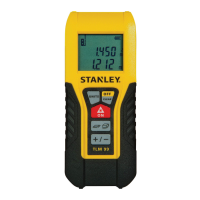
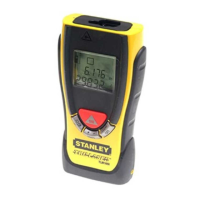
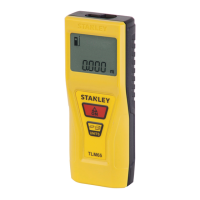
The STANLEY TLM65 is a versatile laser distance meter designed for accurate and efficient measurement tasks. Before using the device for the first time, it is crucial to carefully read through the safety instructions and the user manual to ensure proper and safe operation. The person responsible for the product must ensure that all users understand and adhere to these directions.

Function Description

The STANLEY TLM65 is primarily used for measuring distances, areas, and volumes. It features a continuous measuring mode, allowing users to track distances in real-time. The device emits a visible laser beam, which is a Class 2 laser product according to IEC60825-1:2007 standards. This means that while the laser is safe for normal use, direct staring into the beam or directing it towards other people unnecessarily should be avoided. Eye protection is typically afforded by natural aversion responses, such as the blink reflex.

The device's display provides clear information, including the measured values, battery status, and an info icon for message codes. The main line of the display shows the current measurement, while additional lines may show previous measurements or calculated values for area and volume.

Usage Features

Instrument Set-up:

To begin using the STANLEY TLM65, ensure the batteries are properly inserted. The device uses AAA batteries, and a flashing battery symbol on the display indicates when they need to be changed.

Operations:

  • Switching ON/OFF: The device can be switched on by pressing the "ON" button. To switch it off, press and hold the "ON" button for 4 seconds. The device also has an automatic shut-off feature; if no key is pressed for 120 seconds, it will switch off automatically to conserve battery life.
  • Unit Setting: The STANLEY TLM65 allows users to switch between different units of measurement, including meters (0.000 m), feet and inches (0'00" 1/16), and inches (0 1/16 in). This can be done by pressing the "UNITS" button for 1 second.
  • Message Codes: If an "info" icon appears with a number on the display, it indicates a message code. Users should refer to the "Message Codes" section of the manual for instructions on how to address these messages. For example, a code like "256" would correspond to a specific instruction in the manual.

Measuring Functions:

  • Measuring Single Distance: To measure a single distance, aim the active laser at the target and press the "ON / Measure" button. The measured distance will be displayed. It's important to note that measuring errors can occur when dealing with certain target surfaces, such as colorless liquids, glass, styrofoam, semi-permeable surfaces, or highly reflective surfaces. Darker surfaces may also increase the measuring time.
  • Continuous Measuring: For continuous measurement, press the "ON / Measure" button for 2 seconds. The device will continuously measure and display the last value. To stop continuous measuring, press the "ON / Measure" button again.
  • Area Measurement: To measure an area, press the "Area / Volume / Units" button once. The device will prompt you to aim the laser at two target points. First, aim at the first target point and press the "ON / Measure" button. Then, aim at the second target point and press the "ON / Measure" button again. The calculated area will be shown on the main line of the display.
  • Volume Measurement: To measure volume, press the "Area / Volume / Units" button twice. The device will guide you through three target points. Aim the laser at the first target point and press "ON / Measure," then repeat for the second and third target points. The calculated volume will be displayed on the main line.

Safety Instructions:

The STANLEY TLM65 is designed for measuring distances and should only be used for its permitted purpose. Prohibited uses include operating the product without instruction, outside stated limits, deactivating safety systems, or opening the equipment with tools. Users should also avoid deliberate dazzling of third parties, inadequate safeguards at surveying sites, or aiming the laser directly into the sun. Looking directly into the laser beam with optical aids is hazardous. In case of damage, do not attempt to repair the product yourself; contact a local dealer. Changes or modifications not expressly approved could void the user's authority to operate the equipment. The device is designed for use in areas permanently habitable by humans and should not be used in explosion-hazardous areas or aggressive environments.

Maintenance Features

Care:

To maintain the STANLEY TLM65, clean the device with a damp, soft cloth. It is crucial never to immerse the device in water or use aggressive cleaning agents or solvents, as this can damage the internal components and affect its functionality.

Disposal:

Flat batteries should not be disposed of with household waste. They should be taken to designated collection points in accordance with national or local regulations. Similarly, the product itself must not be disposed of with household waste. It should be disposed of appropriately, adhering to national regulations in force in your country. Product-specific treatment and waste management information can be downloaded from the manufacturer's homepage.

Warranty:

The STANLEY TLM65 comes with a two-year warranty. For further information regarding the warranty, users should contact their dealer. The manufacturer reserves the right to make changes to drawings, descriptions, and technical data.

Stanley TLM65 Specifications

General IconGeneral
ModelTLM65
CategoryMeasuring Instruments
Accuracy± 1.5 mm
Measurement Unitsm, ft, in
Laser ClassClass 2
Laser Wavelength635 nm
DisplayLCD
Battery Type2 x AAA
Auto Power OffYes
WaterproofNo
TypeLaser Distance Meter
Weight0.1 kg
Measuring Range0.05 - 65 m

Related product manuals