44
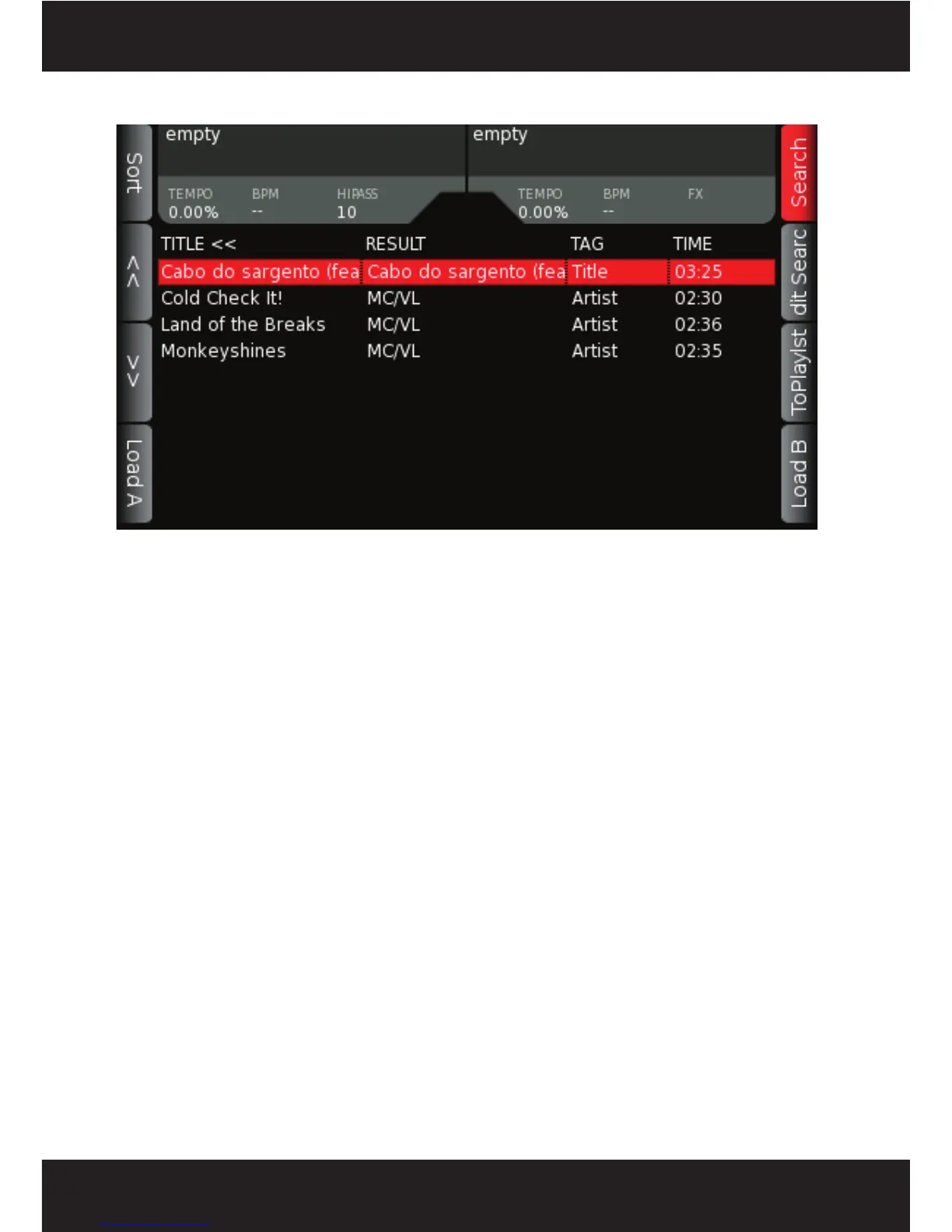
After you have pressed the GO key, the SEARCH RESULTS display is shown. From here, you can
select your track to load, add a song to a playlist, sort your search results, or edit your search to
narrow down your choices.
The following button choices are available:
- Sort – Brings up a pop-up menu that allows the list to be sorted by Title, BPM, Time or the
Comments field of the song ID3 tag.
- <- -> (Page Up/Down Arrows)– Pages up and down your search results in 10-song increments.
- Load A/B– load the selected track into either deck A or B
- Navigation wheel - changes the currently selected song
- Search – Press SEARCH again to exit the SEARCH menu
- Edit – Use to refine your SEARCH results by changing the letters/numbers searched for.
- ToPlaylst - adds your song to the ACTIVE PLAYLIST
5.8 Search Results Display



 To Next Page