13
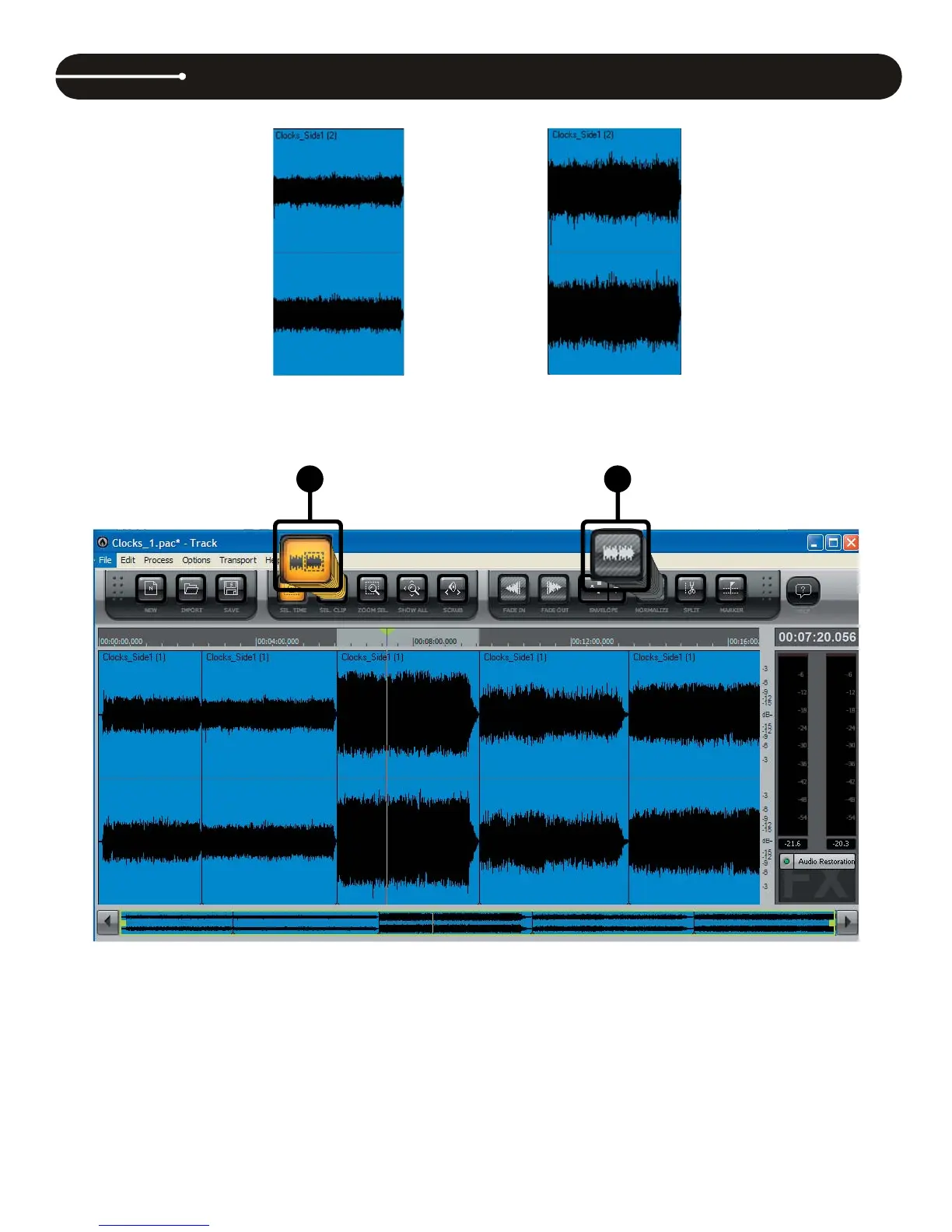
9. To normalize a Clip, fi rst press the (9) Clip Select button. Then, place the cursor over a Clip and click to select it.
10. Next, press the (10) Normalize button. This brings up the Normalize window, as shown below.
CAKEWALK PYRO AUDIO CREATOR LE OVERVIEW (PC users )
&OLSEHIRUHQRUPDOL]LQJ &OLSDIWHUQRUPDOL]LQJ



 To Next Page